Published:
Overview
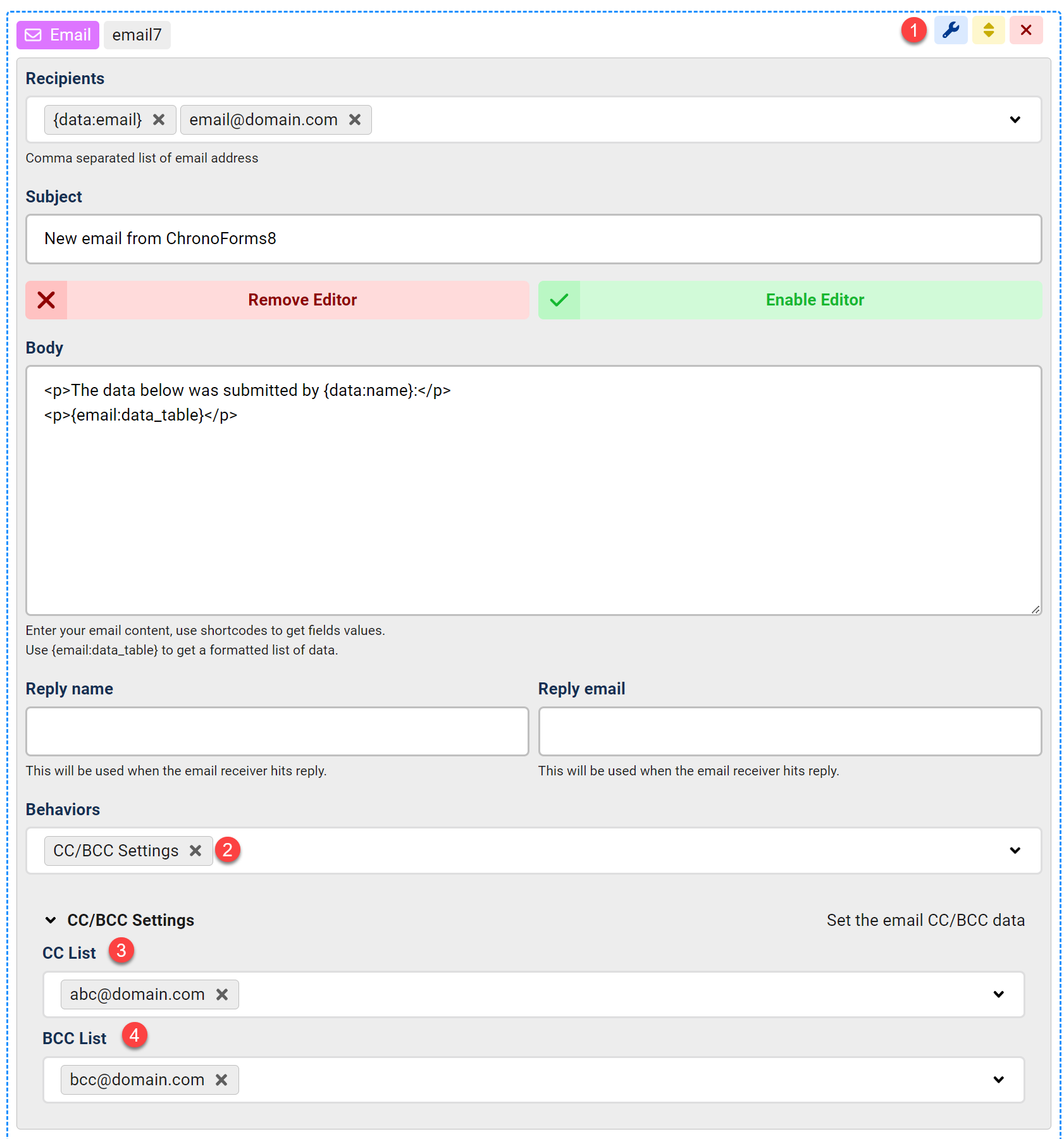
Learn how to configure CC and BCC settings in your email action by following four simple steps. First, open your email action settings and enable CC/BCC under Behaviors. Then, add your desired CC and BCC email addresses to complete the setup.
1- Open your Email action settings
2- Under Behaviors, enable the CC/BCC Settings
3- Add your desired CC email addresses
4- Add your BCC addresses if any.


Comments