Overview
Learn how to safely use dropdown field values as email recipients without exposing addresses to spam bots. By implementing a virtual field with conditional rules, you can map user selections to secure email addresses. This method ensures that sensitive contact information remains protected while maintaining functionality.
In some cases a field value may need to be used as an Email recipient, usually a dropdown to choose the contact person or department, although setting the dropdown options as the recipient email address may work, it's unsafe as the email address will be harvested by spam bots.
Using the Virtual field to switch the value for the dropdown is a safer option, here is how.
Suppose we have a Dropdown like this one:
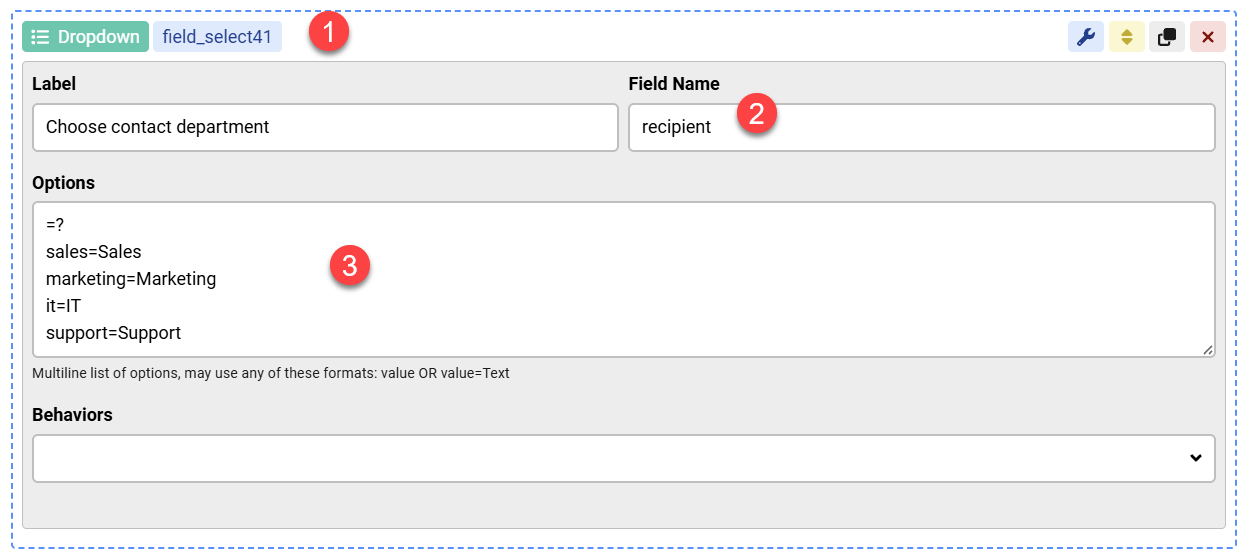
Based on the user's choice of this dropdown, we need to get an email address to use in the Email action later.
In order to do that we can use a Virtual Field and use the recipient field value as the starting value, then switch the value using conditional rules:
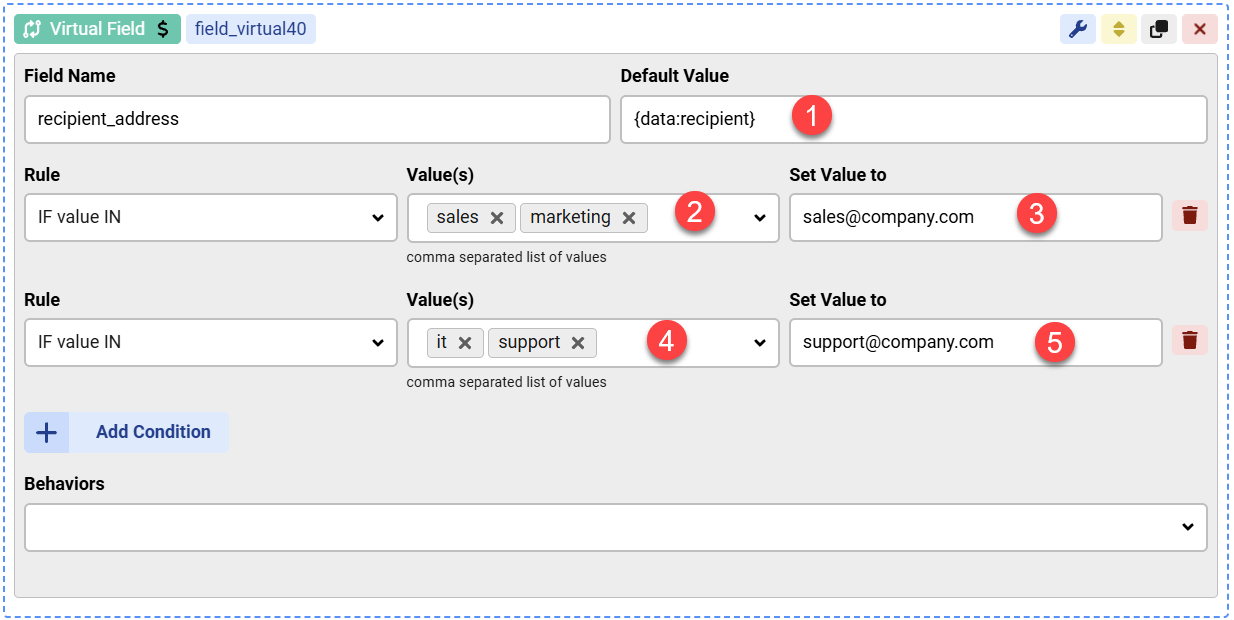
In this example, the final value of the Virtual Field will be sales@company.com if the user selects sales or marketing in the dropdown, or the value will be support@company.com if the dropdown selection was it or support


Comments