Published:
Overview
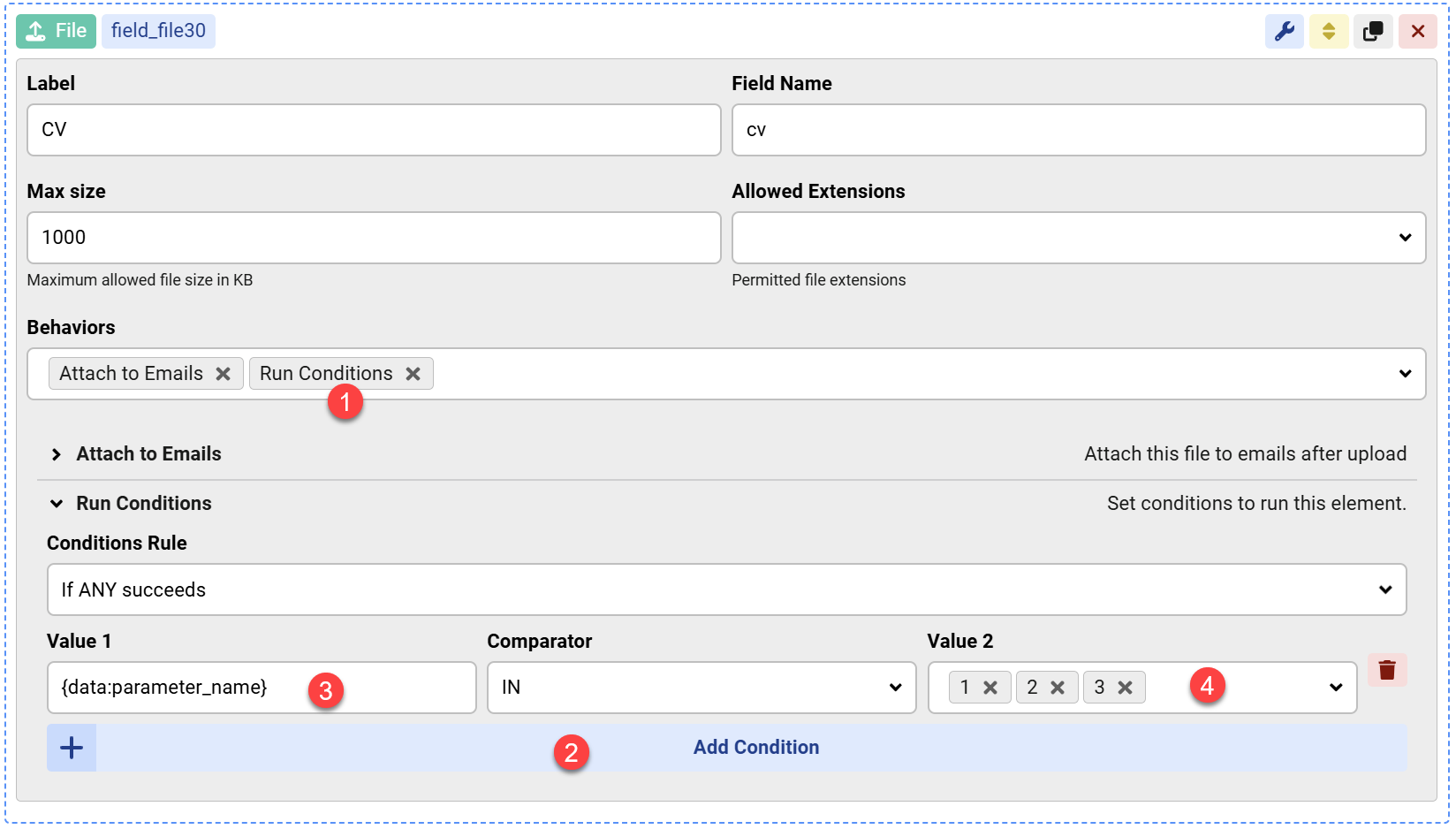
The Run Conditions behavior allows you to conditionally enable or disable any form view or action. To use it, enable the behavior, add a condition, and utilize a shortcode to check field values, URL parameters, or action variables. Optionally, you can set specific values that must match for the conditions to succeed.
The Run Conditions behavior can be used to conditionally enable or disable any form view or action.
- Enable the Run Conditions behavior.
- Add Condition
- use a shortcode to get the value of field or URL parameter or action variable you need to check.
- Optional, set the possible values to match for the Run Conditions to return success.


Comments