Published:
Overview
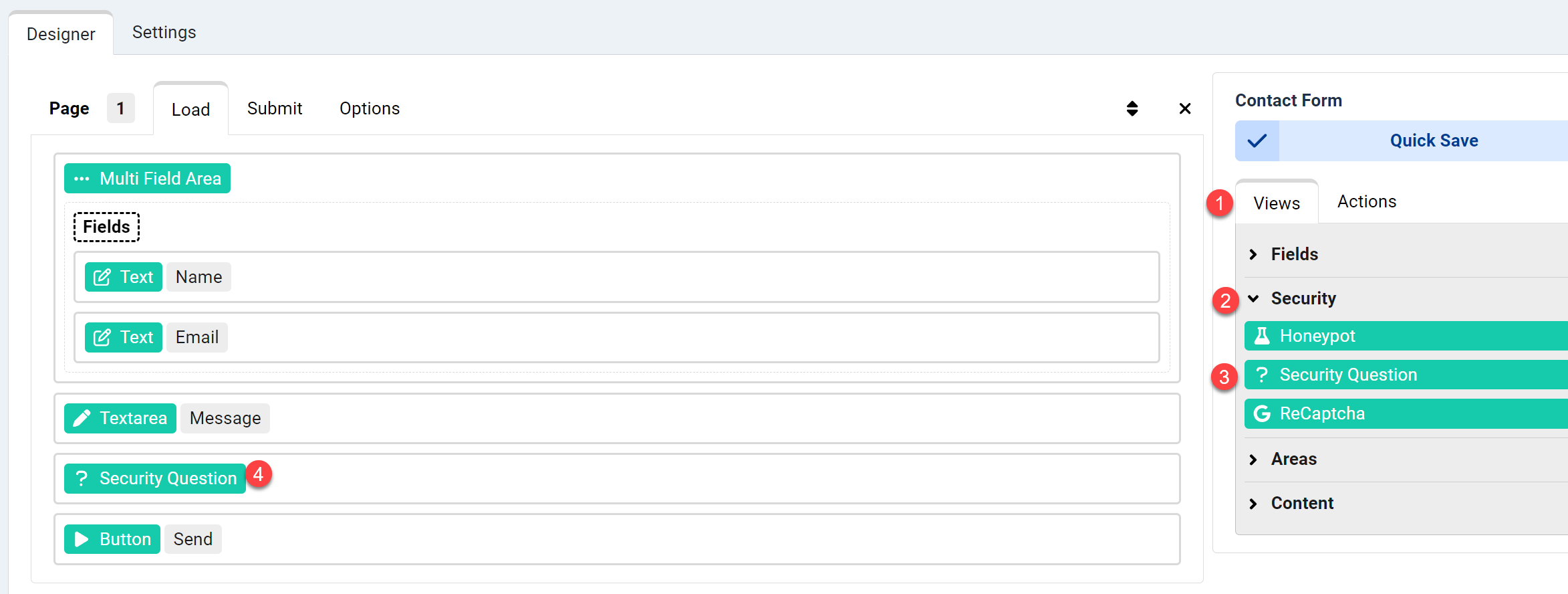
Open your form editor and navigate to the "Views" group in the right panel. Expand the Security group and drag the Security Question view to the Load event of your form. After saving, the form will display a random calculation question each time it loads, effectively blocking spam bots.
Add a simple math check to your form for extra security against spam bots
1- Open your form editor, on the right side panel open the "Views" group
2- Expand the Security group
3,4- Drag the Security Question view to the Load event of your form.
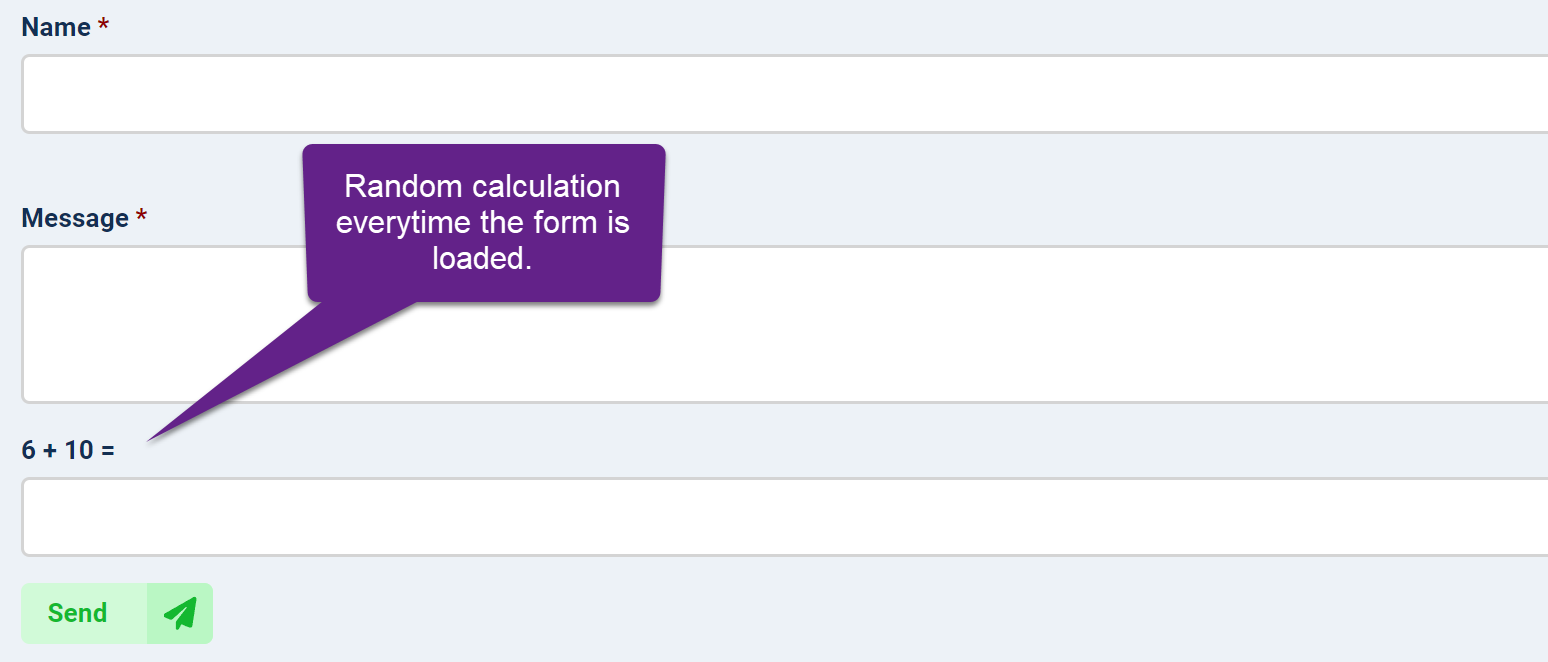
Save the form and open, it will show a random calculation question everytime the form page is loaded.


Comments