Overview
ALTCHA offers a globally compliant, privacy-first alternative to traditional CAPTCHAs, protecting against spam without tracking users. Adding it to your ChronoForms8 Joomla form is simple—just drag the Altcha security view into your form's load event. Once saved, the captcha becomes visible and is automatically verified on submission, ensuring a frictionless experience while complying with GDPR and CCPA.
ALTCHA provides privacy-first spam protection with a globally compliant and accessible alternative to Captchas. Protects against spam and abuse without tracking users, complying with GDPR, CCPA, and other regulations while ensuring a frictionless experience.
Adding Altcha to your ChronoForms8 Joomla form is now easier than even using the Altcha security view
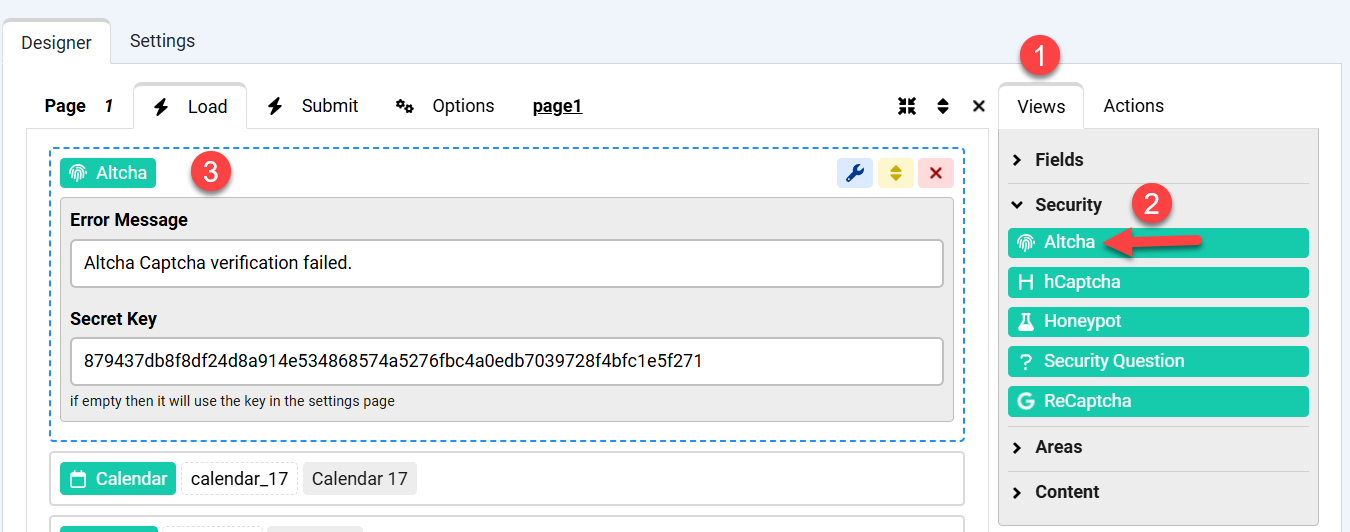
In your form editor, drag an Altcha view from the Security Views section to your form Load event:
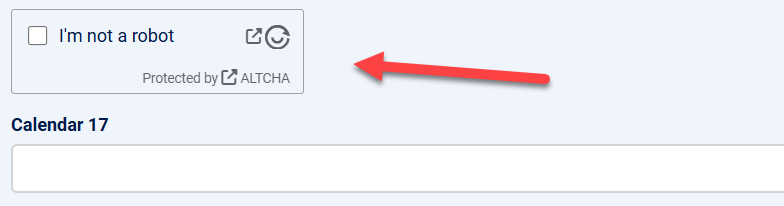
Save your form and the new Altcha captcha will be visible:
On submit the Altcha challenge will be verified.


Comments
I set up ChronoForms 8 with the ChronoForms plugin and used an Altcha Captcha in my form. The form shows up but when clicking the Altcha checkbox I always get "Verification failed. Try again later."
Please make sure you have added the correct secret key in your Altcha view settings
For a better discussion please post on the forums.