Overview
This article explains how to troubleshoot and resolve common email sending issues with Joomla contact forms. It guides you through checking and correcting your Joomla mailing settings in the Global Configuration. The process includes using the "Send Test Mail" feature to verify your setup and adjusting Chronoform settings if problems persist.
This is a common error with contact forms in Joomla, let's try to find out why it occurs
This may be a misconfiguration in your Joomla mailing settings, to find out, open your Joomla mailing settings:
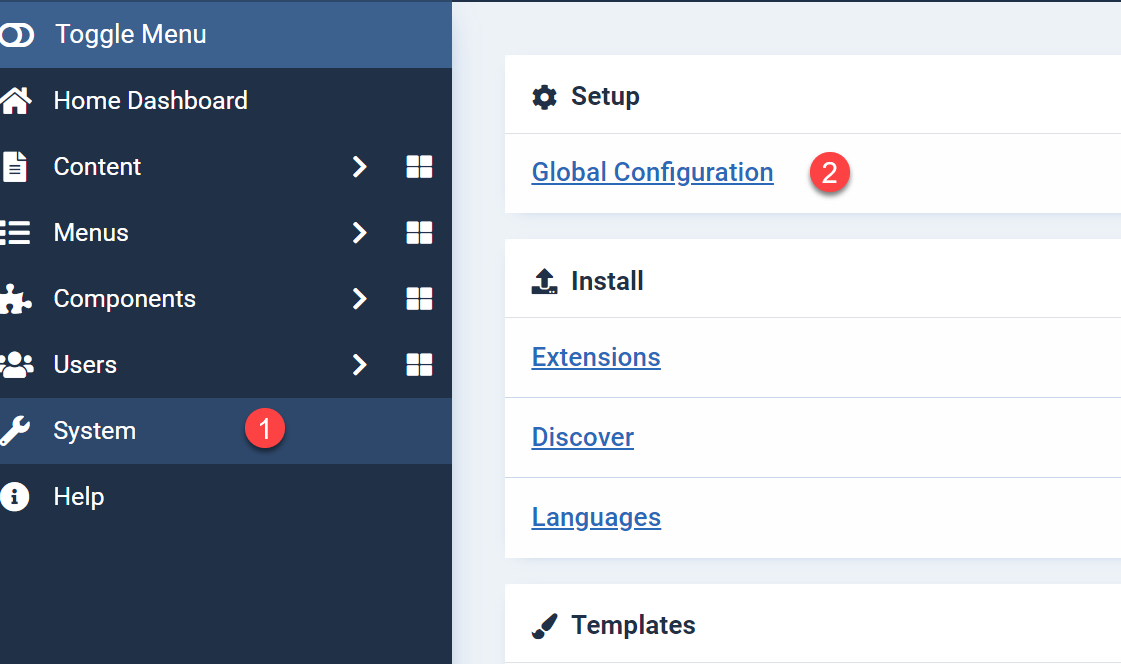
- Open System in your Joomla admin area
- Then choose Global Configuration
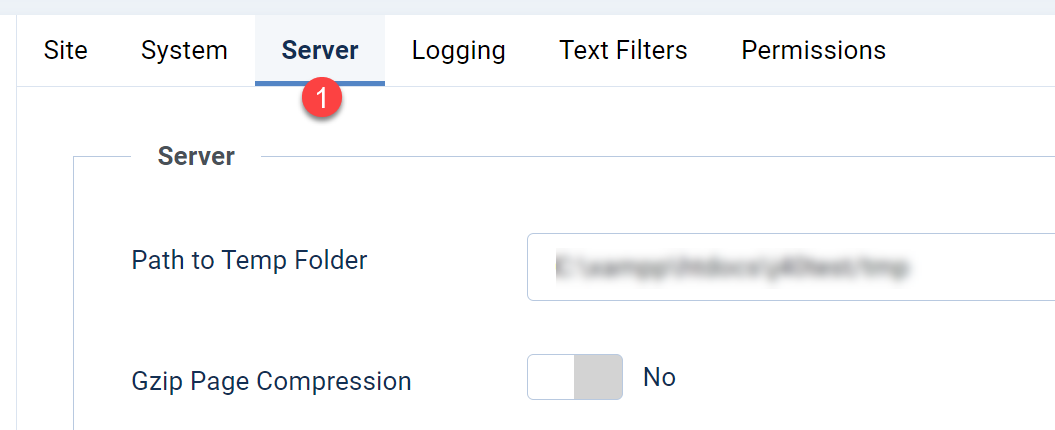
- Click on Server at the top menu
Then scroll down to the mailer settings and make sure it is configured correctly, then use the "Send Test Mail".
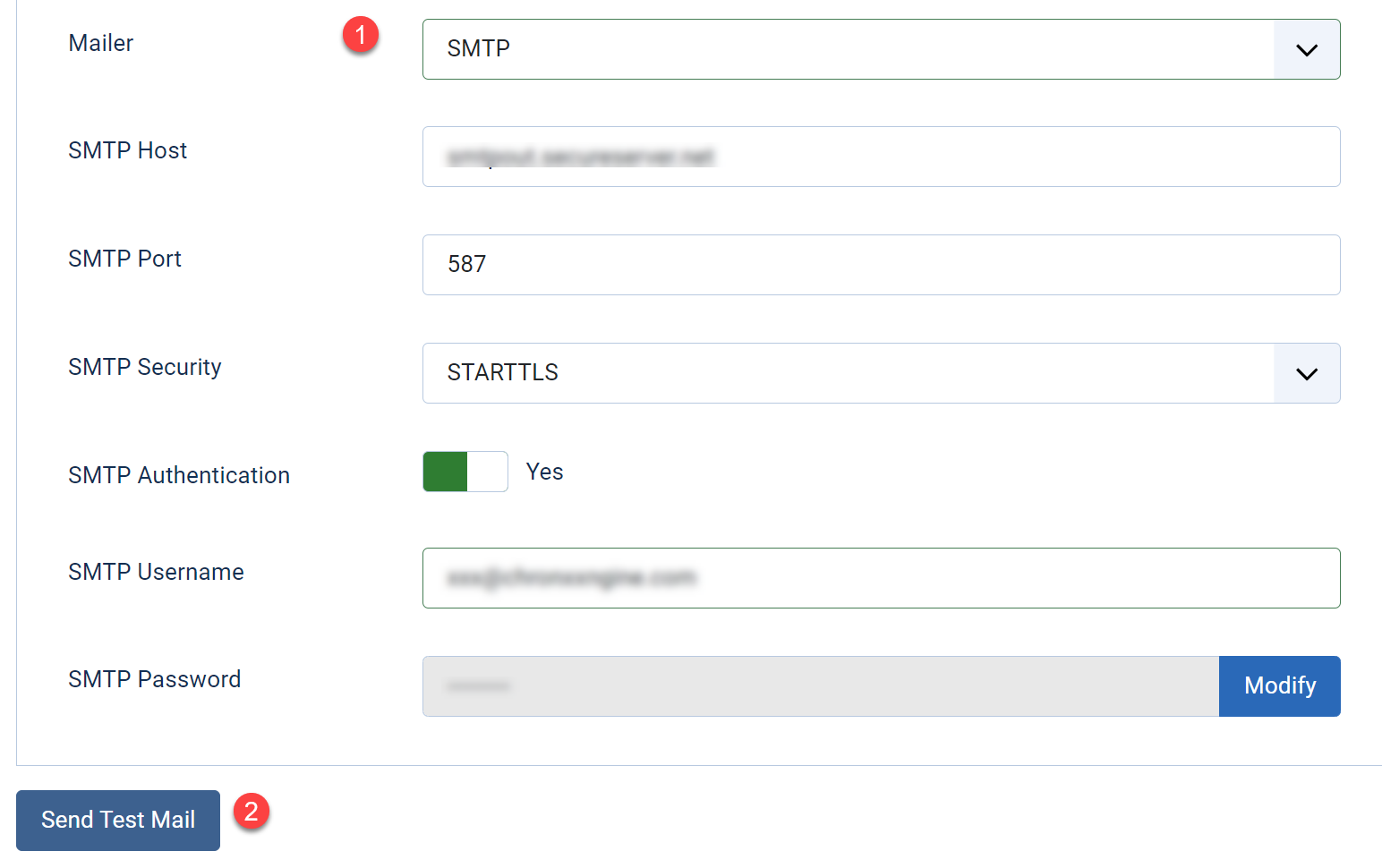
if you do NOT receive this email then there is a problem with your mailing configuration which must be fixed before your form can send emails.
if that was not the problem then please remove ALL "From" and "Reply" settings and set the Email recipients to just 1 email address in your Chronoform, save the email and test again


Comments