Overview
This tutorial guides you through translating your ChronoForms8 form by accessing the Settings and Locales section to add languages and define translatable strings. You can then call these translation strings within your form, and starting from v8.0.52, pass parameters like customer names to dynamically customize messages. This enables personalized, multilingual forms that adapt to the active language of your website.
In this tutorial we will show you how to translate your Chronoforms8 form to different languages
First, open your form for editing and click on Settings
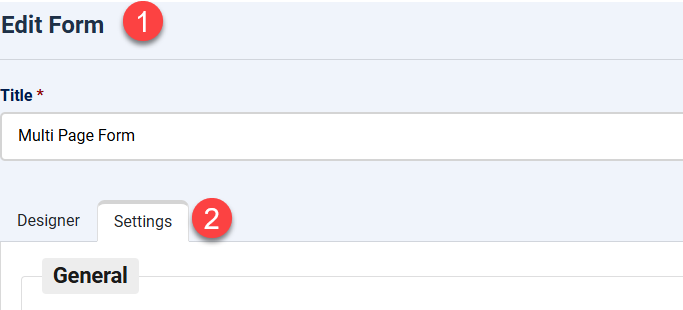
then scroll down to the Locales section
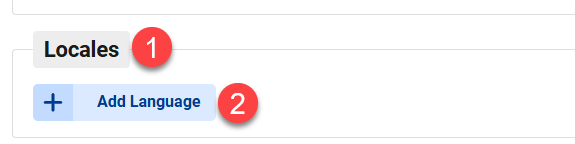
You can now add as many languages as you need and define the strings you want to translate in your form, one of the languages should be the default language of your website, here we have en-GB as the default language, this one does not need to have translations, but the strings should still be defined:
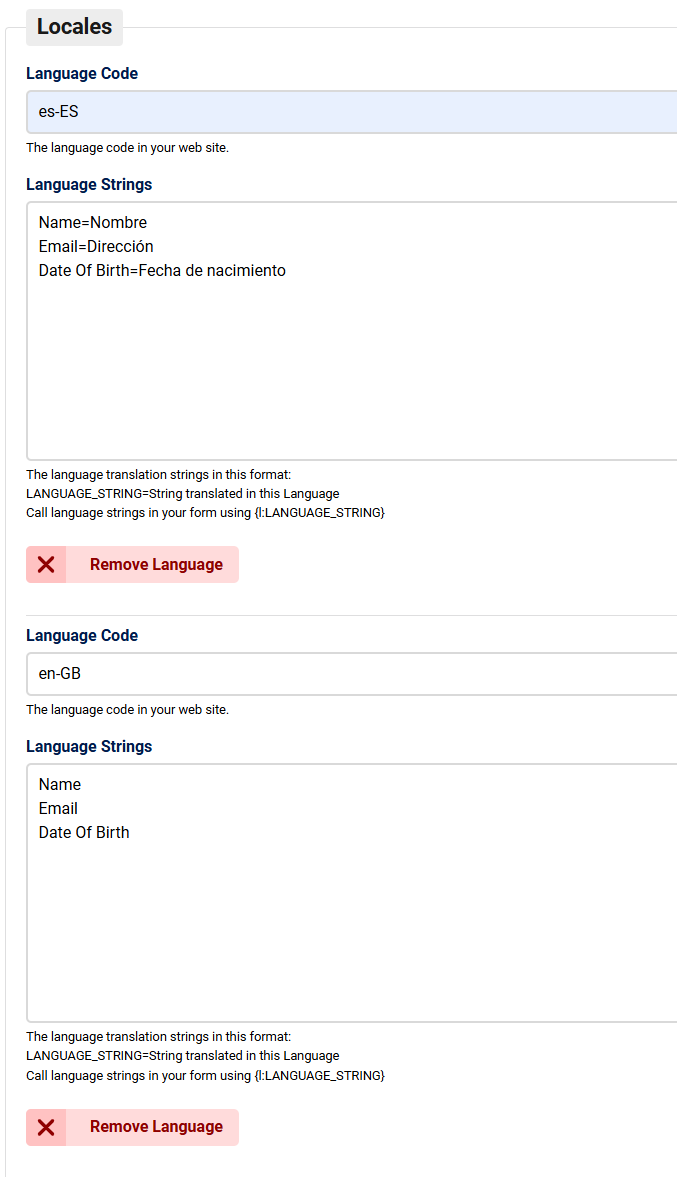
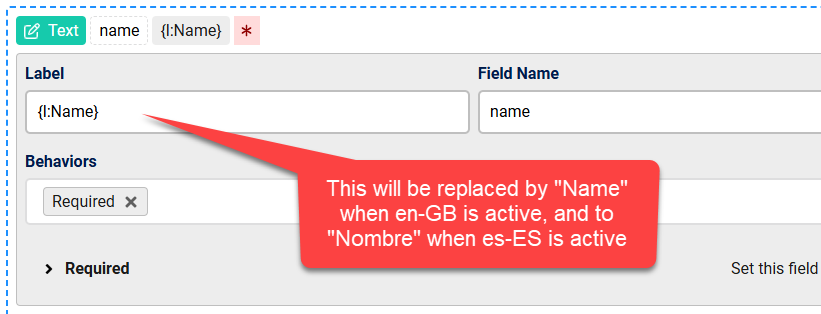
After you do that, you can call the translation strings in your form, the string will be translated according to the definition in "Locales" when the active language is loaded:
Passing Parameters to Locales strings
Starting from ChronoForms v8.0.52 you will be able to pass parameters to the Locales strings, here is an example:
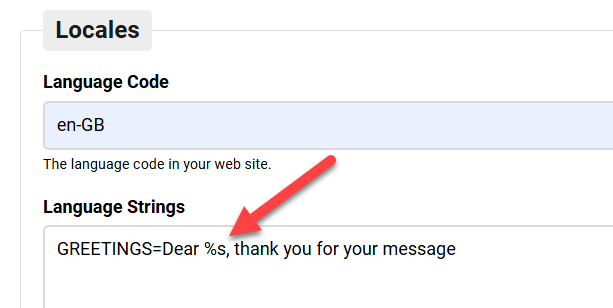
In this greeting message, we pass one parameter to the locale string using %s, when calling this string we can pass any variable and it will be replaced.
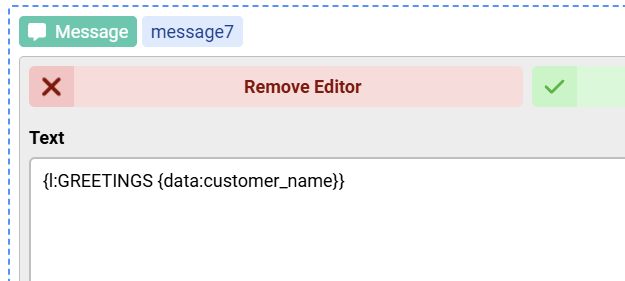
Here we replaced the %s in our greeting with the value of the field named customer_name, the end result will be something like:
Dear Max, thank you for your message


Comments