Overview
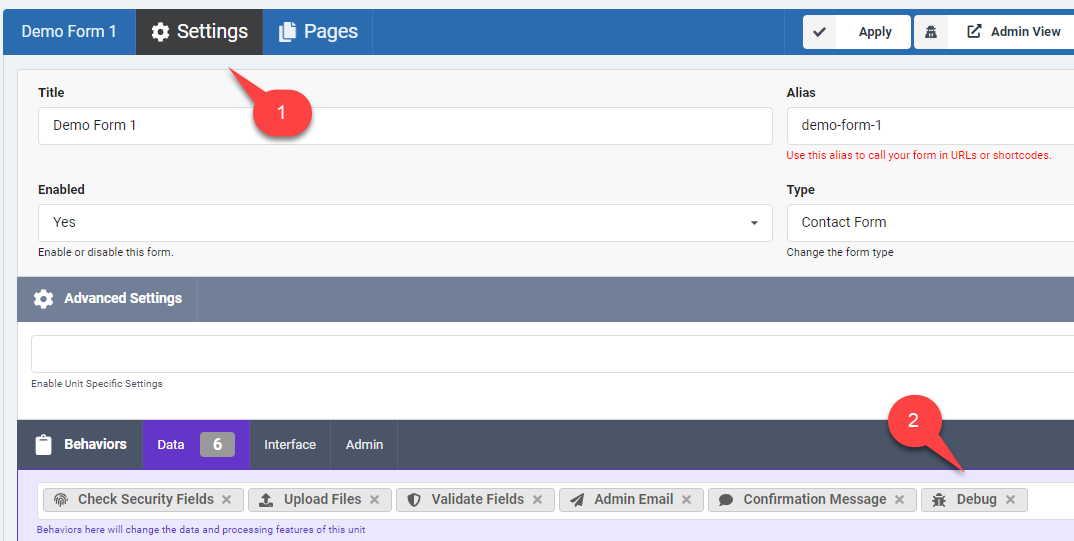
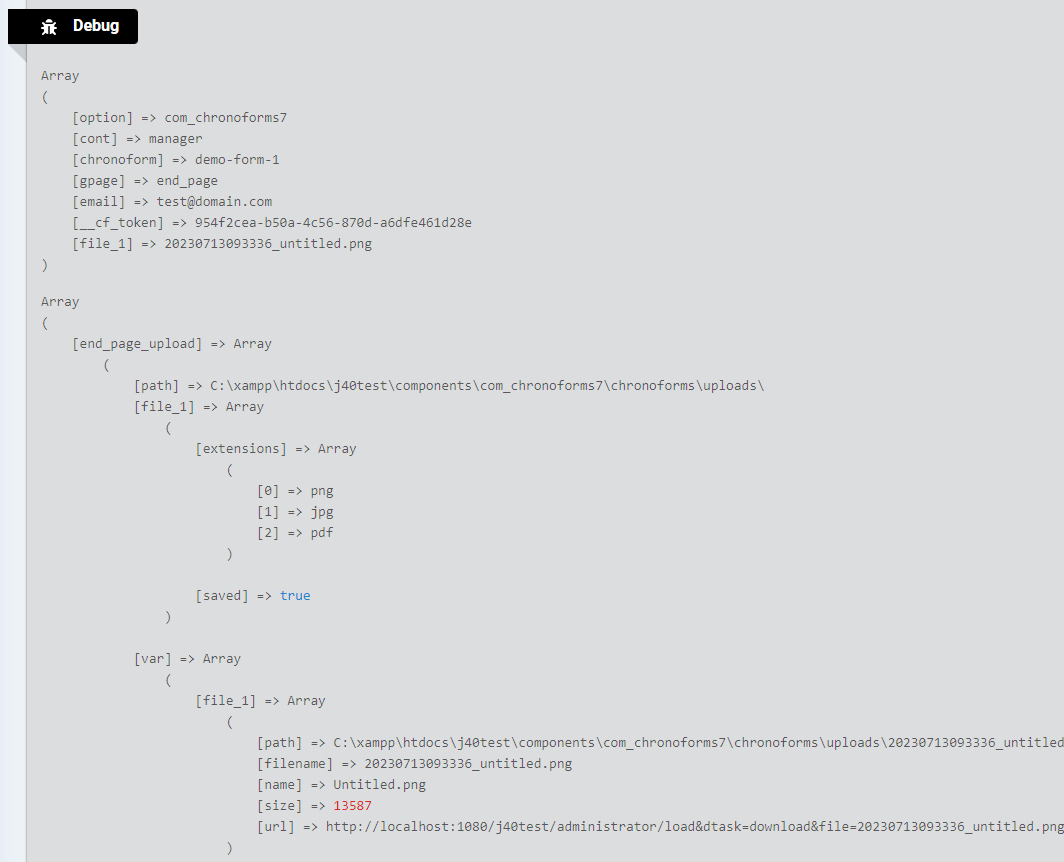
The ChronoForms7 form debugger provides helpful information about your current form state, including data or variables passed from previous pages. To use it, open the form Settings area and enable the Debug behavior, then submit your form once to generate a debug report. This report displays details such as the status of file uploads and the uploaded file path and name, aiding in troubleshooting.
ChronoForms7 form debugger will show you helpful info about your current form state, including any data or variables passed from previous form pages.
Open the form Settings area.
Enable the Debug behavior.
Submit your form once to find the debug report, in our test form it shows the status of the file upload and the uploaded file path and name.


Comments