Overview
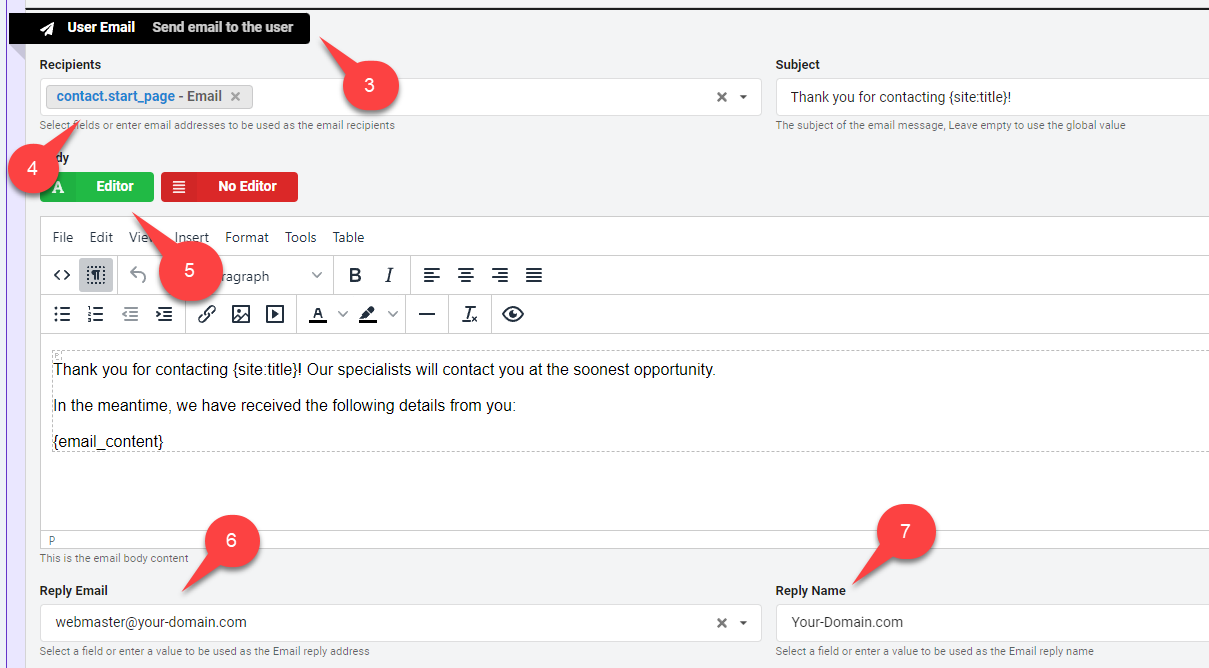
Open your form settings and enable the "User Email" behavior. Then, select the form field containing the user's email address and configure the reply-to email and name. You can also use the email template editor to customize the email body easily.
Open your form "Settings".
Enable the "User Email" behavior.
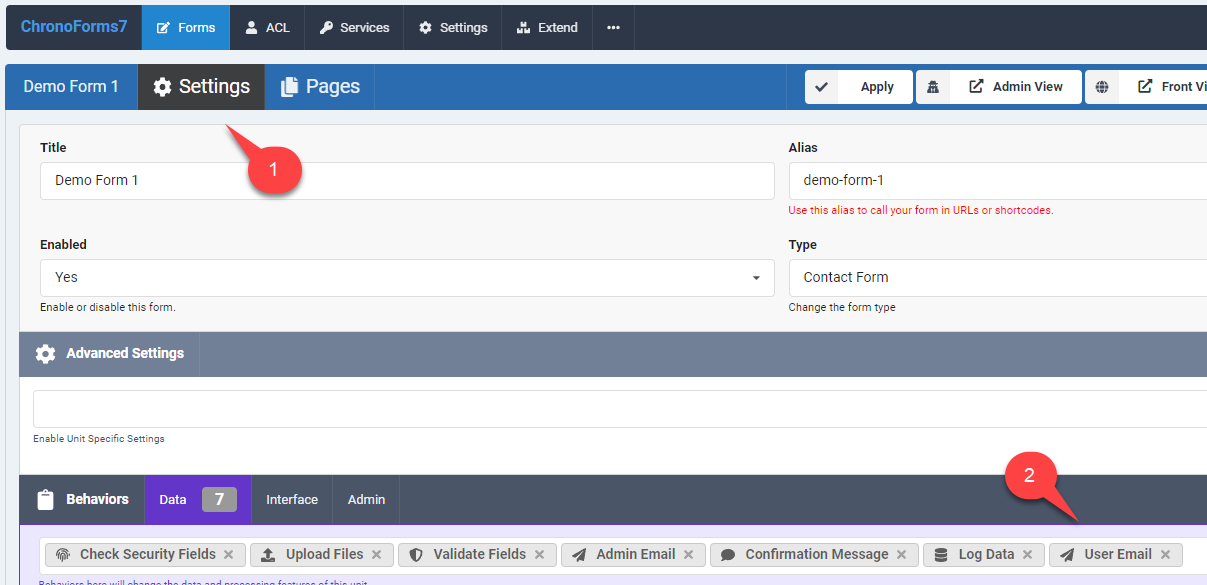
Scroll down to the User Email behavior settings.
Select the form field which will hold user's email address, in our form this is the "Email" field.
You may enable the email template editor to edit your email body easily.
Write down the adminitrator email address which will be used for replying to the auto responder emails, when the user hits reply in their email client (e.g: Gmail), they will have this address in the "To" field.
Write down the Reply name for the auto responder email.


Comments