The title says it all, I need to hide some fields when the user says "No" to delivery but I'm not sure how on CF 8. I suspect event triggers have something to do with this ability, but I can't find a demo showing this. Please advise.

Hi Micah
Yes, you need to setup a listener in your form fields to show them on specific trigger, and setup a trigger to fire when the "No" is selected
You will also need a trigger on page load to hide the fields to be shown, if those fields should be hidden by default
I will try to prepare tutorial for this feature in the next few days
Hello,
For an excellent description on implementing events trigger / listeners to enable conditionally behaviour, see:
https://www.chronoengine.com/forums/topics/view/111158/how-to-use-events-listener
The figures below can help.
That helped me a lot and works perfect!
Regards
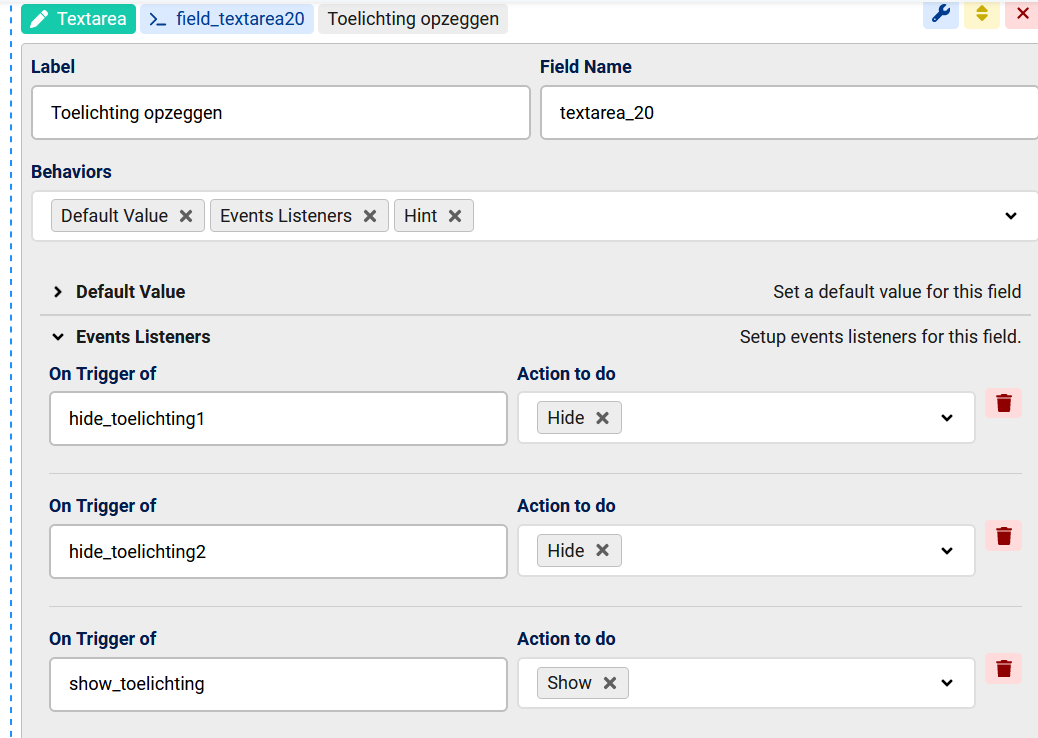

Hello Max,
Could you find time to make a tutorial for show or hide form fields in triggers? Please direct me to that tutorial if it is made.
Thanks
ron
Hi Ron
Another user has already posted some helpful images above and I have replied to your recent topic
and here is a full tutorial:

