Published:
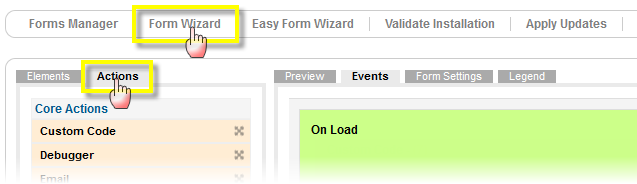
The ChronoForms actions are hidden if you are using the Easy Wizard. To see the full list click the Form Wizard link in the Links bar and then the Actions tab at the left.
If you have already created a form using the Easy Wizard you can switch to the Advanced Wizard using the option on the form General tab. To see this go to the Forms Manager and click the Form Name link.
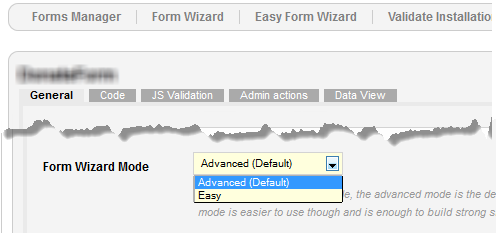
Changing from the Easy Wizard to the Advanced Wizard will keep all of your existing form settings. You can change back again later but if you do so you may lose changes made in the Advanced Wizard. If you want to keep your options open then make a copy of your form first using the Copy icon in the Forms Manager Toolbar.
The Easy Wizard adds many actions to your form that you probably aren't using, for example there are three Email actions. When you convert to the Advanced Wizard you can make it easier to work with by deleting any unused actions. You can always add new copies of the actions later if they are needed.


Comments