Chronoforms v8 - Alternative Data

How to handle blank number fields in ChronoForms v8 to avoid invalid number errors when saving data.

Overview

The problem is that empty string values are passed to numeric database columns, which fail as invalid numbers, and CF8 lacks the "Alternative Data" field option available in CF7.
Use a PHP loop in the form data to convert empty string values to null before saving, or wait for the upcoming CF8 update that adds a NULL fields behavior in the Save Data action settings.

Answered
go gotpowr 23 Sep, 2026

How can we do alternative data in Chronoforms v8?

I have a number of fields I use it for in order to properly save data.

Example: a number field that can be left blank.  When it has a value, it saves properly.  When it doesn't, the query tries to pass '' which fails as an "invalid number".  

In CF7, I handled this with "Alternative Data" set up on the field where value = (blank) then override "{const:null}"

I can't find the equivalent in CF8?

go gotpowr 28d ago
1 Likes

I ended up using a php loop to go through and do this.

foreach ($this->data as $key => $value) {   

        if (is_string($value) && trim($value) === '')  {       

                     $this->data[$key] = null;   

 } }

Max, I'm assuming there's no direct solution like in CF7 by using "alternate data" on the fields?

Max_admin Max_admin 25d ago
Answer

Hi gotpowr

Your solution is good, I have added a NULL fields behavior to the next update to do just that, you will be able to set the fields in the Save Data action settings as shown below:
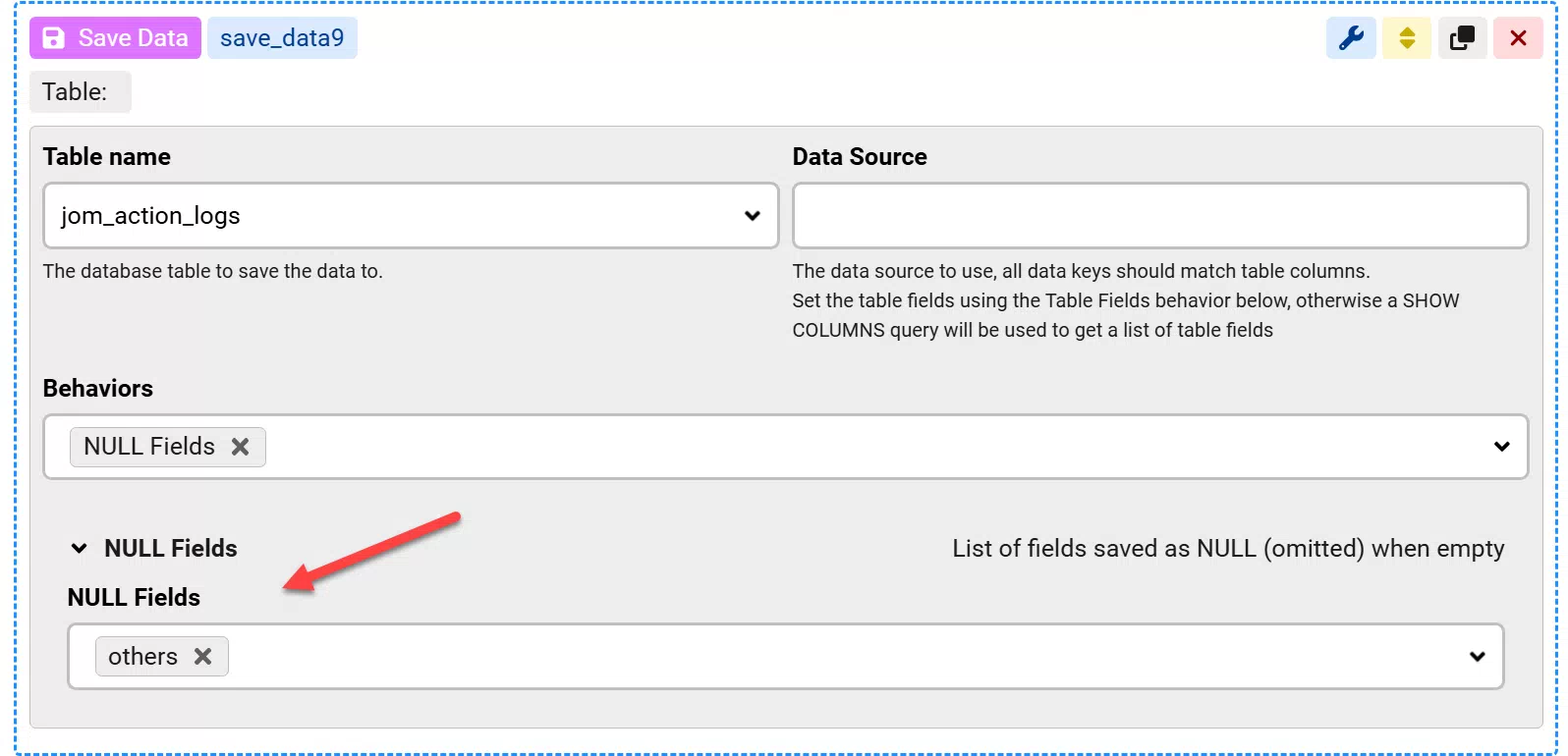

Chronoforms v8 - Alternative Data image 1

Max, ChronoForms developer
ChronoMyAdmin: Database administration within Joomla, no phpMyAdmin needed.
ChronoMails simplifies Joomla email: newsletters, logging, and custom templates.
go gotpowr 22d ago

Thanks Max!  I'll probably migrate over to the solution after the new update, at least with my newest forms.  I prefer to use Chrono config when I can and this is a great addition!

Post a Reply