Max,
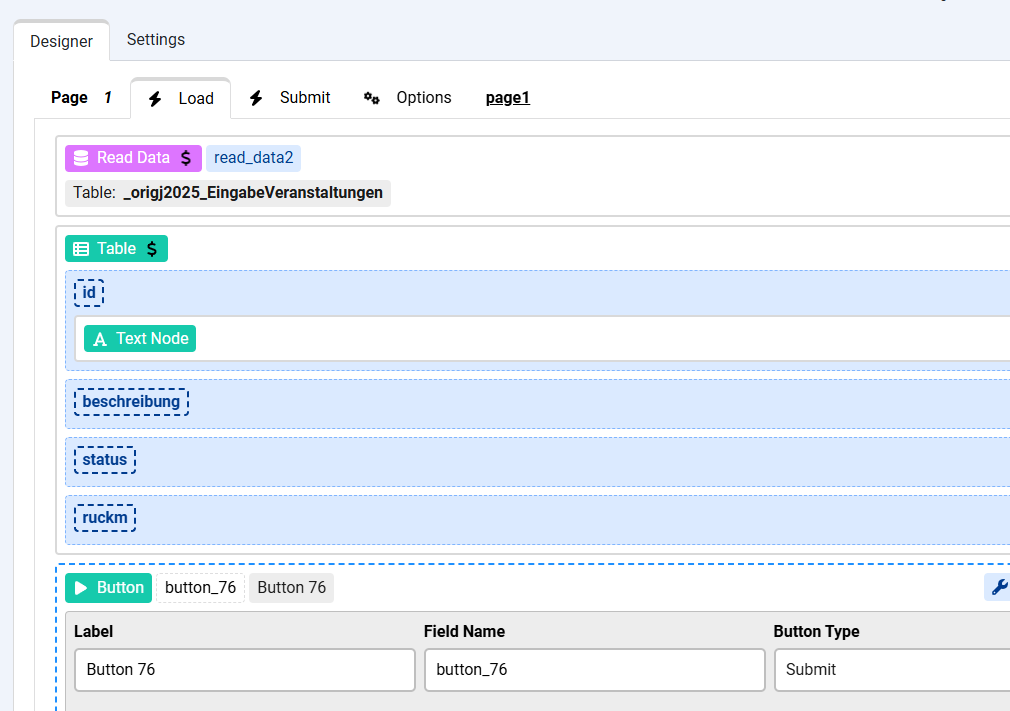
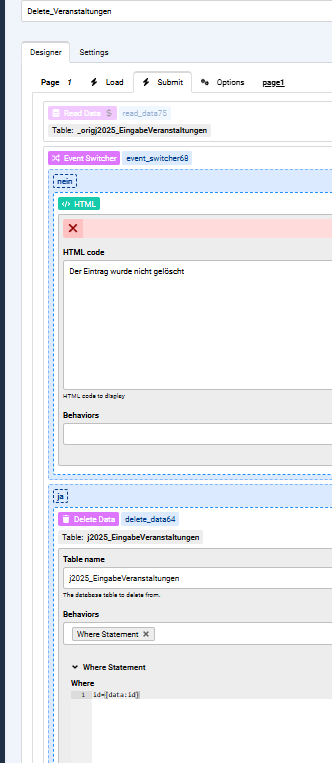
I can display my database table, but I can’t get the next steps to work:
selecting a record and confirming Yes/No before deleting it.
Below is what I tried — how can I achieve this workflow?
and the submit page:

Hi kraadde
Apologies for the late reply.
You want to select the record to delete using a link in the same record row or using a checkbox and a Delete button at the top for multiple selections ?
If you want to use a link then that's easy, just link to another form page in a different Page Group and pass the record id, in the other page you can use a Delete Data action to get the id and delete the row, then a Redirect action to send the user back to the listing page.
Hi kraadde
Unfortunately those are spammers using AI to post some not very helpful content.
Did you try to follow the steps I posted ? where is the problem now ?
Max, yes, I did and here the results:
my Delete_Form is as follows:
page1
a read data action and a table listing all record cells. Variable id has a text node where linkes to a deleting1 page
with following Parameters settings:
chronopage=deleting1
id={var:row.id},
beschreibung={var:row.beschreibung},
datum_1={var:row.datum_1}
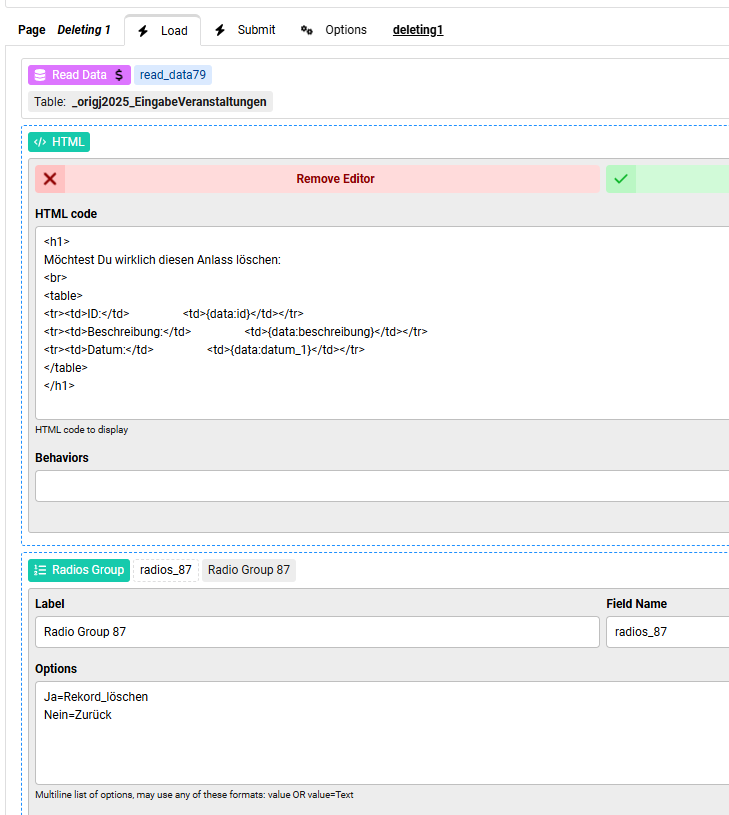
I can confirm that the variable id, Beschreibung and datum_1 are passed correctly to page deleting1, because the html returns the correct values from the selection.
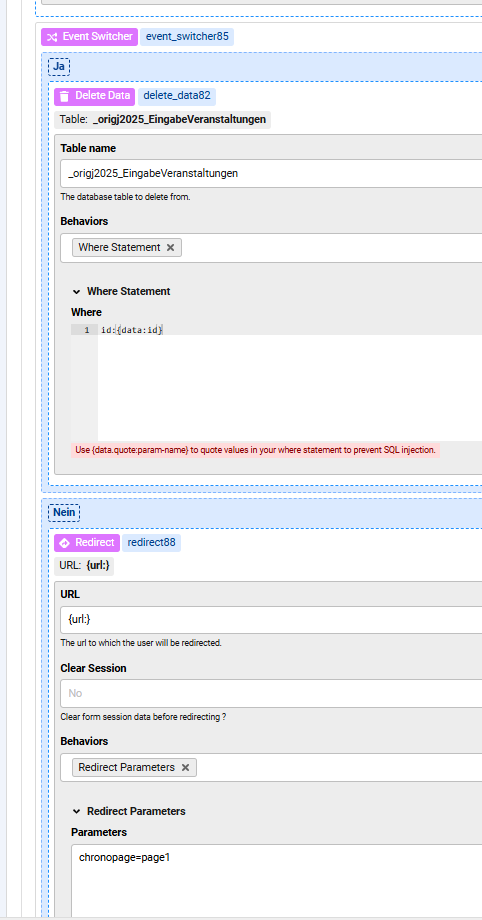
page deleting1 has the following settings:
However, the record is not deleted after submitting the form and it does not return to the table page1.
How to solve?
Hi kraadde
The Event Switcher which has the Delete Data and Redirect inside has to be in the Submit event of the Delete page, is this the case ?
Max,
it was not and I tried to move the eventswitcher to the submit event of the delete page without any noticable behaviour changes, i.e. the record is still not deleted after submitting the form and it does not return to the table page1.
Regards
kraadde
Hi kraadde
What does the Debugger show after you submit the Delete page ? it show which actions have been processed.

