Hi Max,
okay, thank you very much for your answer regarding PDF templates.
I have implemented it with a PHP action using FPDF, FPDI and used my PDF template to insert the values into the template and generate a new PDF file.
So far so good :-)
After that action I would like to forward the PDF via E-Mail action, but I do not know how to specify the attachment?
In my PHP action I have created this
// -----------------------------
// Für Email Action bereitstellen ({path:front} nötig für ChronoForms)
// -----------------------------
$this->data['generated_pdf'] = '{path:front}/images/pdf_export/' . $pdfFileName;
$this->data['generated_pdf_name'] = $pdfFileName;
and in the email action I used this name like that:
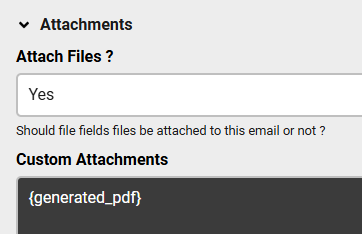
But I get the error: Could not access file: {generated_pdf}
Do you have any idea how to achieve that?
Thanks a lot
Markus

Hi Markus
The path to the generated PDF file will be shown in the form debug when you enable it, you need to use the shortcode for that path in the Custom Attachments box as you have done:
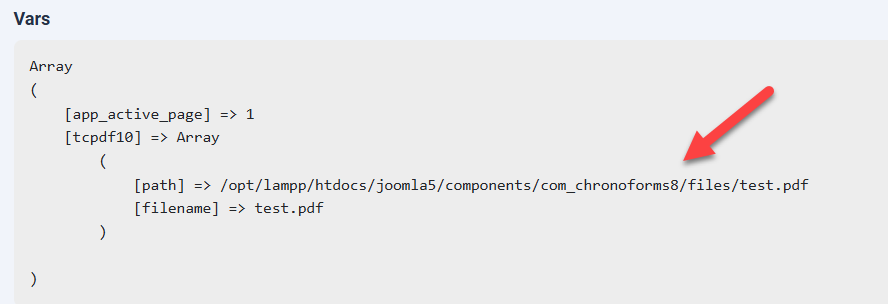
in my example, the shortcode will be: {var:tcpdf10.path}
Hi Max, thank you!
No problem

