Container and Table id are missing

How to set IDs and classes for CF containers and tables.

Overview

The issue occurs because view IDs are hidden after saving the form, and custom IDs or classes are not automatically applied.
Use the HTML Attributes behavior for tables and the Classes setting for containers to manually assign the desired IDs and classes.

Answered
ChronoForms v8
ko konzilium2005.it 15 Jan, 2026

I've create a new form with an "Areas/Container" and inside  a "Read Data and Table" views.Init state ( before SAVE) I see the ids:
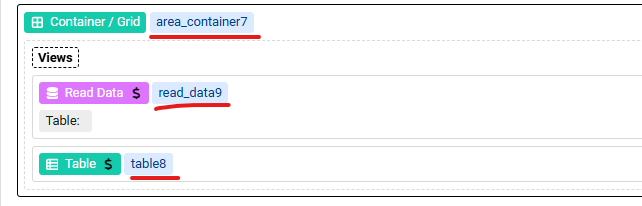
When I save the form some ids disappear:
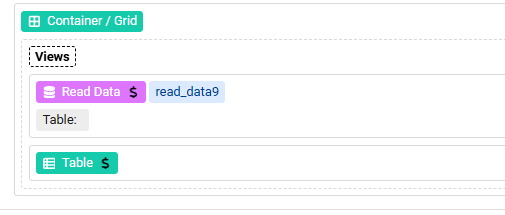
 

I've added "WizzardSettings" and set names. I've  tested the form ( and I 've got the data ...)  but I cannot see the IDs in the HTML source:

Q1: "area_container7" :  Why "class" became part of "name" 

Q2: "<table..."  :  Why is the value of "id" missing  

Thanks for your help

Max_admin Max_admin 15 Jan, 2026
Answer

Hi Konzilium

The ids in the images are the views ids, they are hidden after save for views, that's normal

if you need to set the Table ID/Class then you need to use the HTML Attributes behavior in the table or the Classes setting for the Container:
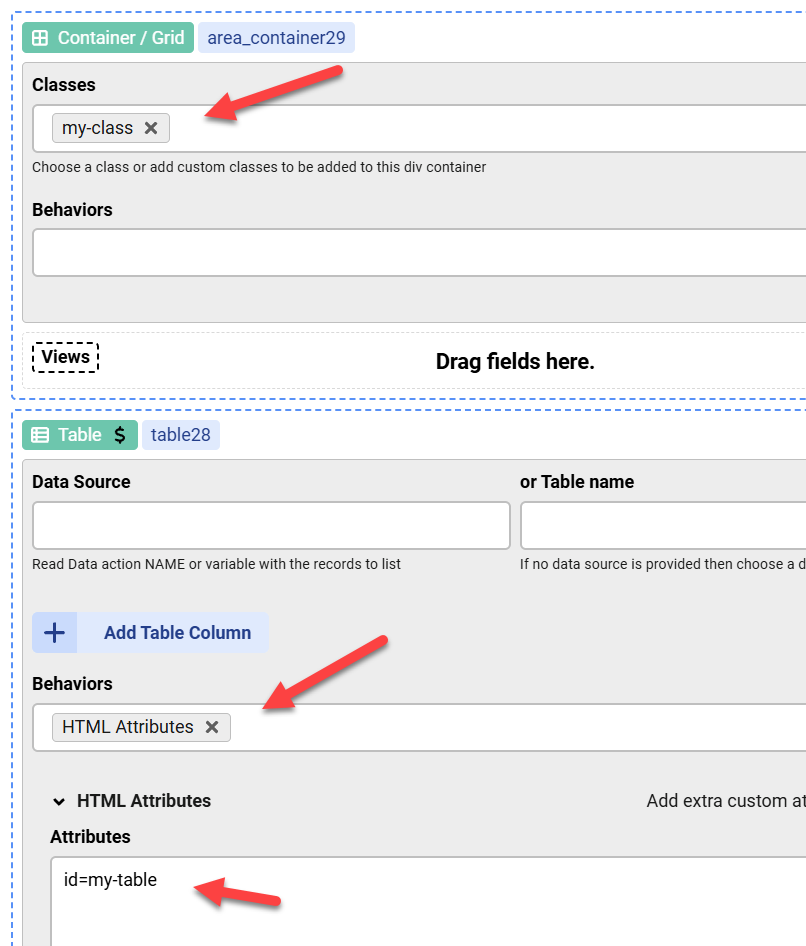

Container and Table id are missing image 1

Max, ChronoForms developer
ChronoMyAdmin: Database administration within Joomla, no phpMyAdmin needed.
ChronoMails simplifies Joomla email: newsletters, logging, and custom templates.
Post a Reply
