Max,
I am still looking for a way to setup a form that allows the user to delet a selected record.The following is the result: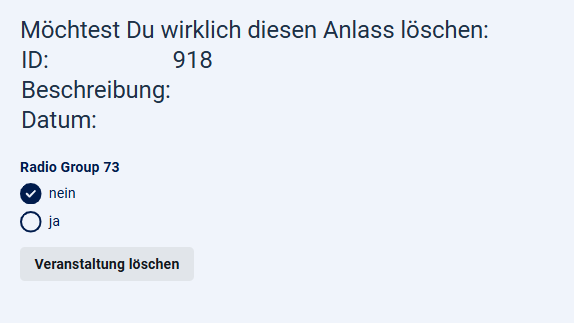
What I have sofar is a working first page that lists all records: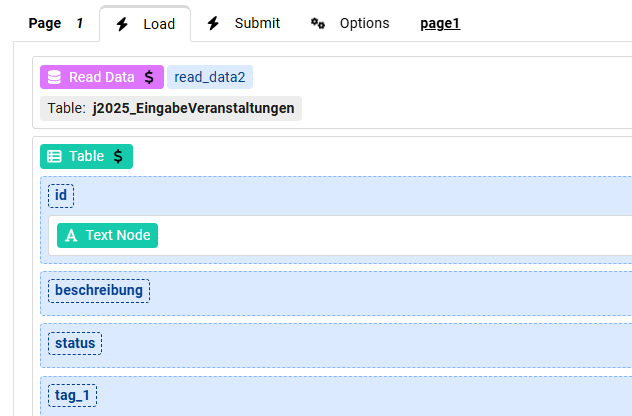
and the following second page:
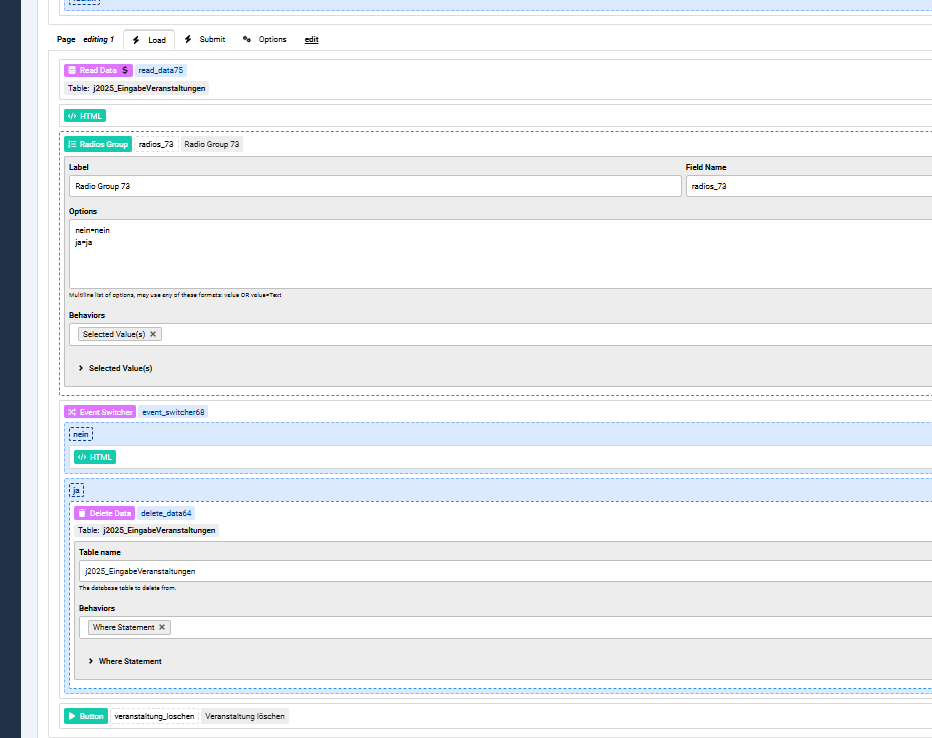
What now happen is that even when the option nein (= no deletion) is selected, the record is cleared only the id still remains in the database.Also the html dont work as I expected:
<h1>
Möchtest Du wirklich diesen Anlass löschen:
<br>
<table>
<tr><td>ID:</td>                  <td>{data:id}</td></tr>
<tr><td>Beschreibung:</td>                  <td>{data:beschreibung}</td></tr>
<tr><td>Datum:</td>                  <td>{data:datum_1}</td></tr>
</table>
</h1>
What I am doing wrong here?

Hi kraadde
if you want the record to be deleted when the "loschen" button is clicked with "ja" selected then you need to move the Event Switcher to the Submit area of that page, because once the page is submitted then it's the Submit part which runs.

