apostrophe char not encoded into "Language Strings" used in a "Valid email" message error

How to fix JavaScript errors from apostrophes in ChronoForms language strings.

Overview

The issue occurs when a language string containing an apostrophe is used in a validation error message, causing a JavaScript syntax error during page load.
The bug has been fixed in an upcoming CF update. Until then, avoid using apostrophes in language strings intended for validation messages.

Answered
Bugs ChronoForms v8
pa pandreat 17 Dec, 2025
1 Likes

Good evening Max,

I am using a Language String that contains an apostrophe:
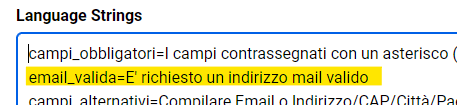
apostrophe char not encoded into

and when I reference it in an "Error Message":

apostrophe char not encoded into

it generates a JavaScript error during page load:
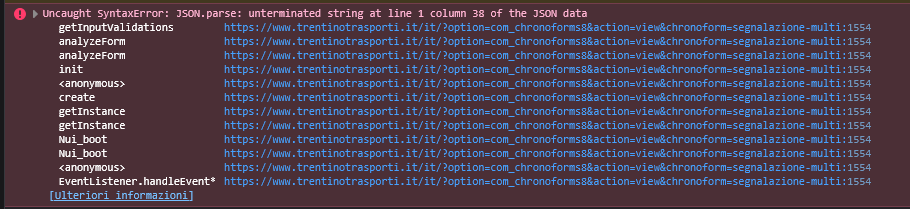
apostrophe char not encoded into

I hope I have described the issue clearly.

Bye

Max_admin Max_admin 21 Dec, 2025
Answer

Hi pandreat

Correct, this bug occurs when you have a locale string for validation with a single quote inside, I have fixed it for the next update.

Thanks for reporting.

Max, ChronoForms developer
ChronoMyAdmin: Database administration within Joomla, no phpMyAdmin needed.
ChronoMails simplifies Joomla email: newsletters, logging, and custom templates.
Post a Reply
