update db fields

Update existing database records in ChronoForms.

Overview

The issue occurs when the Save Data action inserts a new record instead of updating an existing one because no WHERE statement is specified.
In the Save Data action, set a WHERE statement using the record ID from a prior Read Data action to target the specific row for updating.

Answered
ChronoForms v8
kr kraadde 27 Oct, 2025

I am trying to get this running.

I have a db table "j2025_Jahresprogramme" with 4 column containing pdf addresses. With following forms I want to overwrite the existing adresses.I tried following:
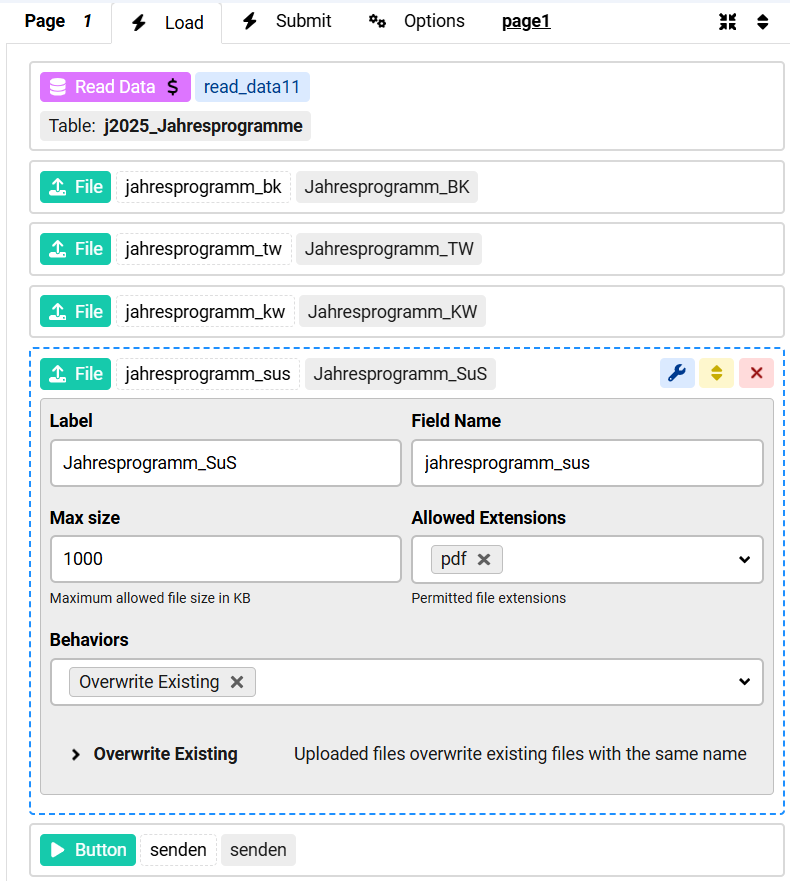
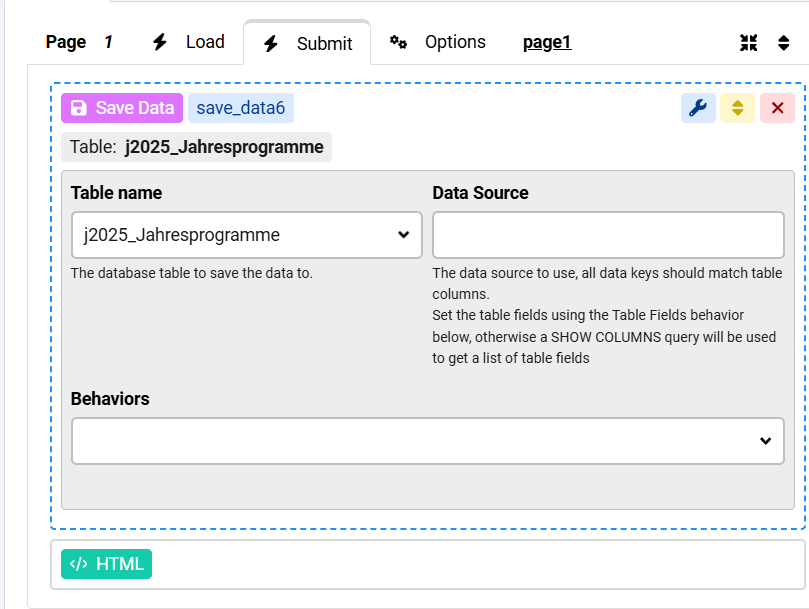
All I could achieve is that a new record was inseted instead of overwriting the existing.

How to solve?

Max_admin Max_admin 28 Oct, 2025
Answer

Hi Kraadde

The "Overwrite Existing" setting the file field is for overwriting existing files on the disk

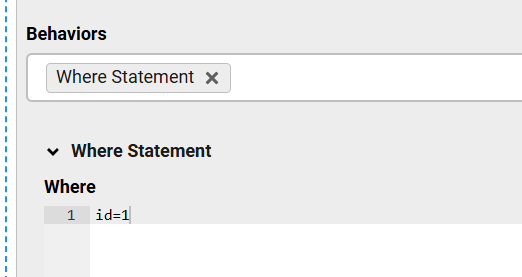
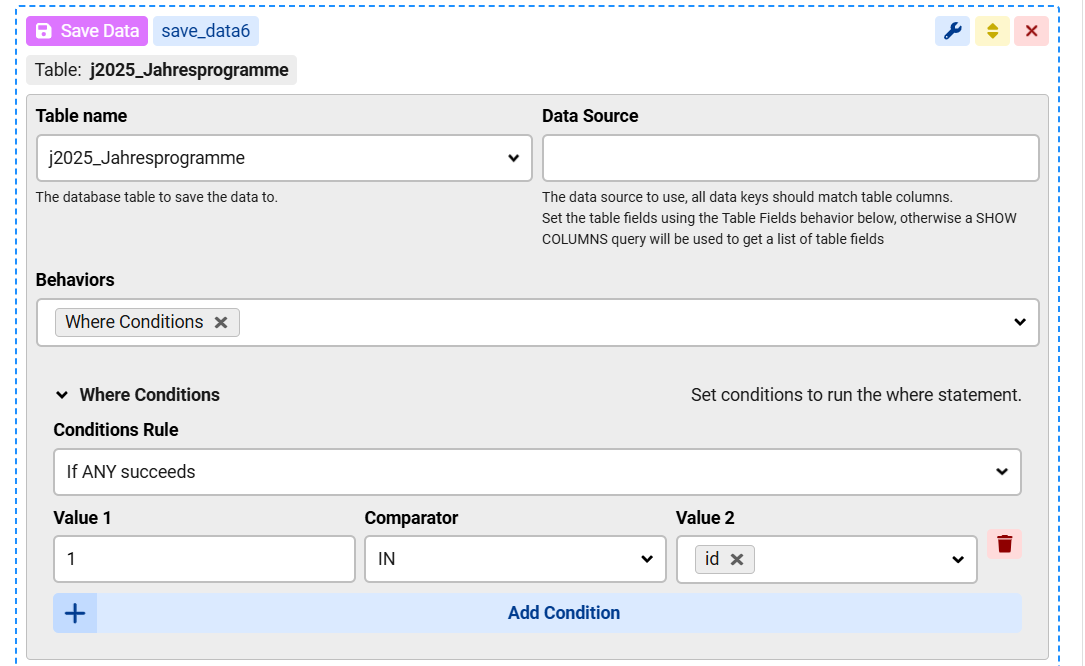
If you want the "Save Data" to update an existing record then you must set a "Where Statement" and supply the id of the record to be updated, this will come from the "Read Data" in your case
Max, ChronoForms developer
ChronoMyAdmin: Database administration within Joomla, no phpMyAdmin needed.
ChronoMails simplifies Joomla email: newsletters, logging, and custom templates.
Max_admin Max_admin 28 Oct, 2025

No, where statement:

update db fields image 1

Max, ChronoForms developer
ChronoMyAdmin: Database administration within Joomla, no phpMyAdmin needed.
ChronoMails simplifies Joomla email: newsletters, logging, and custom templates.
Post a Reply