Use ChronMails with Chronoform

Use different ChronoMails layouts for separate emails in ChronoForms.

Overview

ChronoMails assigns one layout per extension, so a single form cannot automatically use multiple layouts for different email purposes.
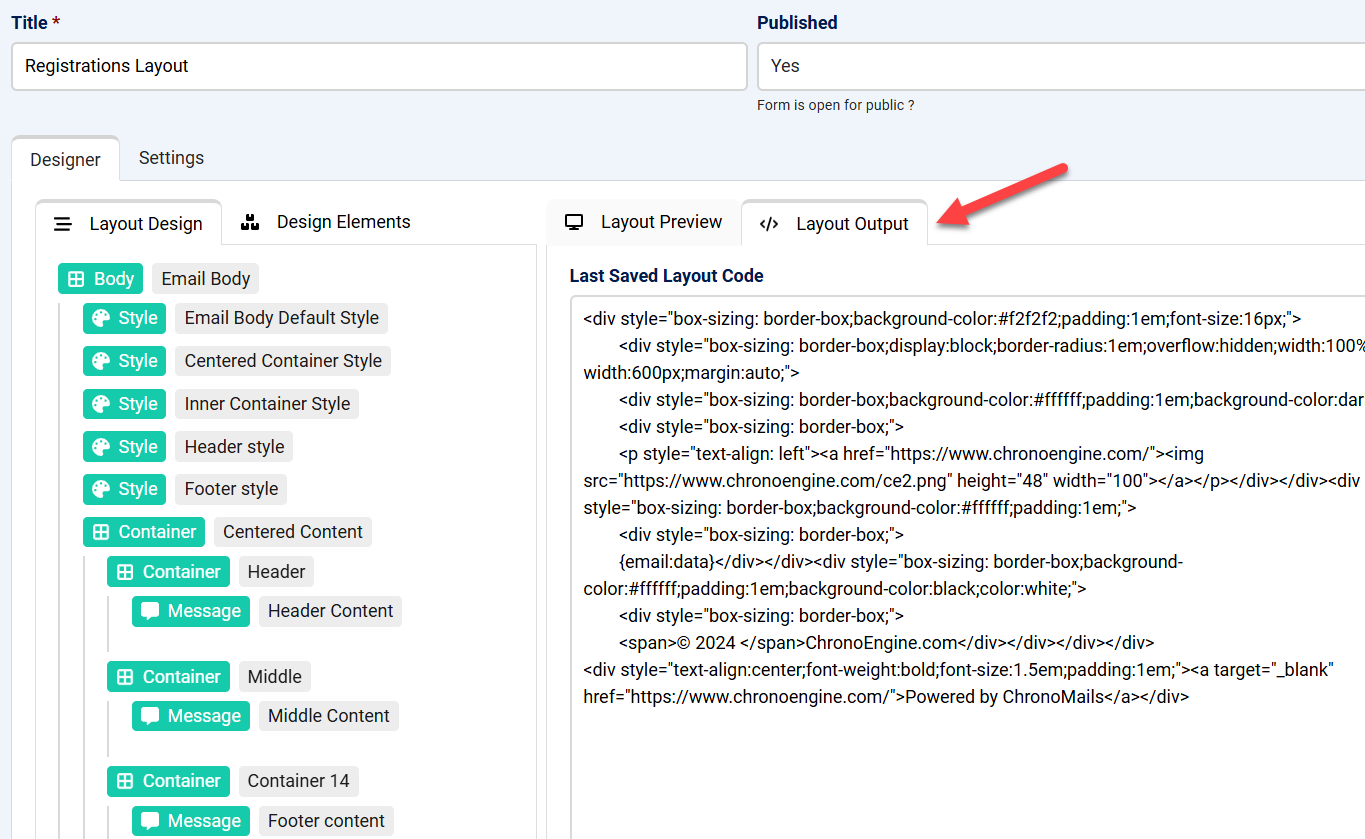
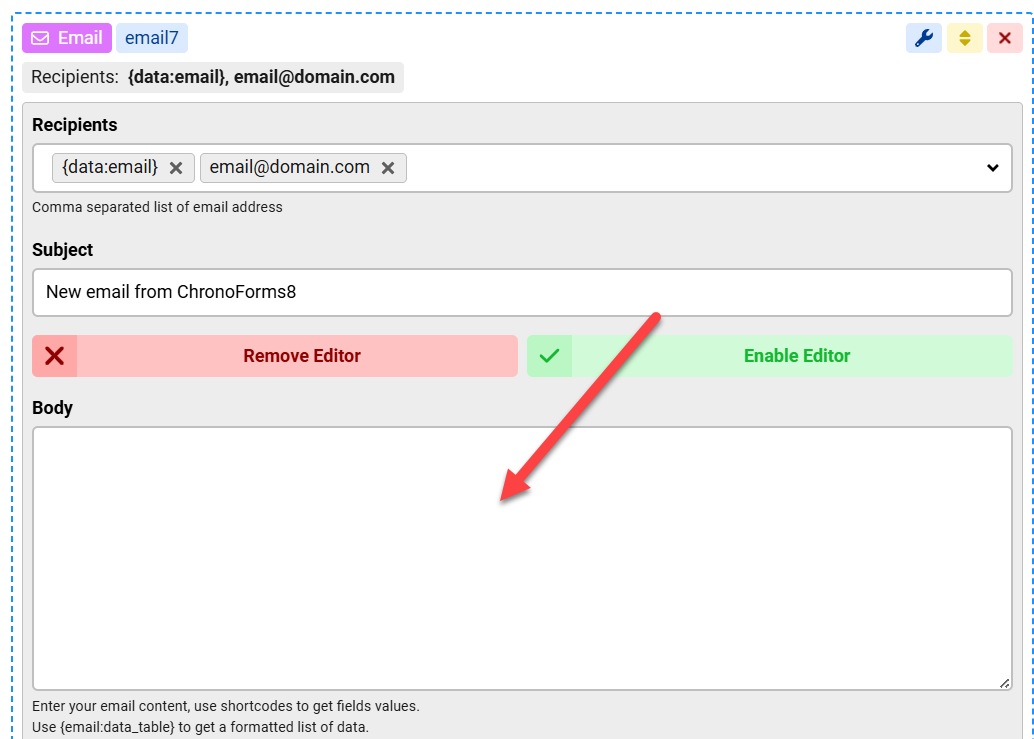
Design each layout in ChronoMails, copy the layout code from the Layout Output tab, and paste it into the corresponding Email action Body area in your CF form.

Answered
ChronoForms v8
gi giuppi71 22 Oct, 2025

Hi Max,I would like to create two mail template in chronomails and use it for two different purpouses.The first is the invitation email and the second is the confirmation. Is it possible to use them from chronoform 8?

If so, could you please tell me how?Thank you in advance.

Giuseppe

Max_admin Max_admin 23 Oct, 2025
Answer

Hi Giuseppe

What is the "invitation" and "confirmation" emails ?

You can set any ChronoMails layout to be assigned to a specific extension, but all mails from that extension will use that layout

You can also use a workaround, design the layout in ChronoMails then open the Layout Output tab and copy the code then paste it in your ChronoForms8 Email action Body area, that will add the layout to that email
Use ChronMails with Chronoform image 1

Use ChronMails with Chronoform image 2

Max, ChronoForms developer
ChronoMyAdmin: Database administration within Joomla, no phpMyAdmin needed.
ChronoMails simplifies Joomla email: newsletters, logging, and custom templates.
Post a Reply

