Related to this question.
In brief: I want to set some hidden fields as "required only if shown".
In detail: I can't use the pre-built Required behavior, because it will validate even when the these fields are hidden. Hence I created a PHP Valid Function which seems to work, because it also checks the radio button value, that triggers the container's "show" property:
if ($this->data['already_subscribed'] == 'No' && !$value) {
  return "Campo obbligatorio";
}
I implemented it for the birthdate field.
The only problem is that when the validation fails, the container is hidden again, because the "on document ready" event is triggered.
Any ideas to fix? A Javascript validator? I have no idea how to get the radio button value.

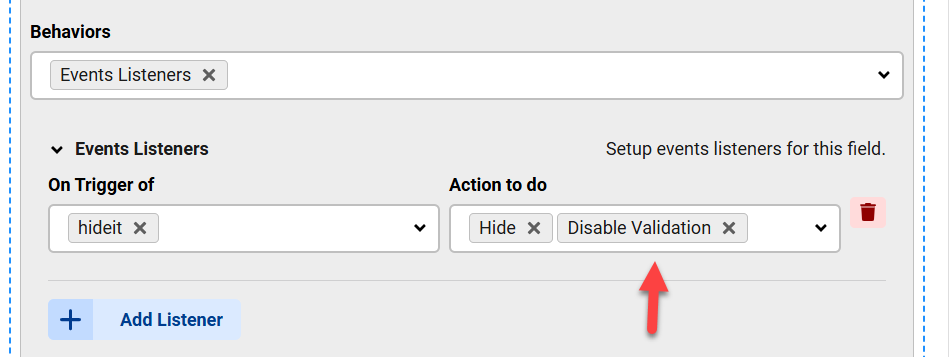
But there is a "Disable Validation" and "Enable Validation" actions in the Listener which you can turn on or off when the trigger runs:
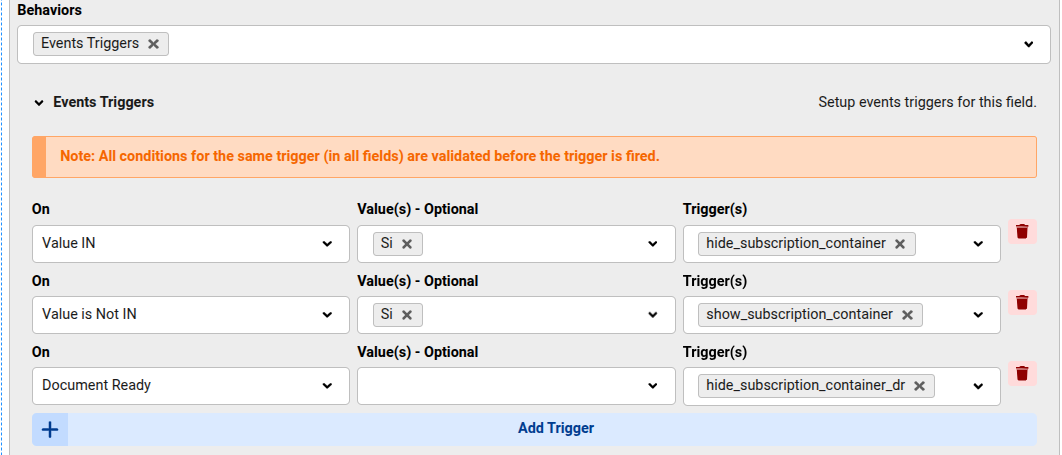
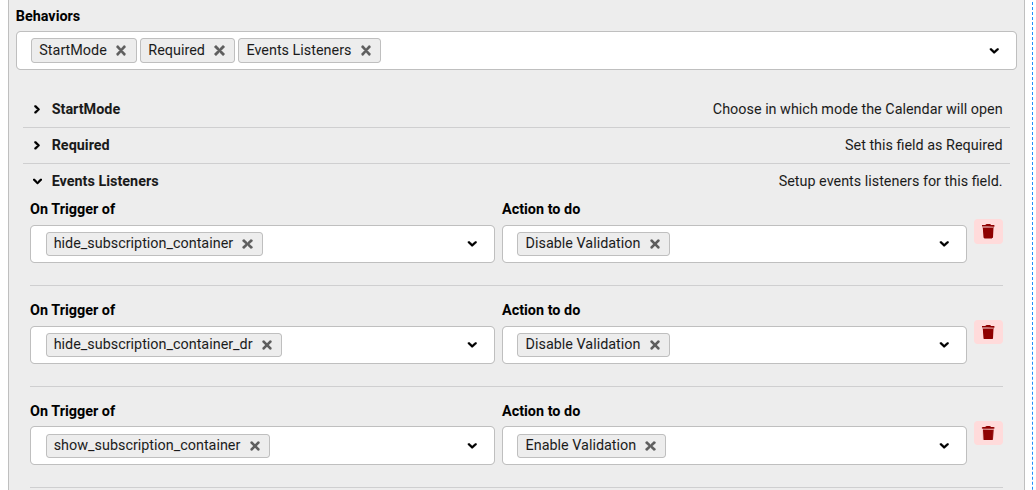
Yes! It works perfectly now (and it's a Javascript validator, hence the validation error is visible when required)
Radio:
Calendar field:
Glad you have it working! 😊

