I am using this tutorial to show and hide a view when a Radio button is triggered. This works fine when the view to hide and show is a text area, because I can add the Event Trigger "On Document Ready" to hide it when the form is loaded.
Now I want to hide an show a list of views, hence I added a container and placed them into the container. I have successfully added to the container the Event listeners, to show and hide it when the Radio button is fired. But the container doesn't have the possibility to add Event Triggers, so I don't know how to hide it when the form is loaded.
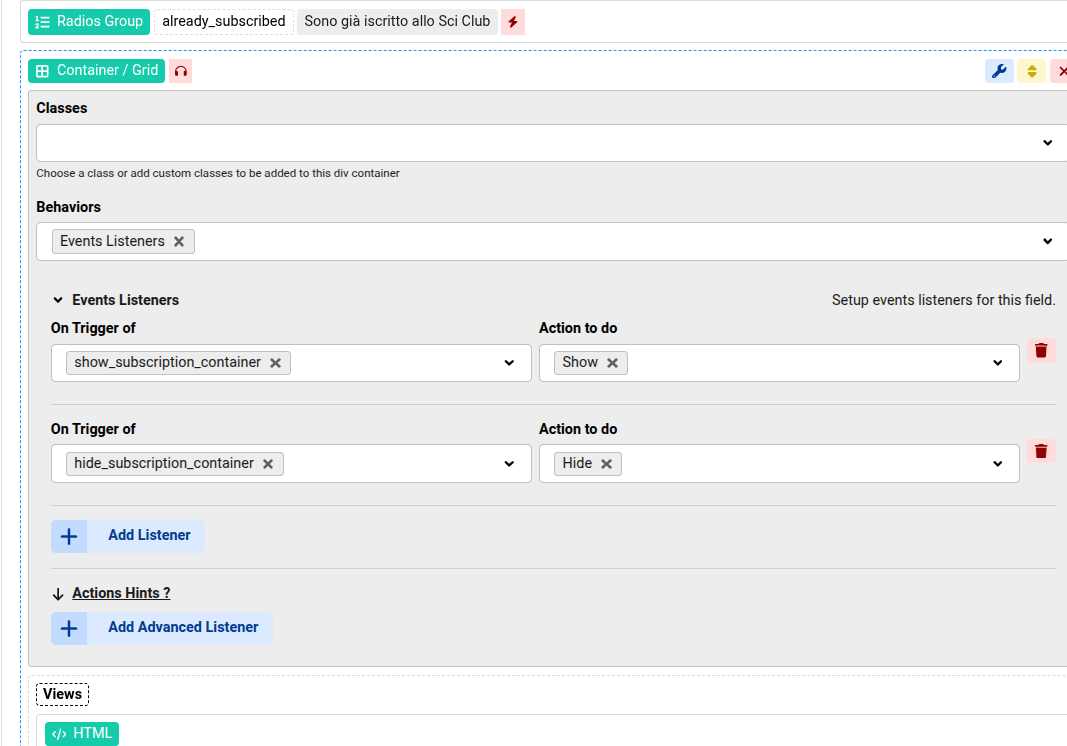

Add another trigger to the Radios "On Document Ready", and set the trigger name to "hide_subscription_container"
Yes, that was my idea, but unfortunately it didn't work.
Attaching the form's code screenshot. The form is visible here
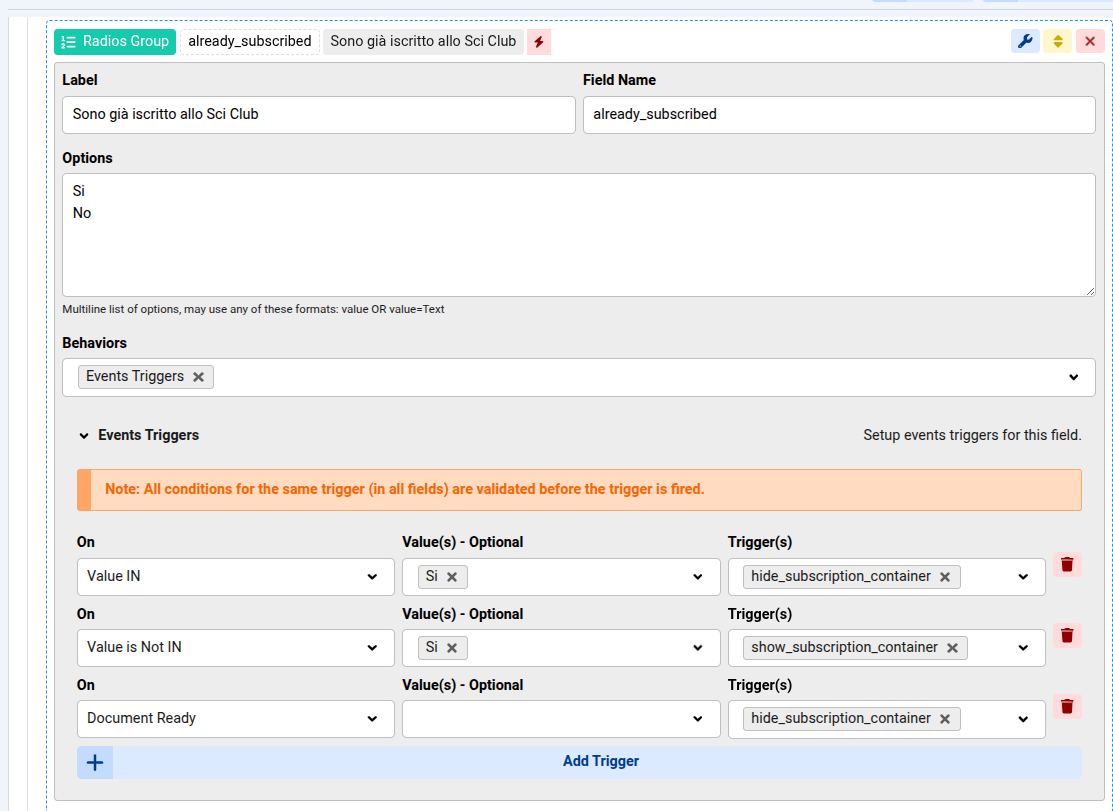
I forgot something, as shown in the orange notice in last image you posted, all trigger conditions will have to be valid before it's fired, so in this case we have 2 conditions:
- Document Ready
- Value IN
So if the value "Si" is selected on page load then it will hide, otherwise no
The solution here is to make a different trigger for the first hide
Yes! Thanks, now it works perfectly!

