Hey, I’m using ChronoForms 8 and I’m wondering if there’s a way to send a specific PDF file in the email reply depending on what a user selects in a dropdown.
For example:
-
If the user chooses “Price Pack” → attach Price.pdf
-
If the user chooses “Class Locations Pack” → attach Class Location.pdf
I've managed to send an email with an attachment before, but the goal is for a specific email reply to be triggered by their dropdown choice. This one seems beyond my know how.
Is there a straightforward way to do this in CF8 without writing too much PHP? If not, could someone share a small working example of how to set up the Event Switcher correctly?
Thanks in advanceDre

Yes, this is possible, you need an Event Switcher to switch the "selection" field value and set the PDF path BEFORE the Email action:
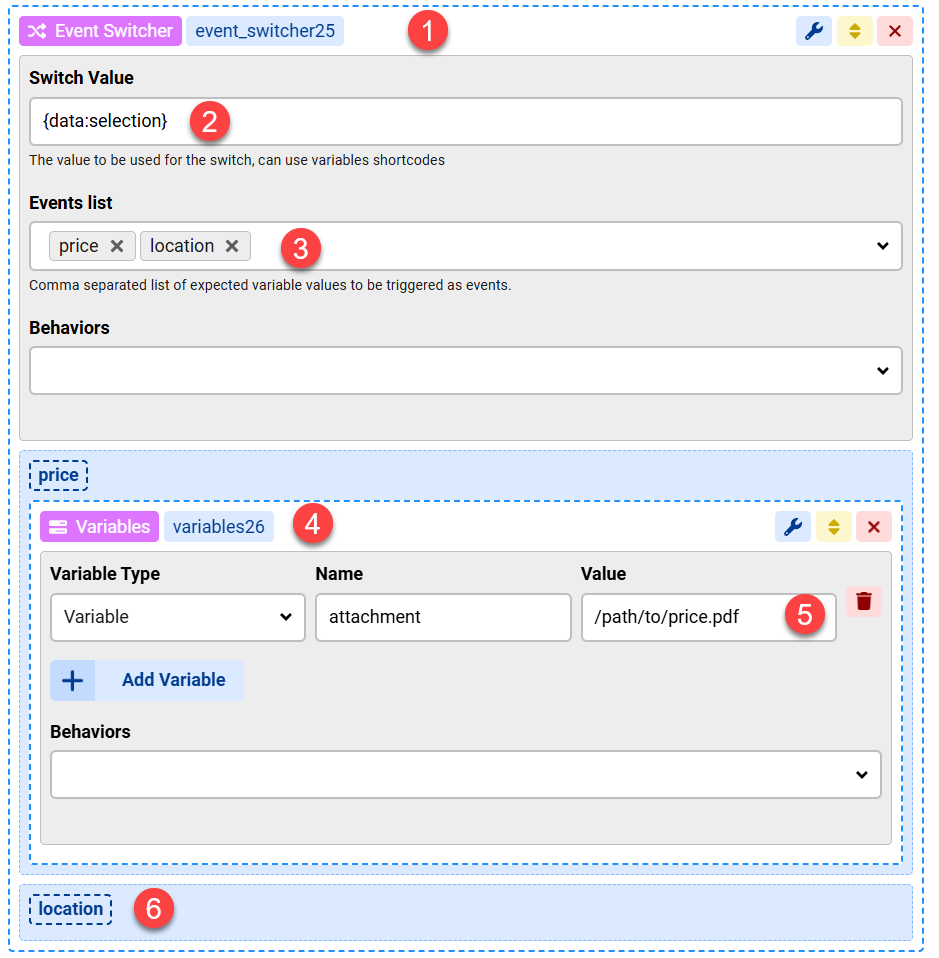
You will need to set the SAME variable name but with a different value (path to location.pdf) in the "location" event
Then in your Email action Attachments behavior:
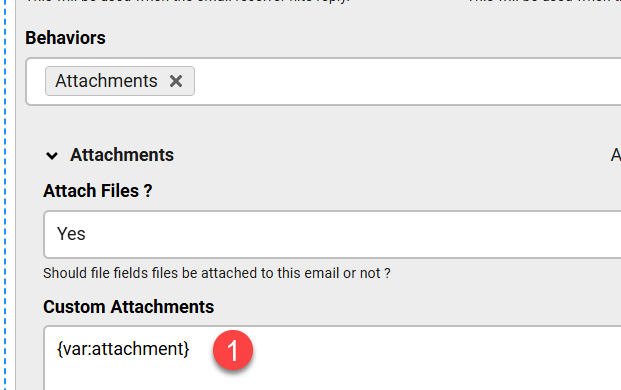
which is the variable we set earlier
Hi Max,Thank you for sending this through, I feel like I've made some headway. However, I followed the steps but I'm getting a Joomla message "could not access file" when I test the form. I've tried the absolute path and the relative path from the hosting database. Am I missing something?Thanks againDre
if the error is about accessing the file then you need to make sure the file path is correct, you should use the absolute path and start it with a "/"
Hi,I tried it with the absolute path and started it with a /, and still no luck. Did this work for you? Please let me know if there is another method to achieve the same outcome.Many thanks
Try to enter the absolute path to one of the files in the Attachments box directly, does it get attached ?
And then try to use {var:attachment} in the Email body, does the correct path text arrive in the email ?
The attachment gets sent when I enter the absolute path in the Attachments box directly.However, entering the {var:attachment} in the Email body doesnt work.
Then most probably you have a problem with the Dropdown and Event Switcher, please post screenshots of their configuration
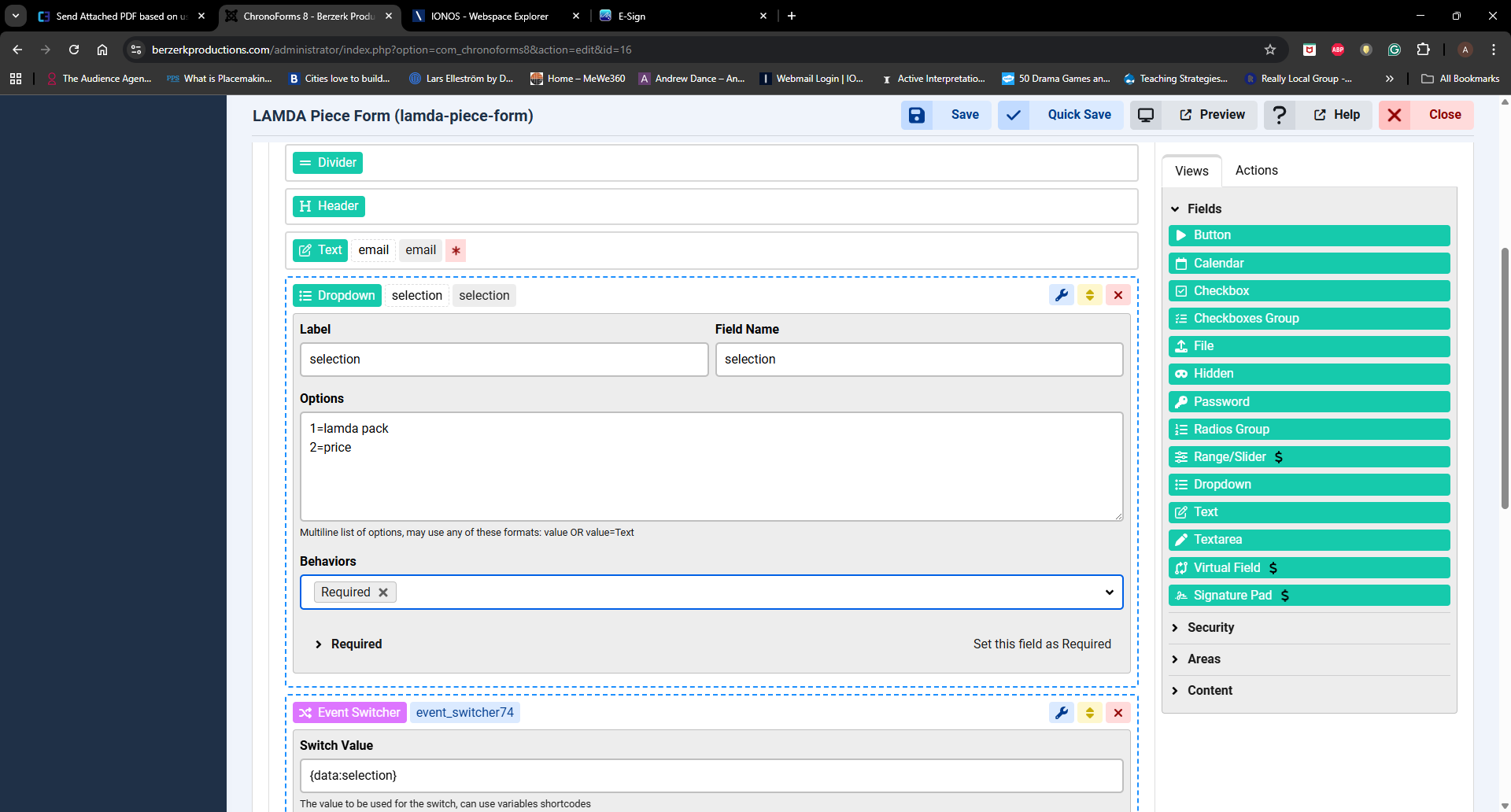
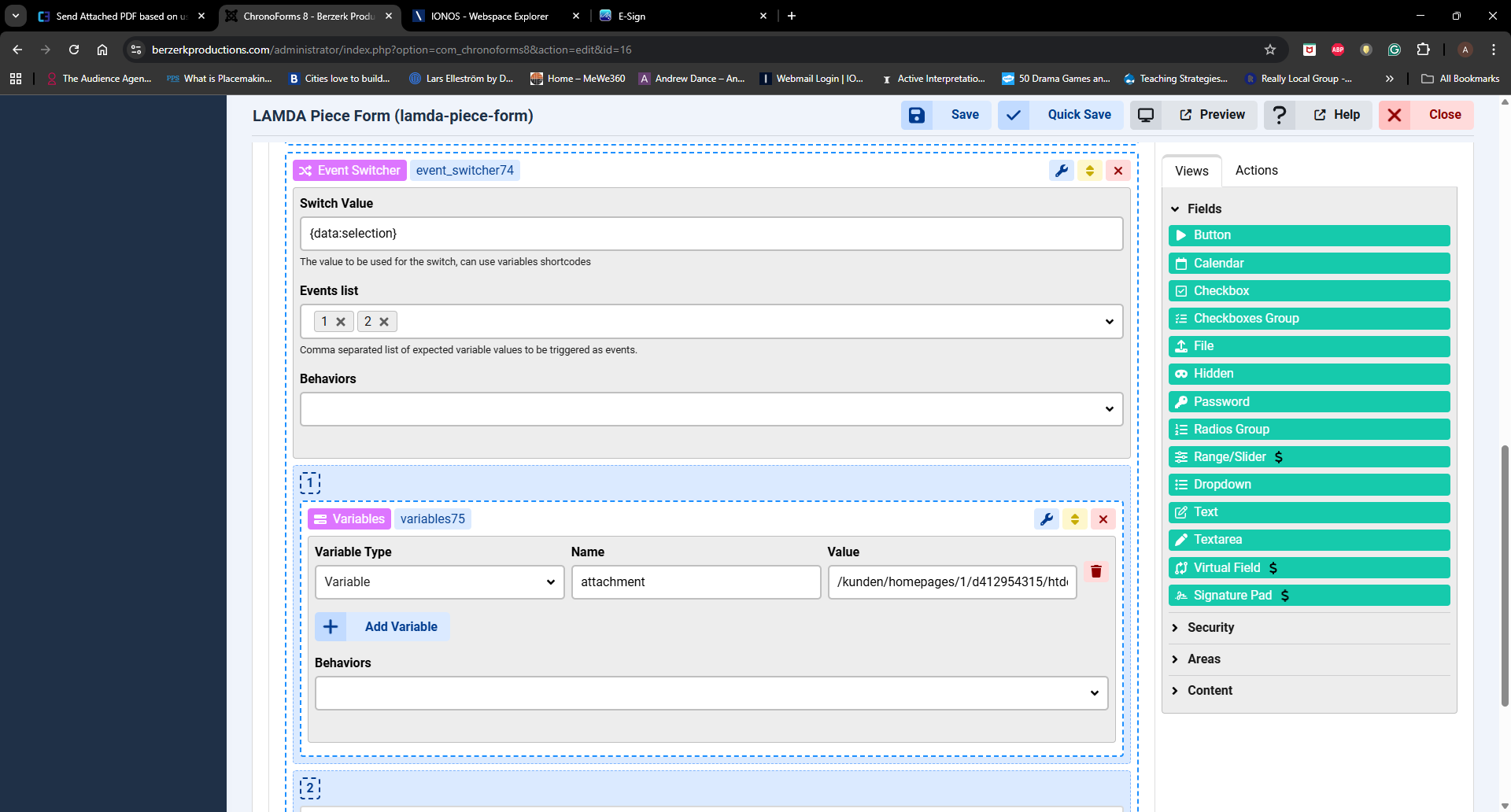
Please try to change the 1 and 2 to some characters like "p" and "l", does this change the situation ?
it works fine here when I test the same scenario, so please make sure you download the latest ChronoForms v8 installer again and install it OVER what you have then test again.
if the problem persists then please attach a backup of your form here and mark it as "Private attachment", you should also remove any sensitive information.
Hi Max,
Glad to know that it is working on your end. I will install it again and test.Thanks for all your help with this one.
Kind regards
Dre
Great, let me know what you find! :)

