Chronoforms 8 - Button type link - Field class not added

Add a custom CSS class to a CF button with type "Link".

Overview

The "Field class" setting does not apply to buttons of type "Link".
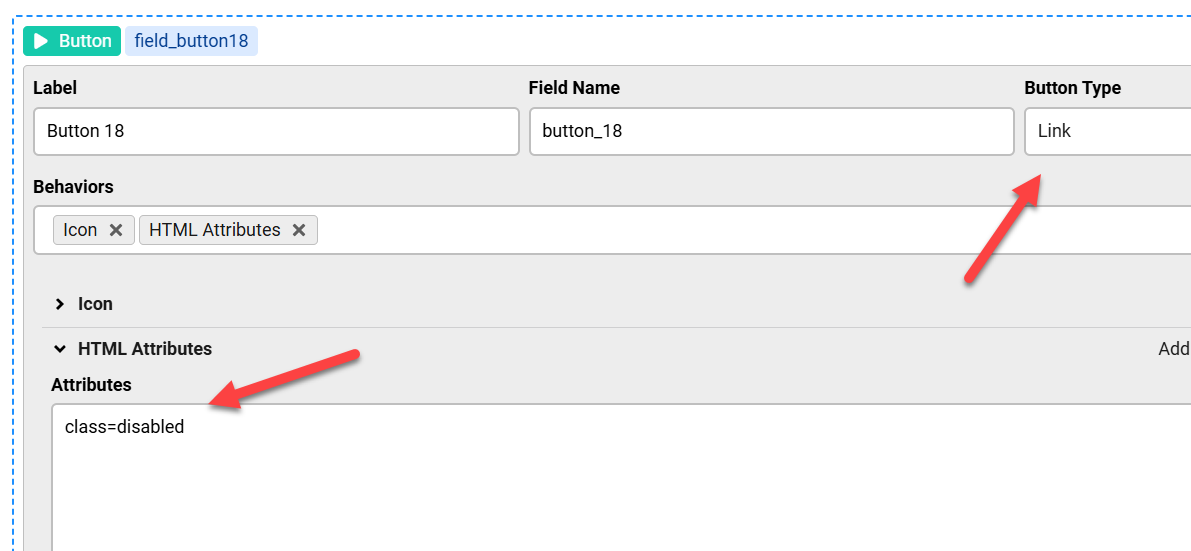
Use the "HTML attributes" behavior for the button element to add the custom class attribute.

Answered
ChronoForms v8
ba bart99.hermans266 28 Sep, 2025

Hi Max,

I'm trying to add an additional class to a button (called "form-button-disabled"). The button has type "Link".
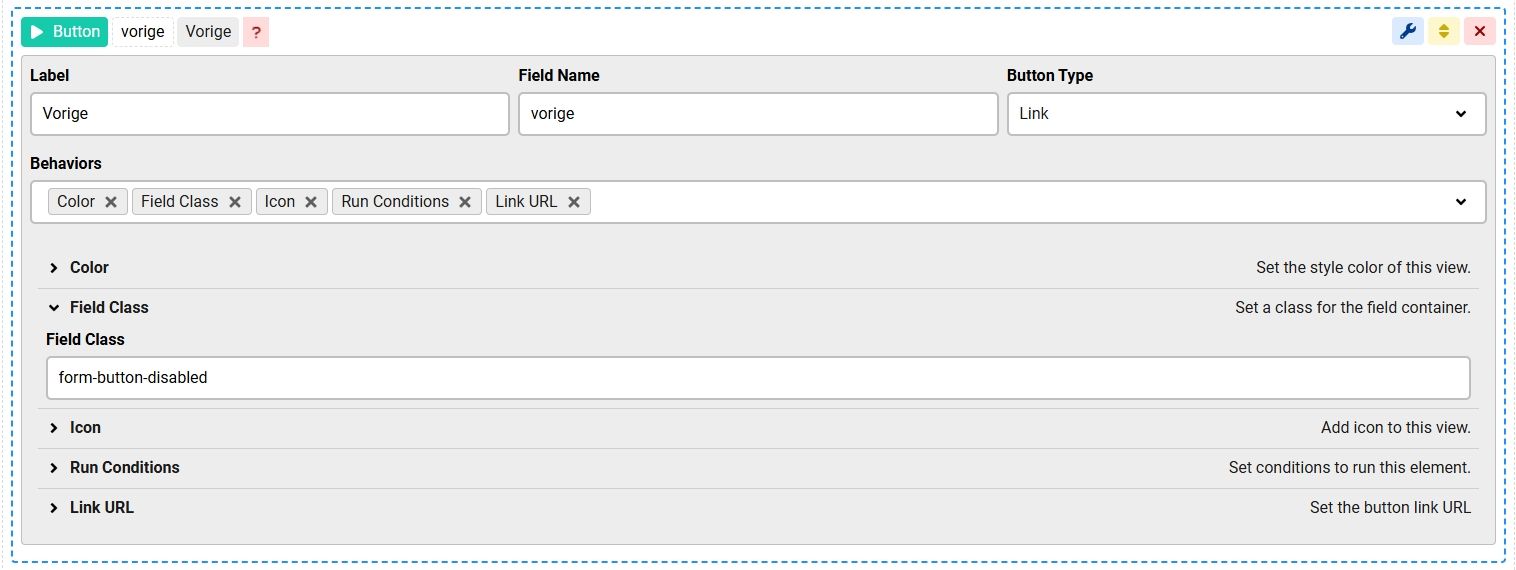
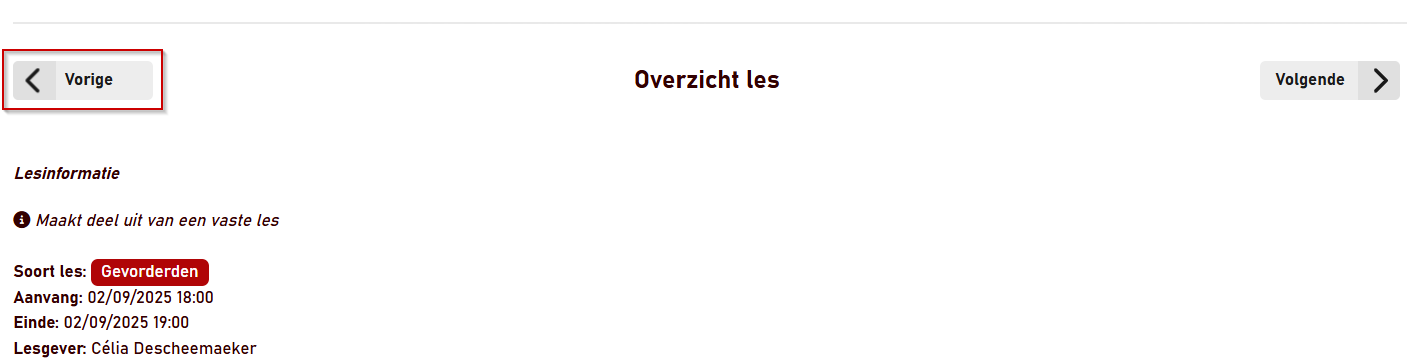
But the class is not added. Might this be a bug?

Chronoforms 8 - Button type link - Field class not added image 1

The particular reason why I'm adding this class is because the button translate as an <a> element in the html, so I cannot disable the button by adding the "disabled" attribute. So I'm disabling it with CSS.

Best regards,

Bart

Max_admin Max_admin 29 Sep, 2025
Answer

Hi Bart

You do this using the HTML attributes behavior:
Chronoforms 8 - Button type link - Field class not added image 2

Max, ChronoForms developer
ChronoMyAdmin: Database administration within Joomla, no phpMyAdmin needed.
ChronoMails simplifies Joomla email: newsletters, logging, and custom templates.
Post a Reply

