I'm updating my whole website from Joomla 3 to Joomla 5
As such I'm having to remake all my forms from ChronoForms6 to ChronoForms8
I used an Advanced Field "Google Address" to auto search and generate the address using the Google API
Is there a way to do this using CF8?

The Google Address field has not been added to v8, but if you need it I can add it in the next update.
That would be amazing, please and thank you.
I have added it to the new update
Rather belatted, but thank you :)
No problem! :)
Did it work as you had it in v6 ?
It's looking mostly the same except it doesn't have the box for the API Key.I'm getting this error in the entry box "This page can't load Google Maps correctly." which I'm guessing is due to the missing API Key.
This key should now be set globally in the ChronoForms8 settings page:
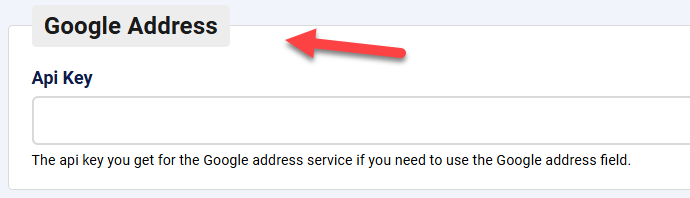
That worked, thank you.
It's populating the "Formatted result address field ID" field just fine.
The other's aren't getting filled though eg "Street number field ID", "Street address field ID", et al...
I think I found the bug, you can either wait for the next update or try this fix:
Open this file:
JOOMLA/administrator/components/com_chronoforms8/pages/chronoforms/views/google_address/output.phpchange this line:
document.querySelector("#"+componentForm[addressType]).val(place.address_components[i]["long_name"]);to:
document.querySelector("#"+componentForm[addressType]).value = place.address_components[i]["long_name"];Let me know how it works for you if you try it.
Sorry it's taken so long Max, I build my own site for my business and have been extrememly busy.The new line has been updated I see, thank you, and it works perfectly!
I really appreciate your work!
No problem, thanks for confirming it works.

