Save data NULL value

How to save a NULL value to a database using ChronoForms.

Overview

The issue occurs because entering "NULL" as a string in the Modify Data Source field generates SQL errors instead of the correct NULL database value.
For an UPDATE statement, use the placeholder {const:null} in the Modify Data Source field instead of the text "NULL". For an INSERT, you can omit the field entirely if the column has a default NULL value.

Answered
ChronoForms v8
ba bart99.hermans266 14 Jun, 2025

Hi Max,

There was another topic about saving a NULL value to the database, but that was not the same as my case.

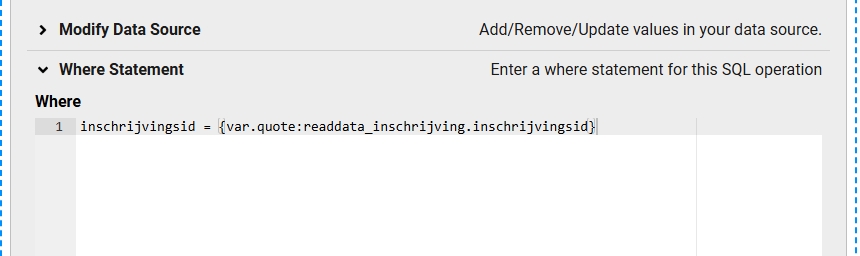
I'm trying to write the value NULL to the database by using "Modify data source" in the "Save data" operator. This results in a INSERT or UPDATE query, depending on if there is a WHERE clause or not.
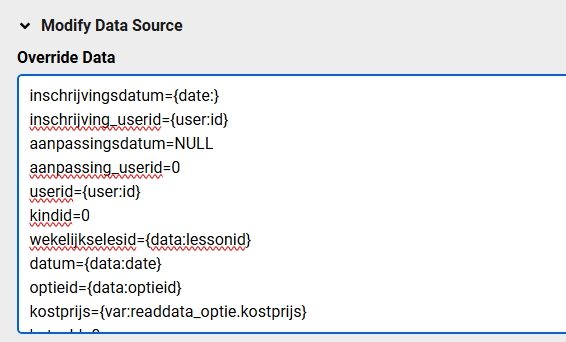
 

However, in the query the NULL value is added as a string "NULL", causing SQL errors and of course not writing the correct data to the database.

What can I do to solve this?

Best regards,

Bart

Max_admin Max_admin 14 Jun, 2025
Answer

Hi Bart

Do not include the field in the list of fields in "Modify data source", if the table column has NULL as the default value then it will get NULL

Max, ChronoForms developer
ChronoMyAdmin: Database administration within Joomla, no phpMyAdmin needed.
ChronoMails simplifies Joomla email: newsletters, logging, and custom templates.
ba bart99.hermans266 16 Jun, 2025

Hi Max,

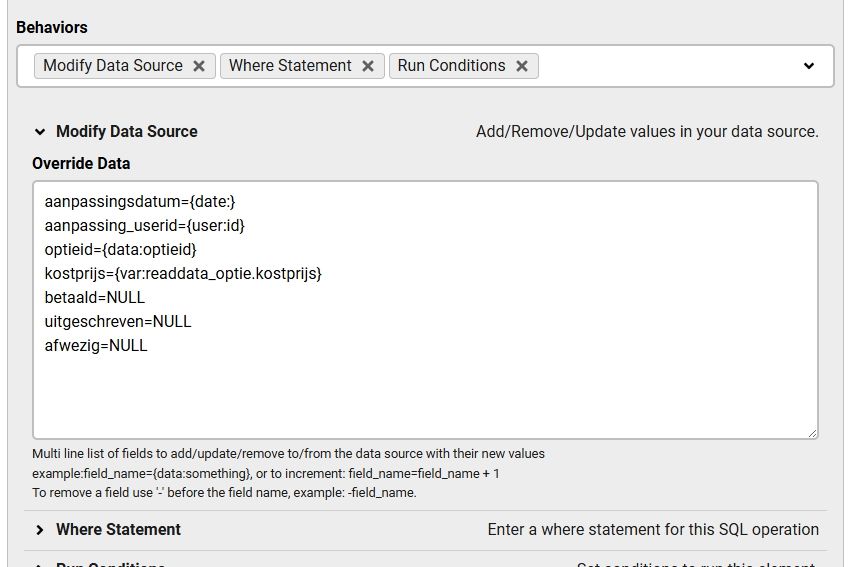
Sure, I can do it that way in case of "INSERT" statement. But not if it is an "UPDATE" statement.

In this example I overwrite values only for a specific set of data.
Max_admin Max_admin 16 Jun, 2025

Then you can use {const:null} instead of NULL in the "Modify Data Source"

Max, ChronoForms developer
ChronoMyAdmin: Database administration within Joomla, no phpMyAdmin needed.
ChronoMails simplifies Joomla email: newsletters, logging, and custom templates.
Post a Reply