delete data

How to delete specific rows from a database table using ChronoForms.

Overview

The issue occurs when users need to target and remove individual records but are unsure how to specify them.
Use the Delete Data action and correctly configure the WHERE statement behavior to identify the exact rows for deletion.

Answered
ChronoForms v8
st st.franchi 22 Apr, 2025
Hi, where can I find a tutorial on how to select individual rows of a table to delete them?

Max_admin Max_admin 22 Apr, 2025
Answer

You just need to use the Delete Data action and supply the correct Where statement in the WHERE statement behavior

it should look like this:
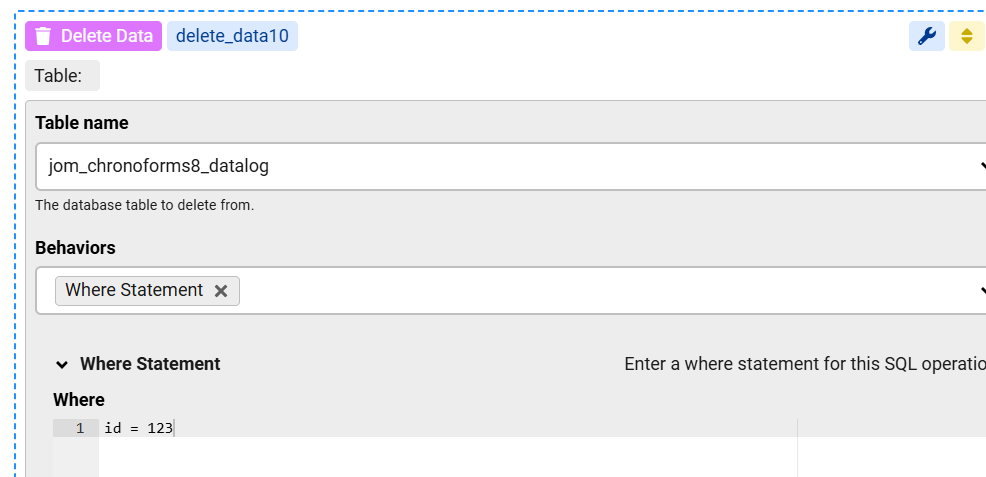
 delete data image 1

Max, ChronoForms developer
ChronoMyAdmin: Database administration within Joomla, no phpMyAdmin needed.
ChronoMails simplifies Joomla email: newsletters, logging, and custom templates.
Post a Reply

