Chronoforms admin error

Resolve a ChronoForms admin error in Joomla 5.

Overview

The error occurs due to an outdated shared library in ChronoMyadmin.
Install the latest ChronoForms update without uninstalling, and always install ChronoForms after ChronoMyadmin or ChronoAnalytics to ensure the shared library is current.

Answered
ChronoForms v8
kr kraadde 10 Feb, 2025

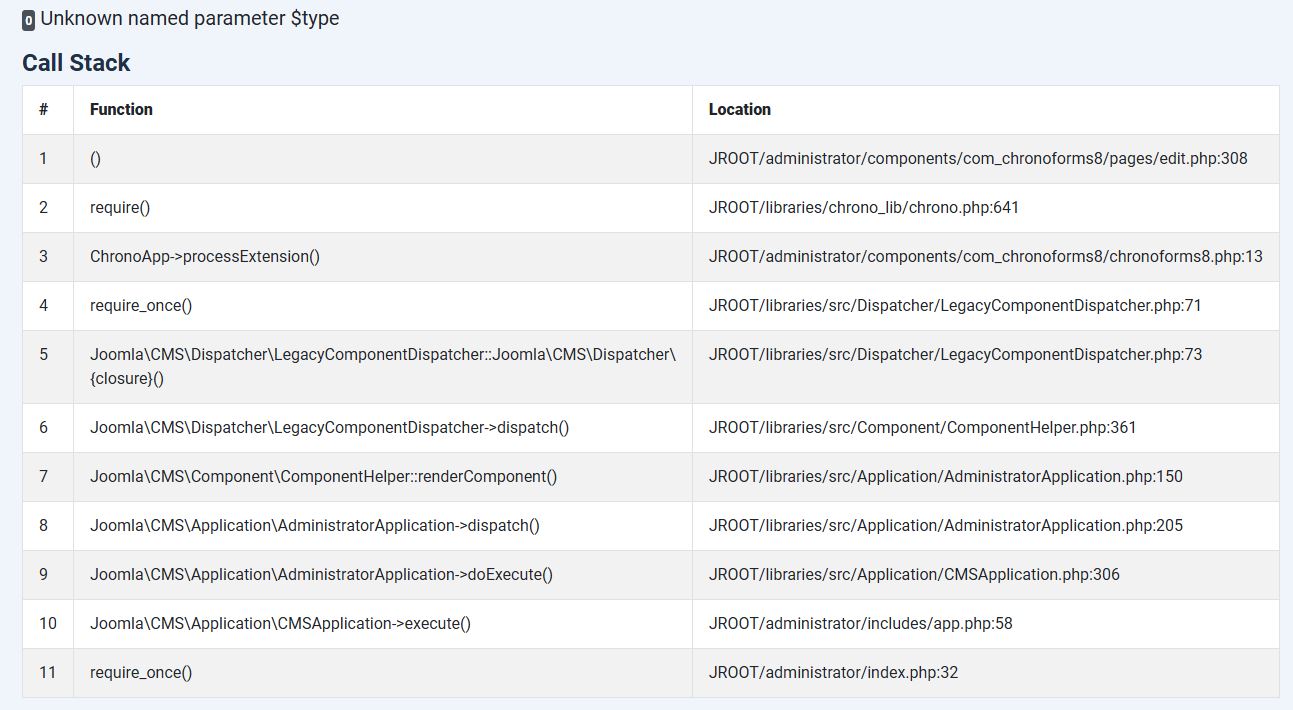
While testing my form, following erroe message appeares on joomla5. It happens also when I try to open one of your sample forms.

Can you help me solving? Maybe reinstalling CF?
Max_admin Max_admin 11 Feb, 2025
Answer

please install the latest v8 update over your current install, do NOT uninstall anything

Max, ChronoForms developer
ChronoMyAdmin: Database administration within Joomla, no phpMyAdmin needed.
ChronoMails simplifies Joomla email: newsletters, logging, and custom templates.
kr kraadde 11 Feb, 2025

Problem solved . I have restored the latest backup from server provider.

kr kraadde 11 Feb, 2025

strange!

After reinstalling ChronoAdmin, same problem appeares!

Is there a bug?

Max_admin Max_admin 11 Feb, 2025
1 Likes

Chronomyadmin has an outdated version of the shared library, so always install ChronoForms after installing ChronoMyadmin or ChronoAnalytics

Max, ChronoForms developer
ChronoMyAdmin: Database administration within Joomla, no phpMyAdmin needed.
ChronoMails simplifies Joomla email: newsletters, logging, and custom templates.
kr kraadde 11 Feb, 2025

thanks. That was the problem!

This topic is locked and no more replies can be posted.


