Since latest update receiving a blank form

How to fix a blank form being received in email notifications.

Overview

The issue occurred after a CF update where email notifications showed empty form data.
Update the CF component to version 8.0.27 to restore proper form data in emails.

Answered
Al Alistair 18 Nov, 2024

Since the lastest update I'm receiving a blank form, should I change settings for this latest version? Thanks.

Component        8.0.26   2024-11-01        ChronoMan       N/A        No          10195   10188

Package            8.0.22   2024-10-01        ChronoEngine.com Team             N/A

Max_admin Max_admin 18 Nov, 2024

you mean the form is empty ? on front or admin ? any screenshots ?

Max, ChronoForms developer
ChronoMyAdmin: Database administration within Joomla, no phpMyAdmin needed.
ChronoMails simplifies Joomla email: newsletters, logging, and custom templates.
Al Alistair 18 Nov, 2024

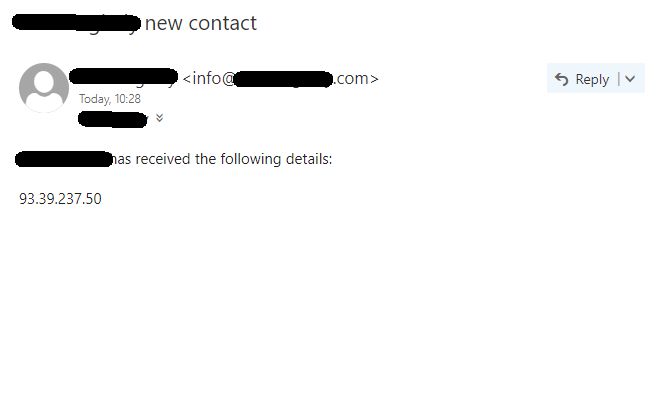
I mean when receiving the email announcing that someone has filled in a form, I only receive a blank form, only the IP is correctly received, but none of the mandatory and non-mandatory fields that the sender has filled in. 
Max_admin Max_admin 18 Nov, 2024
Answer

please update to v8.0.27

Max, ChronoForms developer
ChronoMyAdmin: Database administration within Joomla, no phpMyAdmin needed.
ChronoMails simplifies Joomla email: newsletters, logging, and custom templates.
Al Alistair 19 Nov, 2024
1 Likes

Oh yes, with v8.0.27 all back to normal now thanks.

This topic is locked and no more replies can be posted.

