Overview
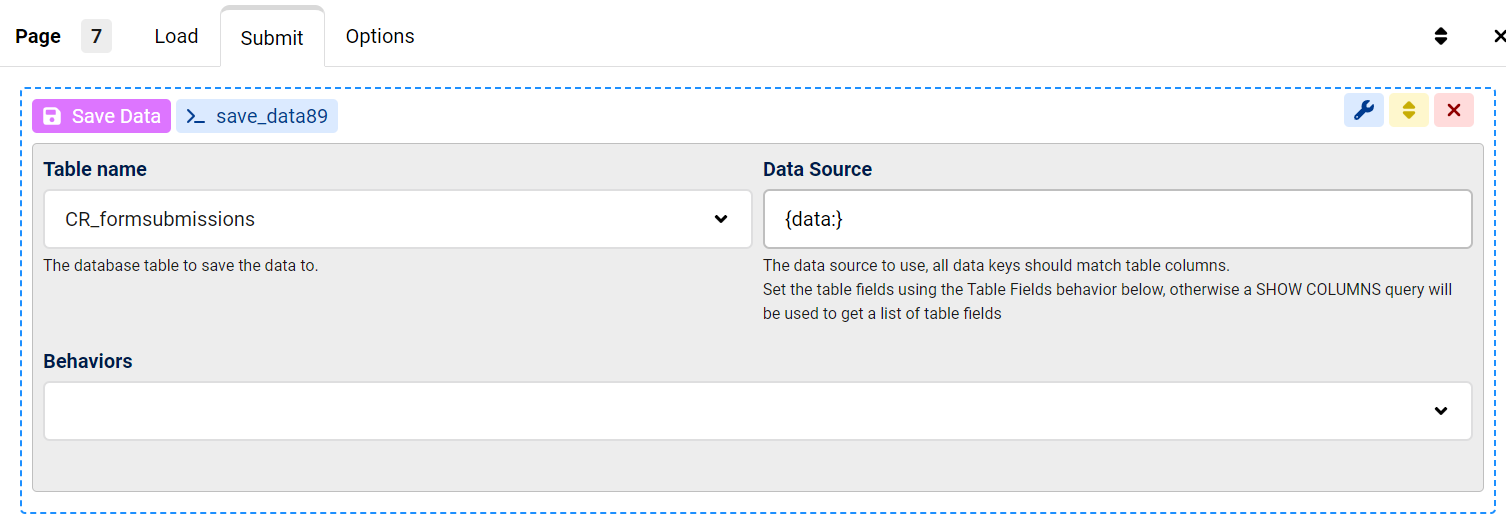
The issue occurs when the Save Data module saves form submissions to a table with missing or incorrectly named columns.
Use the Save Data action's table creation feature to automatically generate the required columns based on your form's field names, ensuring data is stored correctly.
Hello,
How does the Save module work? I tried following the Demo in the FAQ page but my table just has a bunch of rows with no data in there. I am using the ChronoMyAdmin module as well
Do I need to manually create each column for the table? Is there a way to make it so the form automatically creates the required coumns based on the form fields?
Thanks!
Max, ChronoForms developer
ChronoMyAdmin: Database administration within Joomla, no phpMyAdmin needed.
ChronoMails simplifies Joomla email: newsletters, logging, and custom templates.
This topic is locked and no more replies can be posted.


