CF8 - Microdata

How to use Microdata attributes in ChronoForms without automatic modification.

Overview

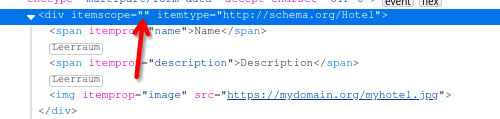
The issue occurs because ChronoForms and some browsers automatically add an equals sign and quotes to HTML attributes that lack a value, such as `itemscope`.
You can safely insert custom HTML with Microdata attributes directly into your form code or use the HTML attributes behavior, as the attributes remain functional despite the automatic formatting.

Answered
ChronoForms v8
rb rbock 10 Jun, 2024

Hello... How can I use Microdata? 

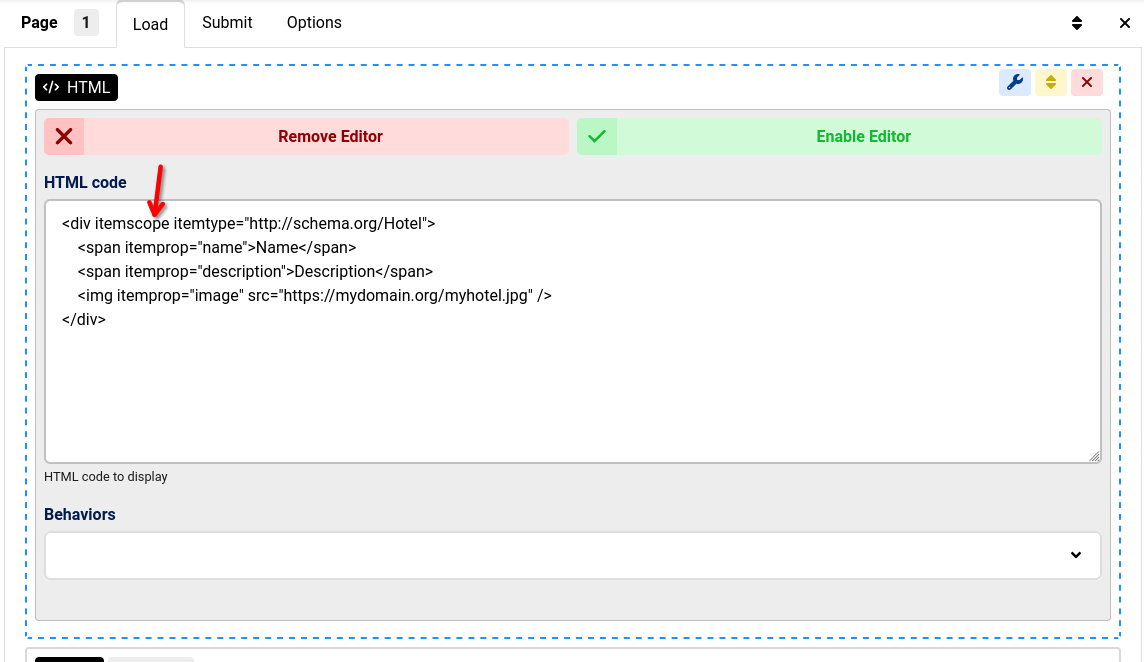
If I insert itemscope in the custom HTML code, make CF itemscope="". 

I would like to use it to mark logos and address data, among other things.

Max_admin Max_admin 14 Jun, 2024

What is the problem with inserting your own HTML code with whatever attributes ?

Or you may use the HTML attributes behavior.
Max, ChronoForms developer
ChronoMyAdmin: Database administration within Joomla, no phpMyAdmin needed.
ChronoMails simplifies Joomla email: newsletters, logging, and custom templates.
Max_admin Max_admin 16 Jun, 2024
Answer

Chronoforms does not change the code, your browser will add the ="" to attributes without a value, did you google why this happens ?

Max, ChronoForms developer
ChronoMyAdmin: Database administration within Joomla, no phpMyAdmin needed.
ChronoMails simplifies Joomla email: newsletters, logging, and custom templates.
rb rbock 16 Jun, 2024

This also happens in Joomla modules. Apparently the microdata is still recognized. So, everything is fine...

Post a Reply