Published:
Overview
In ChronoForms v8, you can validate field values using PHP or JavaScript functions by enabling the Valid Function behavior in the field settings. For JavaScript validation, define a function in a JavaScript view that returns true for valid values or an error string, while PHP validation code processes after form submission to check conditions like excluding "http" substrings. This guide walks you through configuring both validation methods to ensure accurate and secure form data handling.
in ChronoForms v8 you can validate field values using PHP or JavaScript functions, here is how to do it:
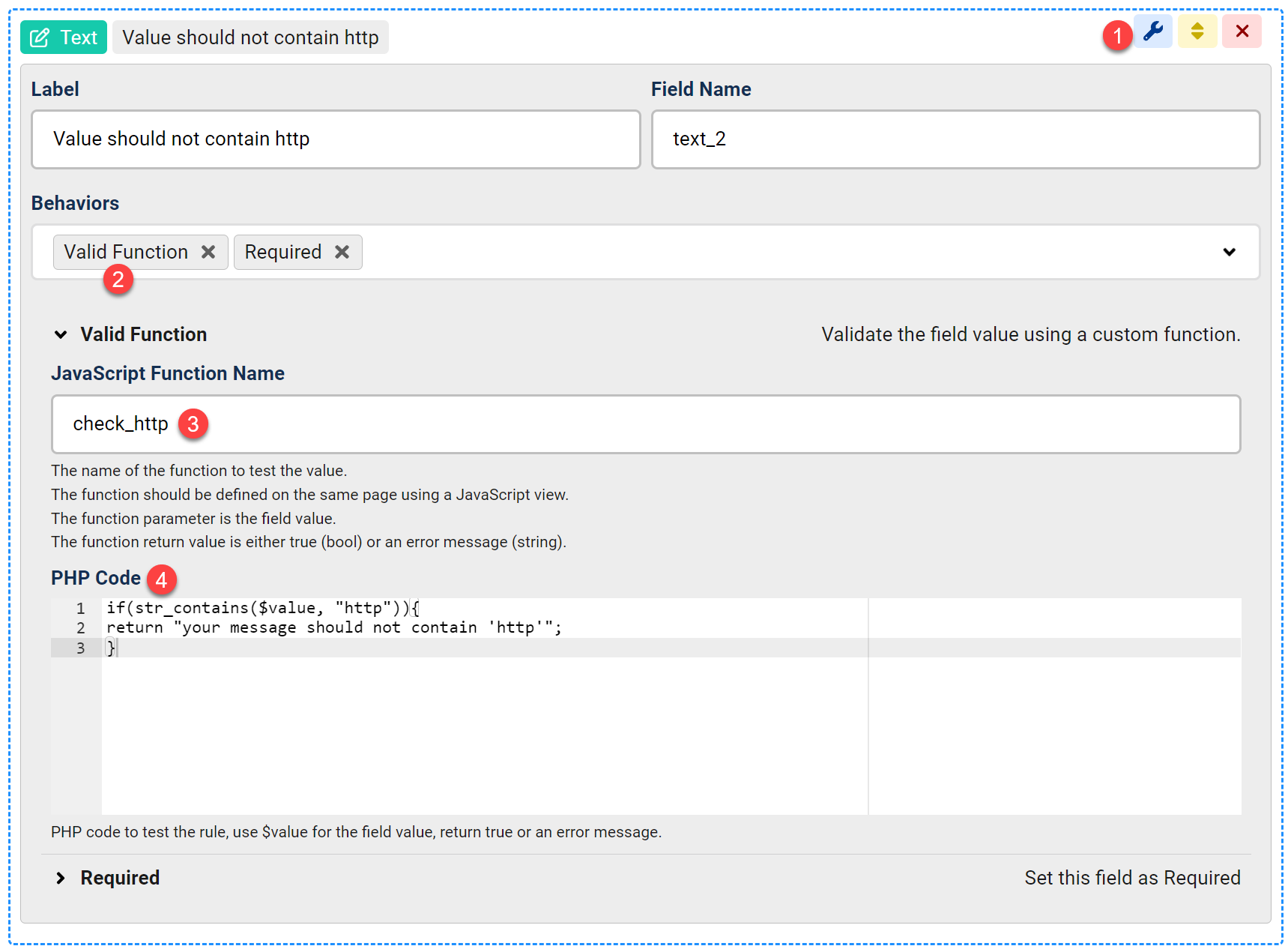
- Open your field for editing
- Enable the Valid Function behavior
- Enter the name of the JavaScript function to be used for validation, you may skip this if you want to use only PHP for validation.
This function will run whenever the field value changes or the submit button is pressed.
We need to use a JavaScript view to define the function, we will do this in the next step. - Enter the PHP code to use for validating the field value, the code should have no PHP tags, use $value to get the field value in the code.
This code will be processed after the form page is "submitted".
Here we check that the field value does not contain the substring "http"
Now we need to define the JavaScript function "check_http" used in step 3 above.
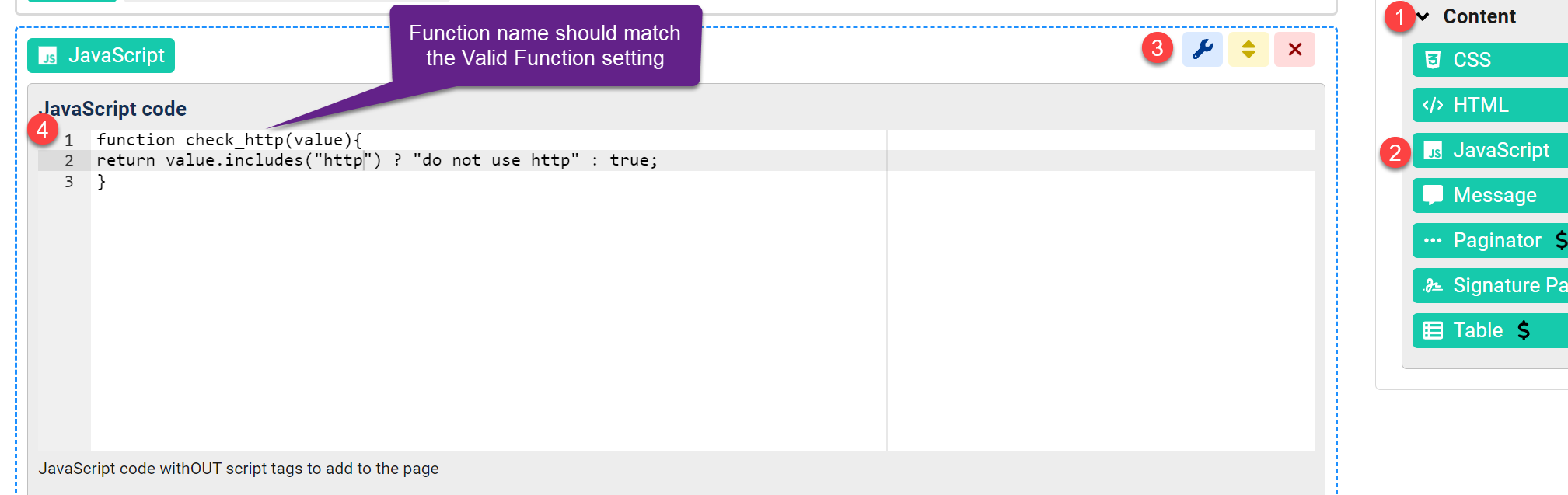
- On the right side panel, expand the Content category under the "Views" menu.
- Drag a JavaScript view to your form page, the same page where you validated field exists.
- Open the view settings.
- Define your validation function, the name should be "check_http" as defined in the "Valid Function" behavior, the function takes 1 input parameter which is the field value.
The function should return "true" if the value is ok OR returns a string error for anything else.


Comments