Published:
Overview
Learn how to implement a confirmation dialog for form submissions. Enable the HTML Attributes behavior in your button settings and add a specific onclick attribute. This will display a "Are you sure?" prompt to users before the form is submitted, preventing accidental submissions.
1- Open your button settings.
2- Enable the HTML Attributes behavior.
3- Add the onClick attribute:
onclick=return confirm('Are you sure you want to submit?')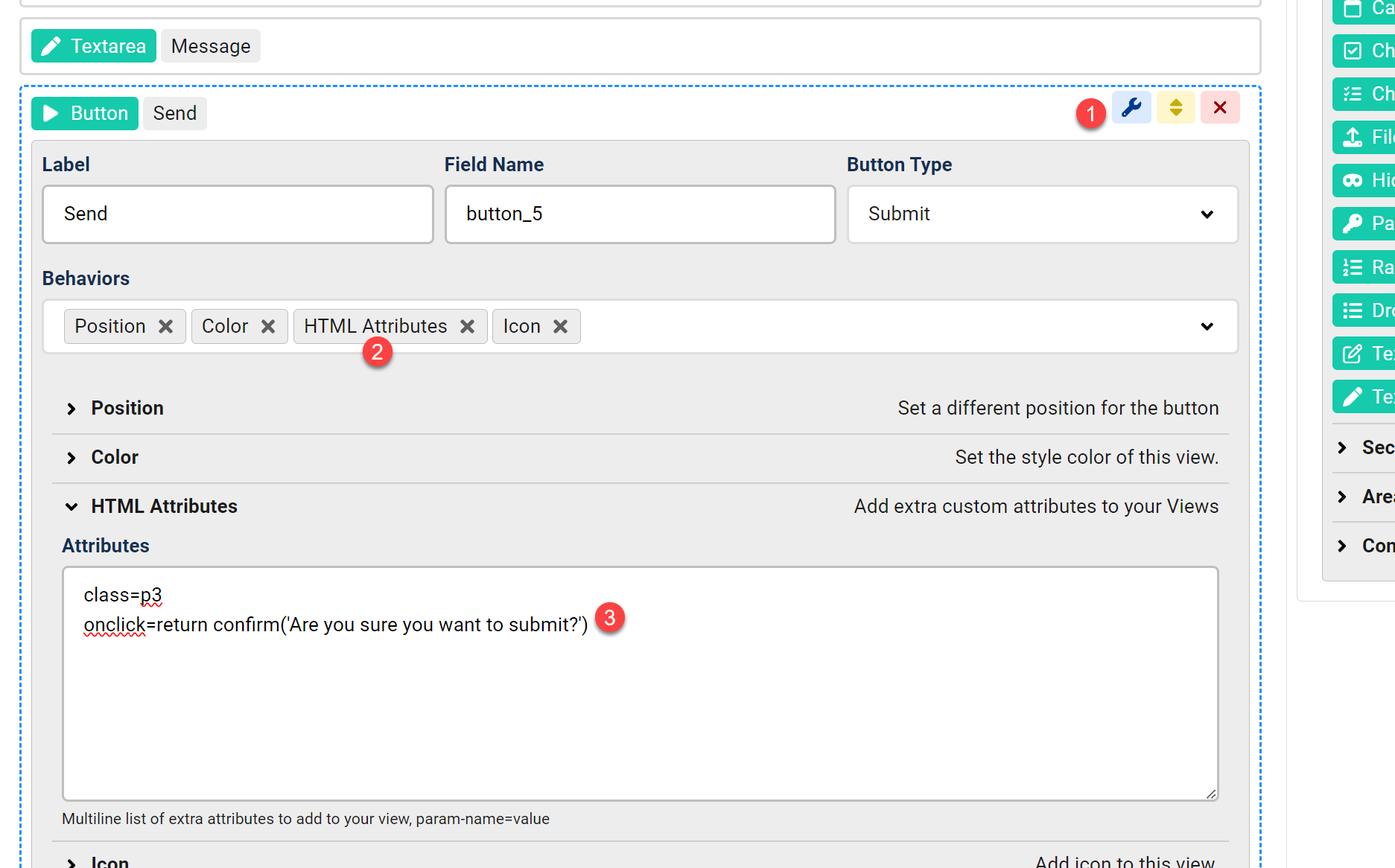
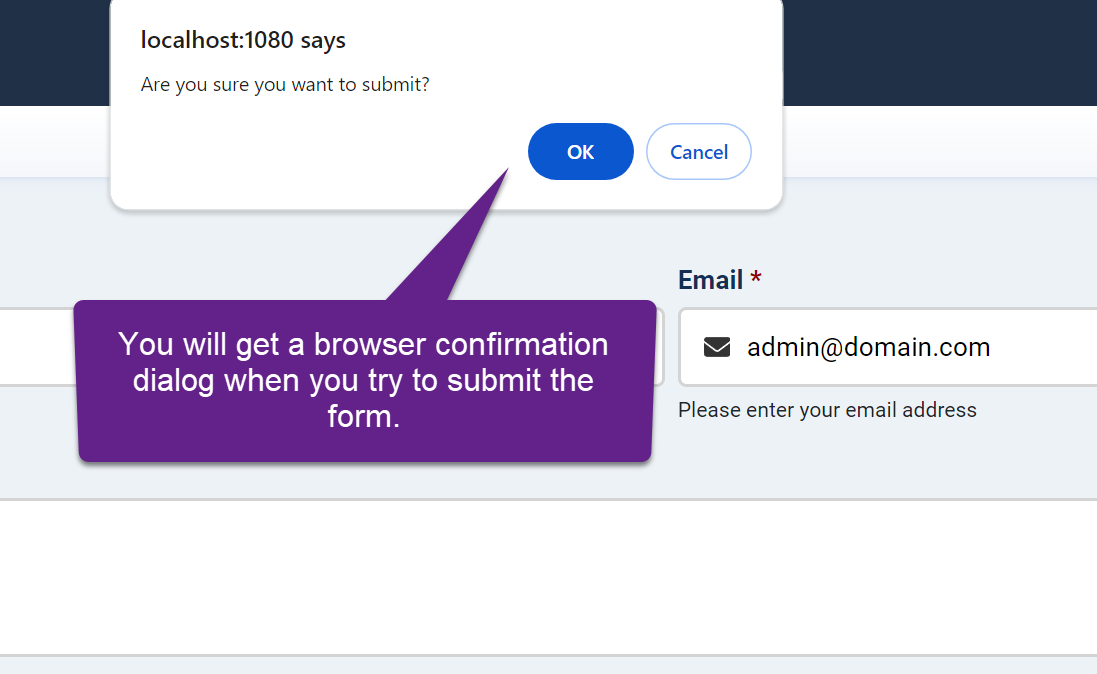
Now when you try to submit the form with that button:


Comments