How to design data table in email to admin?

Design a data table in the admin email for ChronoForms v8.

Overview

The issue occurs because the email template from an older CF version does not automatically format data into a table in v8.
Copy the HTML table code from the old CF email action configuration and paste it into the corresponding email content section in v8.

Answered
ChronoForms v8
al alexba 01 Feb, 2026

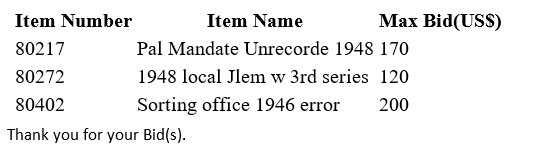
Hi, I used to use an older version of chronoforms for an auction bid-form which users would submit. The data I received was nicely displayed as a table with column headings over each data column:
I've now migrated to version 8 but as you can see the data is no longer displayed in unified columns:
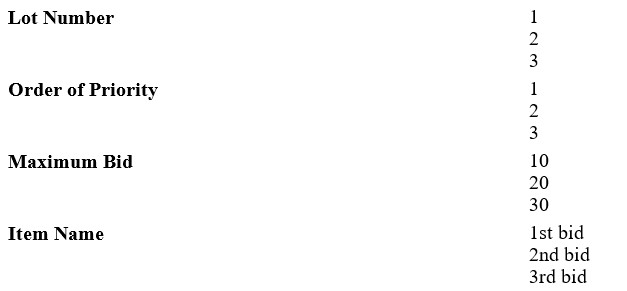
How can I redesign the output in the email so I see the bid data as I used to see it? Where do I have access to edit this content in the email?

Max_admin Max_admin 02 Feb, 2026

Hi alexba

What was the HTML you have used in the Email content of the old version ? please try to copy/paste it to the version 8 Email, does it bring the same layout ?

if not then please paste the HTML here

Max, ChronoForms developer
ChronoMyAdmin: Database administration within Joomla, no phpMyAdmin needed.
ChronoMails simplifies Joomla email: newsletters, logging, and custom templates.
al alexba 02 Feb, 2026

Where would I access the html code for the email? I think I had chronoforms v4

Max_admin Max_admin 17d ago
Answer

it should be under the Email action config in v4

Max, ChronoForms developer
ChronoMyAdmin: Database administration within Joomla, no phpMyAdmin needed.
ChronoMails simplifies Joomla email: newsletters, logging, and custom templates.
Post a Reply
