Max,
I have problems setting up a table editing.
I created a table list which works and all records are shown correctly. See below
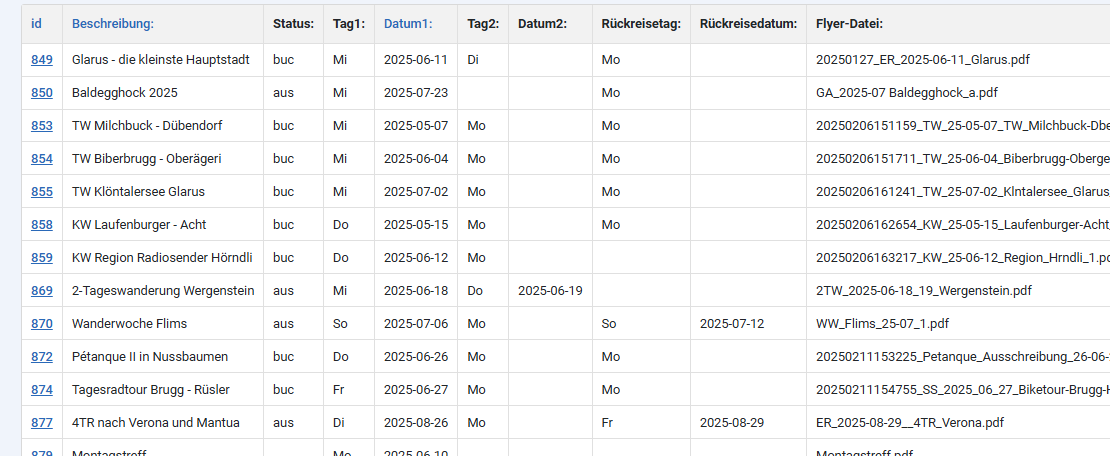
Than i set up the editing page as shwon in your tutorial, as follows:
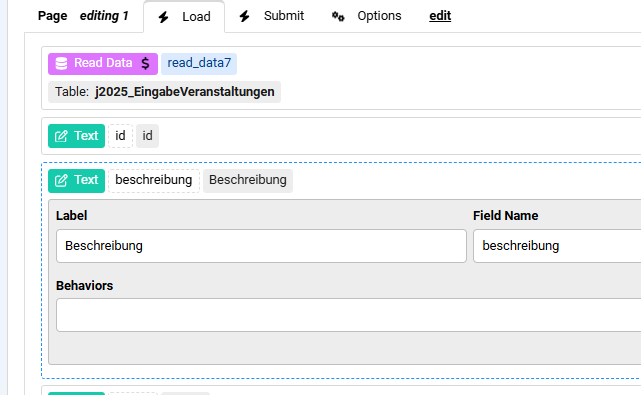
but after selecting a record to be edited, the list are always empty, see below:
How can I solve this?

Hi kraadde
Does the Read Data has the Merge Data behavior enabled ?
Do you pass the record id in the link to the edit page ?
Does the Read Data has a Where Statement to use this id to read the record ?
Hi Max,
Problem solved and the data are now showing and the editing works. It was a mistaken entry.
Now I have a question regarding the same issue. The listed entries are ok however not very much userfriendly. Is it possible to have the editing page formatted exacly as the original form? How to do that?
Hi kraadde
You can make the original form an Editing form by using a Read Data action based on a passed parameter holding the record id
Max, I need more information. Where and how to pass the parameter in the Editing form? My setup looks like that:
Does it need a second read data action and how to address the original form?
Thanks for helping

Hi kraadde
Your Read Data here at the top of the form should work, does the data get loaded when you pass a parameter named "id" in the form URL and give it a value of one of the table rows "id" ?
Max,
many thanks for your imputs. Now everything works as expected.
Just a question. With the CC5 one table entry could be also totally deleted as well.
I dont know if that could be achieved with the CF8. Can you confirm or propose any solution?
Hi kraadde
There is a Delete Data action in ChronoForms v8 which you can use similarly to the Read Data you have used for editing, you also pass the record id and use a Where Statement to delete the row then redirect back to the list.
Max, am I right that the delete functions required a new edit page? CC5 required no separate edit function as it included al column "delete" in addition to the "edit" column. Additionally, I miss following feature. The original form includes a file upload field. The file is then stored in the DB. In the edit form only the file name could be edited rather than an alternative file uploaded. Is that somehow possible with any function unknown to me?
Thanks for your help.
Adriano
Hi Adriano
The Delete function will need it's own page to run the Delete Data action.
The file field will show the existing file name, when you save the same file name in the table column will be there and no new file will be uploaded, is this a problem ?
Yes, that is exactly the problem.
Would be a "clone" of CC5 not a good idea?
Regards
Adriano
Hi Adriano
But what is the problem with that ?
What is the CC5 feature you are looking for exactly ? if it's the Delete page feature then the way v8 does it gives you more control, you can do more than 1 delete in a new page and set variables...etc
Max,
if a different file needs to be uploaded, than only changing the filename does not help a all.
Can you add such a file upload feature to the edit page?
regards
Adriano
When you select a different file on the Edit page, what happens ?
Does the file name in the table record changes ? does the new file get uploaded ?
The edit page only allowes text entries and therefore only the file name can be changed and it of course the name is changed in the database, but no file can be uploaded.
Would be a of any help if I give you access to my actual webpage for you to check?
Adriano
Hi Adriano
Why the Edit page allows text entries only ? do you have a file field on the Edit page ? that should still upload the file.
Max,
sorry for the above questions, I was ignorant of the possibility to insert also file fields in the edit page. Joue totorial only show text filed and I assume that is the only way to use it.
Now I just copied the original form fields and IT WORKED ! .....almost I would say.
If a checkbox, radio group is in the edit page, then the values are copied from the database correctly. However, that is not the case for checkbox groups.
Can that be somehow fixed?
Regards and thanks
Adriano
Hi Adriadno
Great.
Regarding checkbox groups, they work the same way as radio groups, so please post an image of your checkbox group settings and for the debug part showing the edit record data.
Max.
here the screenshots:
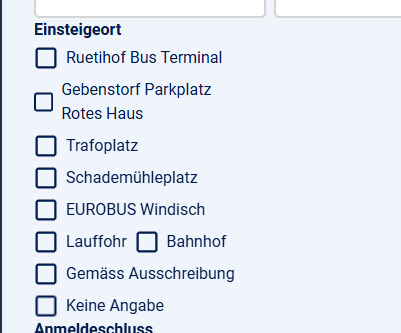
The original form settings of the checkbox group:
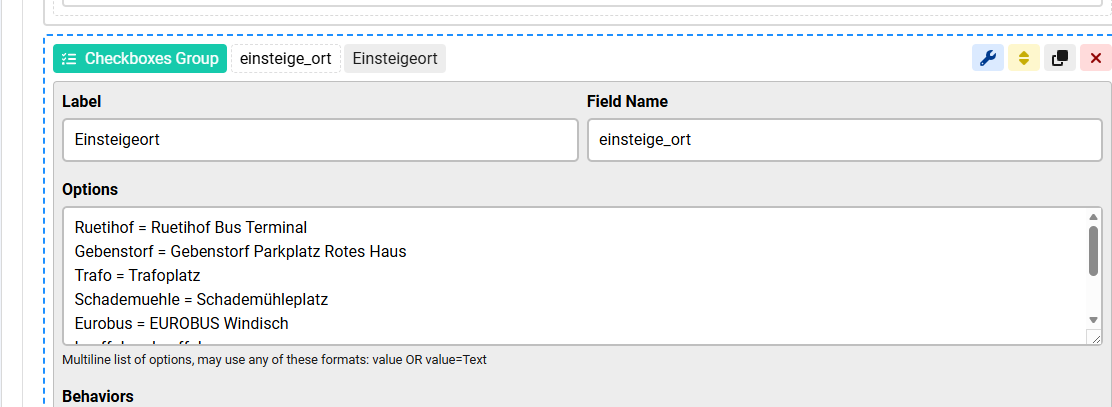
here the correct database entries for a given record (2 selected checkboxes):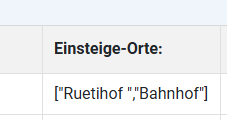
This is the setting of the edit page:
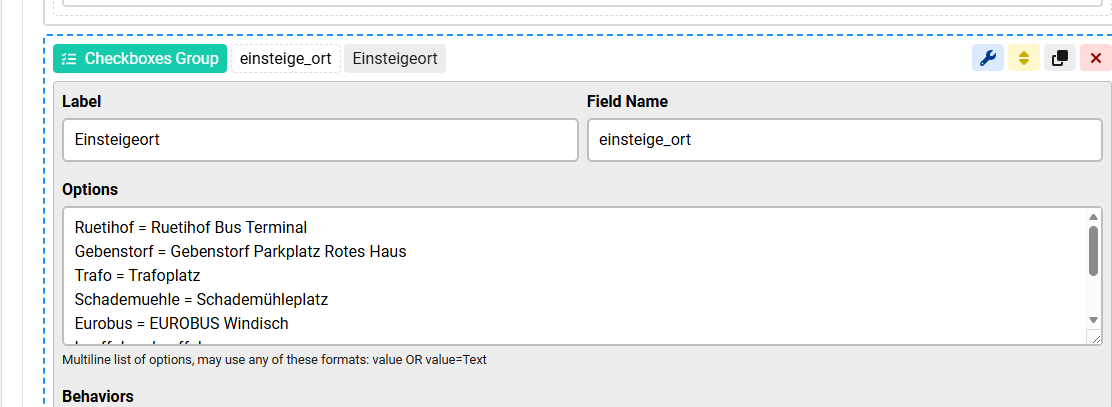
and that is the resulting edit page view of the same record. No checked boxes here:
Regards
the radio and the single checkbox work!
Adriano
Hi Adriano
Since it's saved as JSON you need to add it to the JSON fields behavior:
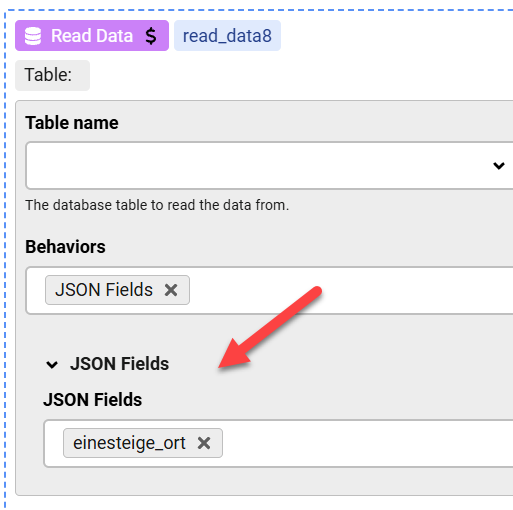
You should also remove spaces around the "=" in the Options, although that may be working, I'm not sure if it will cause some problems somewhere.
Thanks, Max. It worked once I added the JSON Fields statement.
I have another question: would it be possible to place a PHP action at the bottom of the edit page that deletes the selected record, along with a second button labeled “Delete”?
The idea is to give users the option to either edit a record or remove it entirely, depending on their selection.
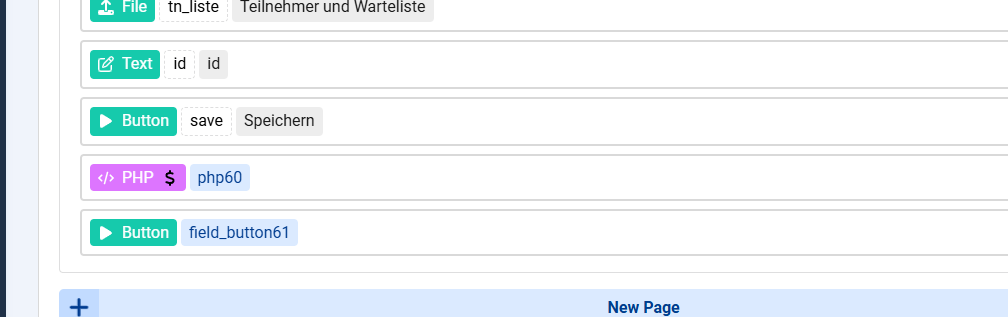
You better have a link called "Delete" which sends the user to the Delete page, once they click it they will visit the Delete page and delete the record.
Max, I have tried the following settings, but it seems taht the record will not be deleted:what I am missing here?
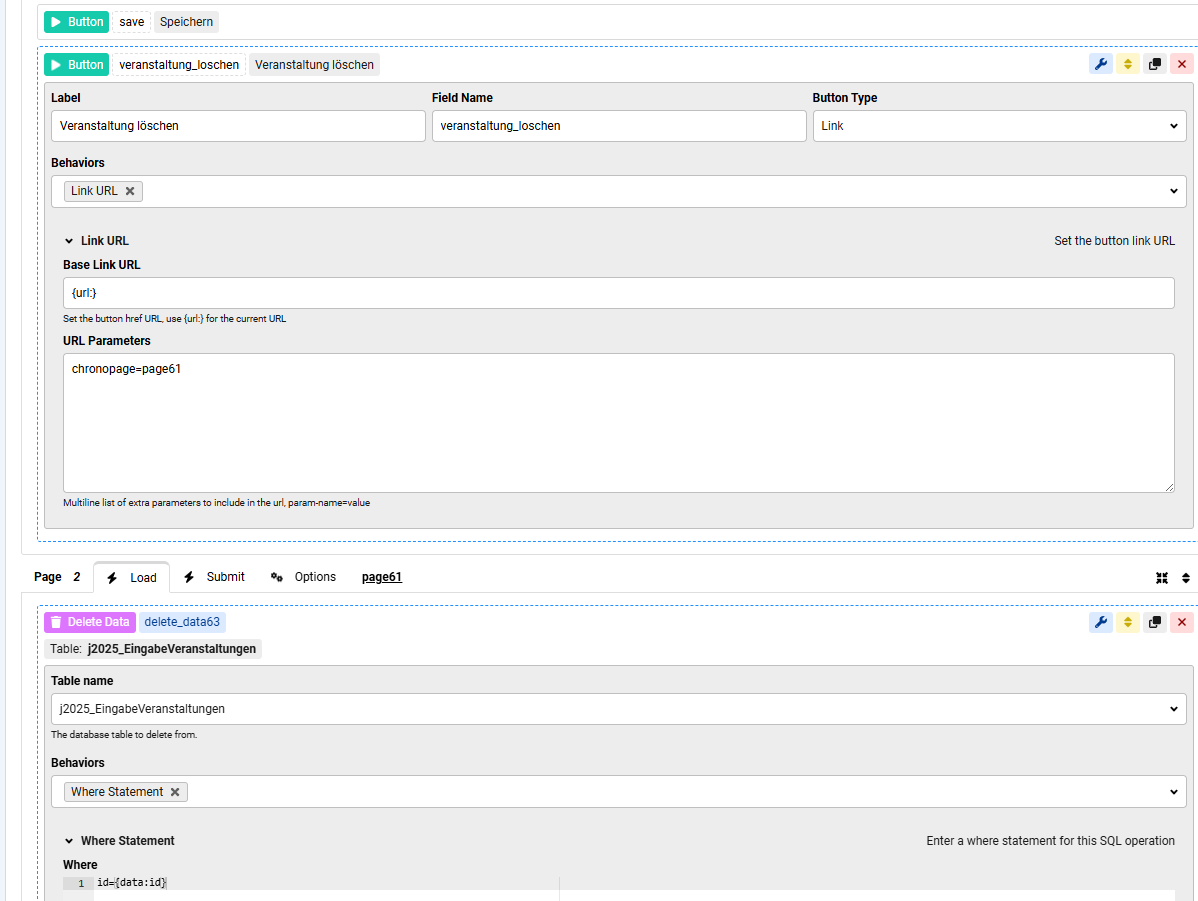
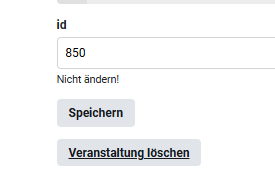
That is how the frontpage looks like:
The degugger shows correctly the selected id and the table settings is also correct
I think that you are not passing the id in the Link to the Delete page and your Delete page does not have it's own page group which means that you can not call it directly.
I do not have your whole form setup to be sure of that though.
The Delete page needs to get the id of the record to use in the Delete Data action, how do you pass this ?
page1 is a table where the id is passed to edit page. the edit page works and the record may be edited and stored back to the database. To the edit page I have added a delete button linked to a delete data action. see my screen shots above. as it is the same form I assume that the id is passed to all pages, right?

