Hi Max, Since my form generates product codes using a PHP action and requires users to upload product images on the form, I set the file name that users upload to be the same as the generated product code. I found a problem: if I put the PHP that generates product codes in the Submit section to reduce the chance of duplicate codes being generated if two users submit the form at about the same time, but if I do this, the file upload field will not be able to use the name generated by this PHP action. How should I solve this problem? Regards,Kittisak

Hi kittisak
Try this setup:
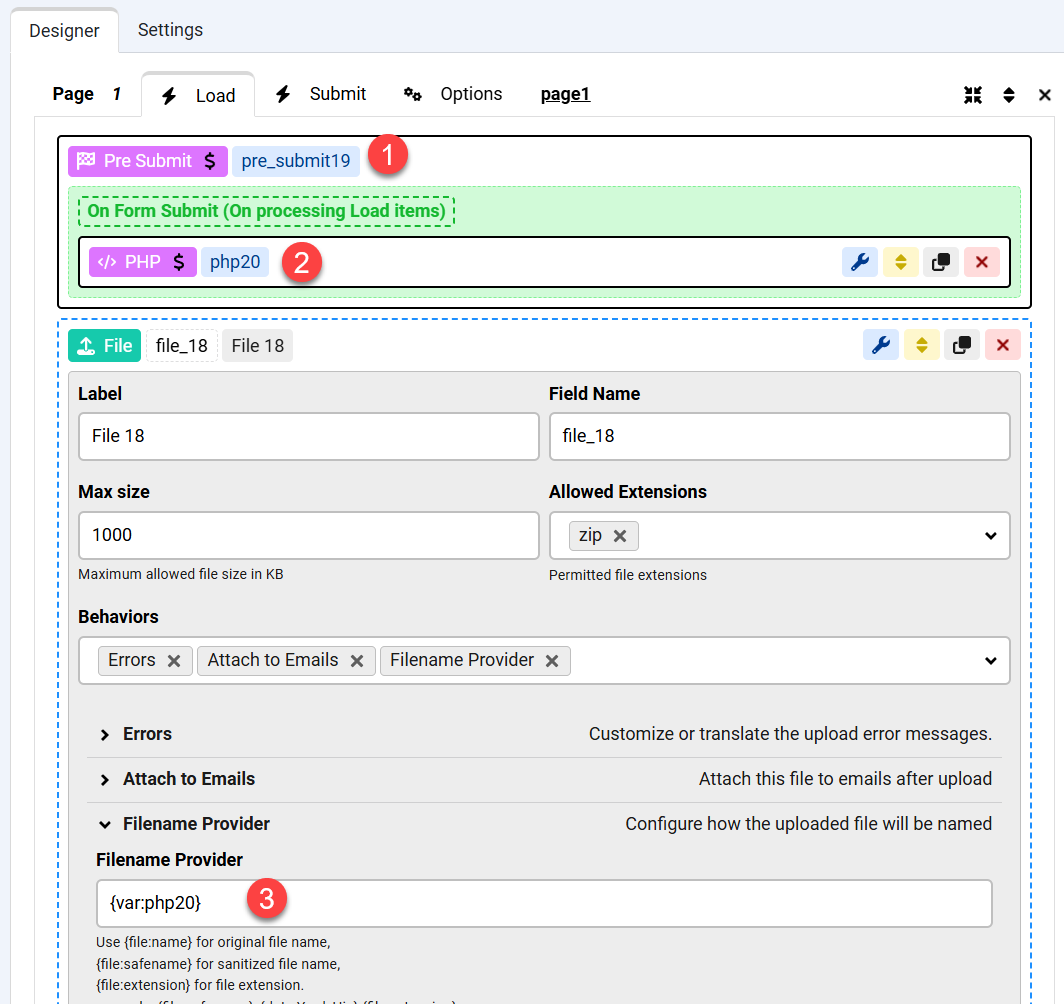
I think that should work
Thanks for the confirmation! 😊
Hi Max, I have another question. On the form page, I want to display this new product code. I have checked that if I put this PHP in the Pre submit section of the Load page, this PHP value cannot be used (e.g. as the default value of the text view). So I have copied this PHP, still giving it the same name, and put it in the Load section (to make it easier to maintain and call (or can I use "Call Action/View" to call this PHP instead), so that if the code is changed, it will know that it is the same code). If I do this, do you think there will be any problems?Regards,Kittisak **PS. I can not begin the new line on this editor.
Hi kittisak
if you want to display it on the page then you can move the action, that's fine.
in order to find why there are no new lines, could you please open your browser's console and find if the page here has any errors for you ?
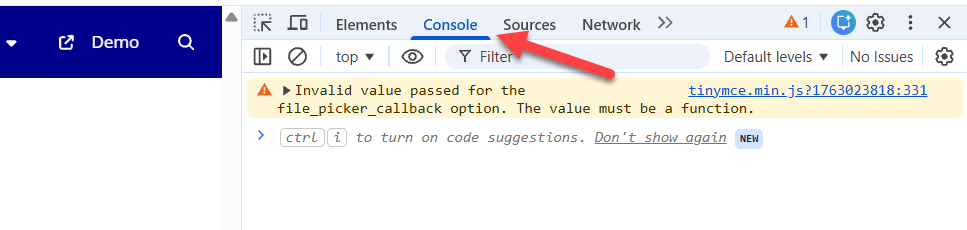
Hi Max,
"if you want to display it on the page then you can move the action, that's fine." Do you mean copy the action?
I had check my browser's console it show an errors same as your picture.
Regards,
Kittisak
Hi kittisak
No, I mean to move it as you said.
Regarding the new line issue, Could you please try a different browser ? because Chrome has some issues sometimes when you do not have the latest system updates, but usually Firefox or other browsers still work fine.

