Joomla 8.1 Chronoform8 Windows 11 Chronoform8 converts the entry in the file configuration {path:root}/images/chronoforms_uploads/ to L:\XAMPP\htdocs\duetto/images/chronoforms_uploads/ which results in an error. The entry works width: xampp/htdocs/duetto/images/chronoforms_uploads/ Can this be fixed?

Hi
The path you said is working is not valid Windows path:
xampp/htdocs/duetto/images/chronoforms_uploads/ Windows paths start with the drive letter
It's mysterious, but in Chronoforms8 it works as shown in the picture. Everything else doesn't.
Do you have the Linux on Windows system ? if yes then you need to use Linux path as you have shown
Thank you for your feedback.
For better understanding, I'm rewriting my original question in a clearer format:
- Joomla 8.1
- Chronoform8
- Windows 11
Chronoform8 converts the entry
`{path:root}/images/chronoforms_uploads/`
in the file (upload) configuration to
`L:\XAMPP\htdocs\duetto/images/chronoforms_uploads/`
which results in an error.
It works with:
`xampp/htdocs/duetto/images/chronoforms_uploads/`.
Everything else doesn't.
Can this be fixed?
ChronoForms gets the {path:root} value from the Joomla JPATH_ROOT constant, try this, add a PHP action to your form page and use this code:
echo JPATH_ROOT;What do you get printed?
This is the Joomla path as set by Joomla itself then, ChronoForms just uses it
What error do you get when you use the default path ? try to enable the form Debug and send me the error message reported under the Debug of the upload section
{path:front}/uploadsResult: Upload dir not available: /L:\xampp\htdocs\duetto\components\com_chronoforms8/uploads
{path:root}\images\chronoforms\Result:: Error, upload directory does not exist: /L:\xampp\htdocs\duetto\images\chronoforms
Available Folders:
see Attachement
Did you try the Create Directory setting:
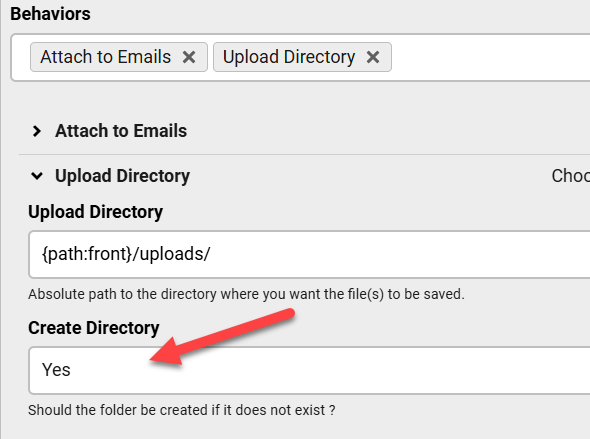
Using `create directory` results in: Error, Could not create upload directory.
Upload dir not available: /L:\xampp\htdocs\duetto\testimg
As we can see, `echo JPATH_ROOT;` returns L:\XAMPP\htdocs\duetto.
However, Chronoforms always inserts a (/) before the drive letter (see above).
That's the problem!
Thanks for clarifying this, this should be fixed in the next update.

