
Hi Max,
Could you please help me understand how to use Loop to save changes for rows selected with checkboxes named select[{var:row.id}]?
Example: I want to select several rows and set publish=1.
What I did:
- Created a submit button: publish_selected.
- In the Submit tab:
- Added Loop (loop69) with Loop Variable: {data:select}.
- Inside the loop, added Save Data with:
- Data Source: {var:loop69}
- Where statement: id={var:loop69.key}
- Modify Data Source: published=1
Debug
Data:
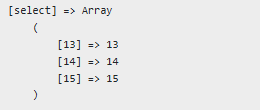
Vars:
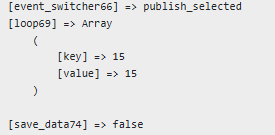
Info:

Error I get:
You have an error in your SQL syntax; check the manual that corresponds to your MariaDB server version for the right syntax to use near 'WHERE aid=13' at line 1
You have an error in your SQL syntax; check the manual that corresponds to your MariaDB server version for the right syntax to use near 'WHERE aid=14' at line 1
You have an error in your SQL syntax; check the manual that corresponds to your MariaDB server version for the right syntax to use near 'WHERE aid=15' at line 1
Then I added to Save Data
·Table Fields:
- published – error Unknown column 'published' in 'SET'
- {var:loop69.key.published} - Unknown column 'published' in 'SET'
Then added DB read action inside the loop to read all the lines corresponding to those selected, but was not able to buld the read either -
aid IN {var:loop69} –
returned
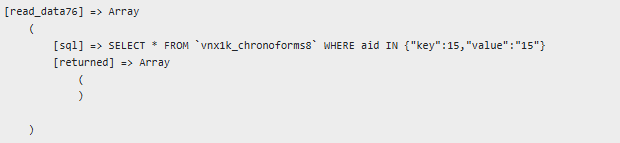
aid = {var:loop69.key} returned
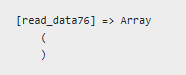
Info
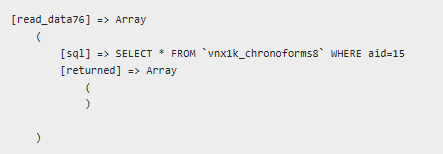
Errors:
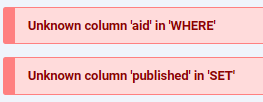
Could yo help with this?
Elita
Hi Max,
It would be really nice to hear from you - even just some quick pointers on where to start digging would help a lot.
I’ve also attached a form as a real-life example of what I was describing, so you can see it in context.
Cheers, Elita

Hi Elita
You do not need a Loop for that, just change your Save Data to update where:
id IN {data.in:select}
