Hi,
I made a search form with a textfield. It is a simple form but it is working. The next step is to make it a form for a more advanced search, with dropdowns and checkboxes.
I have the following WHERE statement:
reg LIKE {var.quote:search} OR airline LIKE {var.quote:search} OR type = {data.in:type}
The 'type' field is a checkbox with two values (Civil or Cargo).
As you can see the WHERE-statement only uses the OR-statement (for example: airline LIKE Delta OR type = Civil). But I would like to make different combinations. If multiple fields are used for searching, the only results that need to be shown are results that meet both criteria (for example: airline = LATAM and type = Cargo).
But how can I make that work?

Hi flyboeing
Do you know about the List Search behavior in ChronoForms v8:
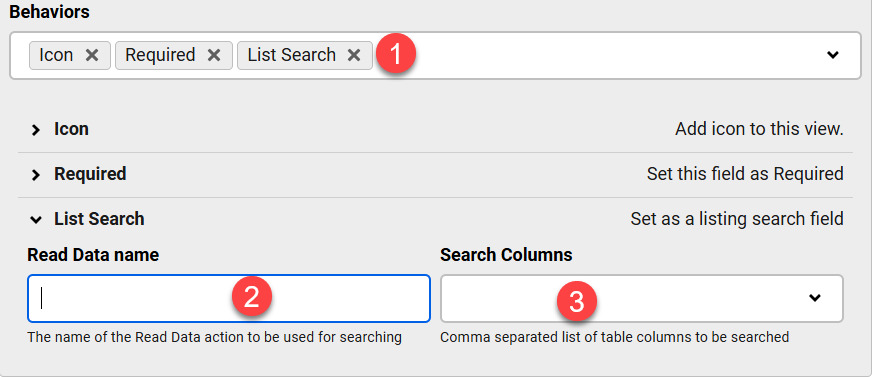
You can use it to setup the search conditions automatically
if this is not matching your requirements then you can use PHP in the Where Statement behavior to build the WHERE conditions or build it inside a PHP action and get it in the Where Statement box using {var:php_name}
Thank you Max.
I made the following PHP action:
// Import Joomla's database classesuse Joomla\CMS\Factory;use Joomla\CMS\Table\Table;
// Get the database connection$db = Factory::getDbo();
// Create a new query object$query = $db->getQuery(true);
// Execute the query$db->setQuery("SELECT reg, aircraft, airline FROM c5x1d_regdatabase WHERE reg LIKE '%".$this->data['search']."%'");
// Load the results as an array of objects$results = $db->loadAssocList();
return $results;
My form has the following fields:
- text input for search
- button for submitting
- php action
- table
But how can I connect the PHP action to the table so it shows results.
Like this:
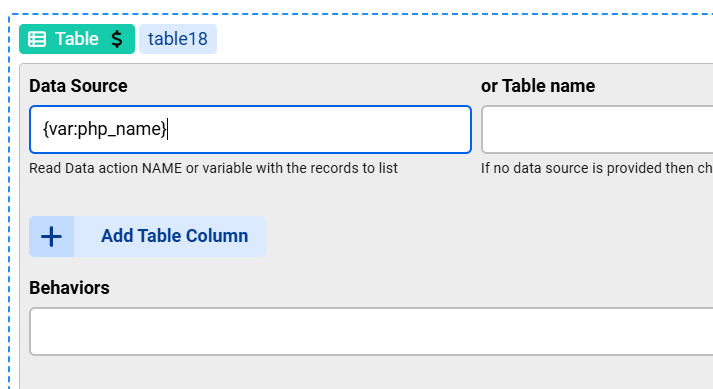
Replace php_name with the name of your PHP action
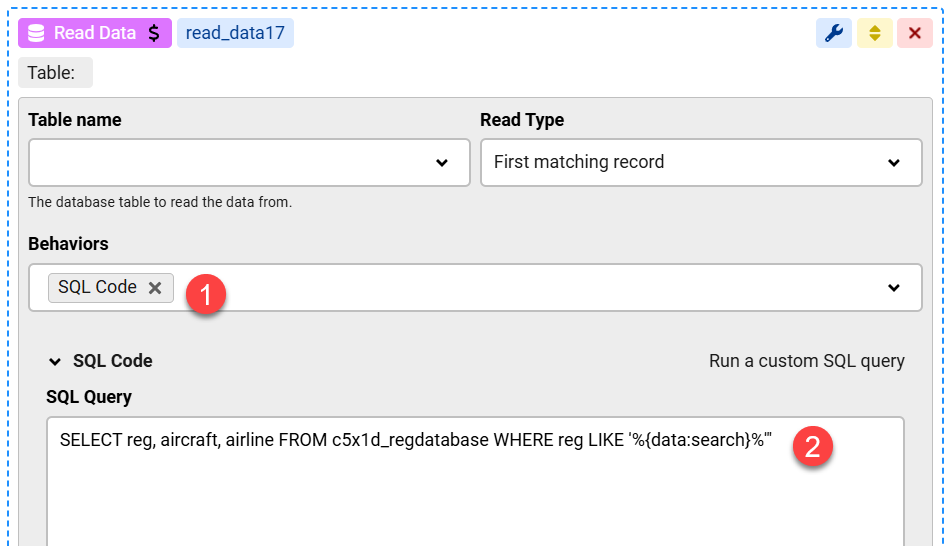
Another way to run a custom SQL code is: