field events using Trigger & Listener

How to show or hide form fields based on a specific database value.

Overview

The user needed to conditionally display fields when a variable matched a particular value, not just when it was non-empty.
Use the "String not empty" trigger condition in CF. In your PHP code, return a non-empty string only when the variable has the desired specific value to activate the trigger and show or hide the target fields.

Answered
ChronoForms v8
kr kraadde 05 May, 2025

Max. is it possible to use trigger and listener based on a database field value?

like when ever {var: something} show or hide fields?

Max_admin Max_admin 05 May, 2025
Answer

yes, in the latest update there was a new trigger condition, "String not empty" :
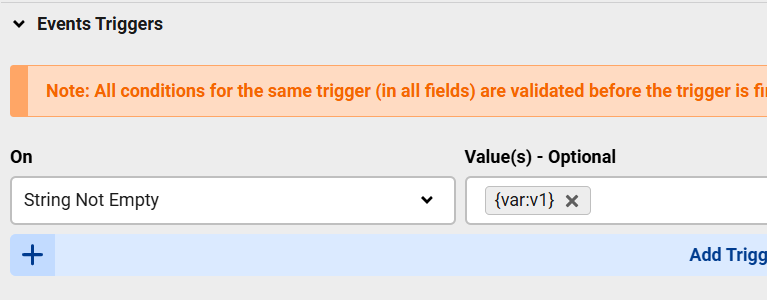
field events using Trigger & Listener image 1

so when {var:v1} has something then the trigger will run

Max, ChronoForms developer
ChronoMyAdmin: Database administration within Joomla, no phpMyAdmin needed.
ChronoMails simplifies Joomla email: newsletters, logging, and custom templates.
kr kraadde 05 May, 2025

sorry, i did not explain myself alright.

I need to have the field hidden when the variable has a specific value or else shown.

Max_admin Max_admin 05 May, 2025

You will check the value in PHP then from PHP return a non empty string when you want the trigger to run

Max, ChronoForms developer
ChronoMyAdmin: Database administration within Joomla, no phpMyAdmin needed.
ChronoMails simplifies Joomla email: newsletters, logging, and custom templates.
Post a Reply

