Problems filtering xls or xlsx files with file upload

Filter xls or xlsx files in a CF file upload.

Overview

The issue occurs when the allowed extensions are incorrectly formatted with a preceding dot.
Enter the allowed extensions without the dot, using just "xls" and "xlsx" in the upload settings.

Answered
ChronoForms v8
lo lollymaster 01 Apr, 2025

Hi all,

im having problems with file upload when i set the allowed extensions with xls and xlsx.

The problem is when i use the file upload and the files with the allowed extensions (xls/xlsx) doesn't appear. When i change the allowed extensions with eg.  png it works fine

It seems that the problem is only with xls and xlsx files.

Can you help me?

thanks a lot,

Lorenzo.

Max_admin Max_admin 02 Apr, 2025

Hi Lorenzo

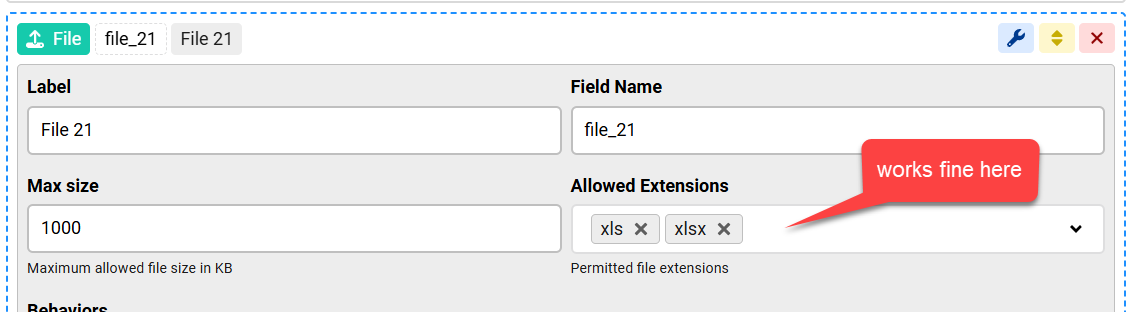
Do you mean like this:

Problems filtering xls or xlsx files with file upload image 1

if yes then it works correctly here, only files ending with .xls or .xlsx or folders are shown when I try to select a file

Max, ChronoForms developer
ChronoMyAdmin: Database administration within Joomla, no phpMyAdmin needed.
ChronoMails simplifies Joomla email: newsletters, logging, and custom templates.
lo lollymaster 02 Apr, 2025

Hi max,

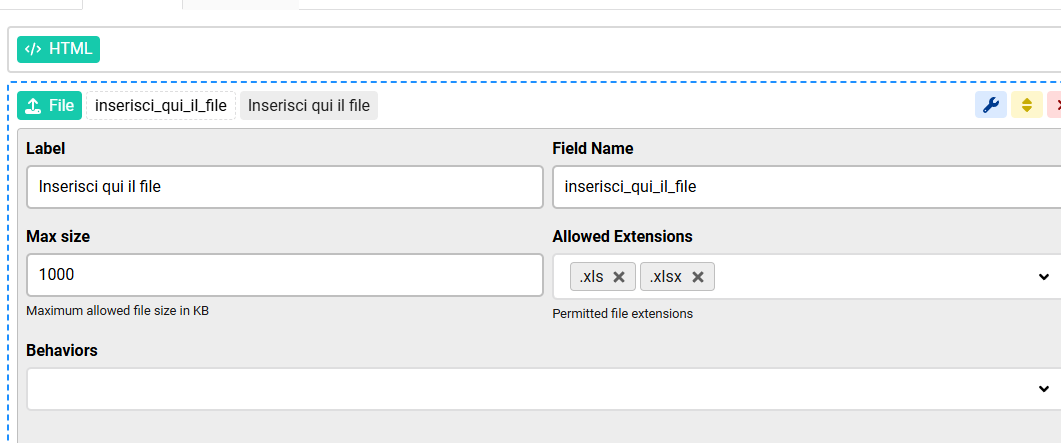
thanks for your support. I means that, but your "upload" object it seems a little bit different then mine. This is my screen:
Problems filtering xls or xlsx files with file upload image 2

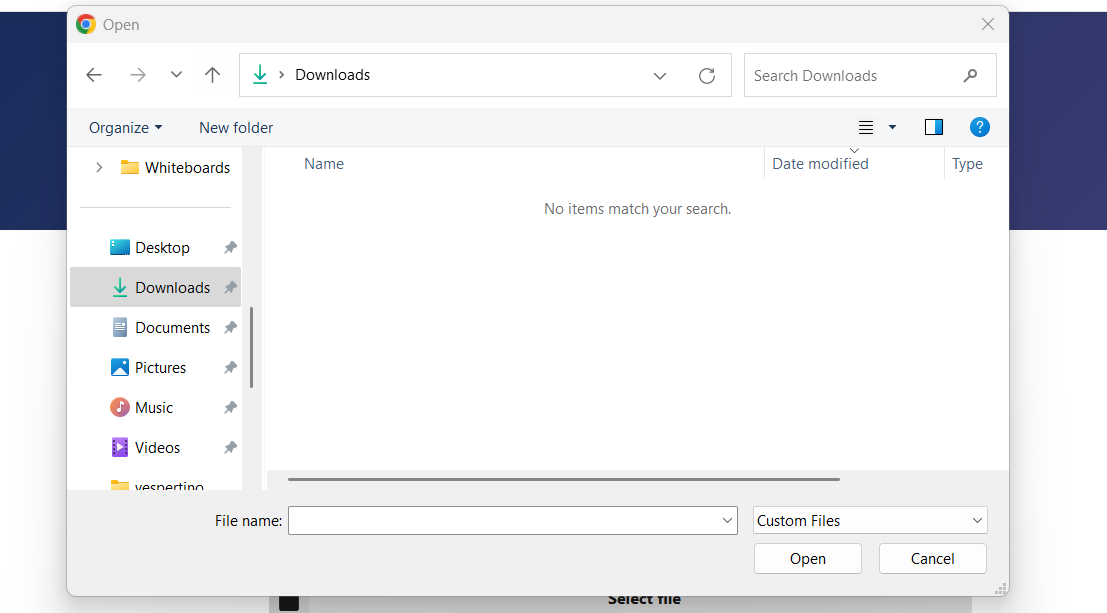
and this is what happnes when i use the upload object(i tried in 2 different pc):
Problems filtering xls or xlsx files with file upload image 3

and im sure that in the "download" folder there are .xls and .xlsx files.

Thanks,

Lorenzo.

Max_admin Max_admin 02 Apr, 2025
Answer

Hi Lorenzo

it's the same upload, but you should NOT add "." before the file extension, just use "xls", without "."


Max, ChronoForms developer
ChronoMyAdmin: Database administration within Joomla, no phpMyAdmin needed.
ChronoMails simplifies Joomla email: newsletters, logging, and custom templates.
This topic is locked and no more replies can be posted.