Max,
a new issue now:
I tried to have my form data saved in the following dB table:
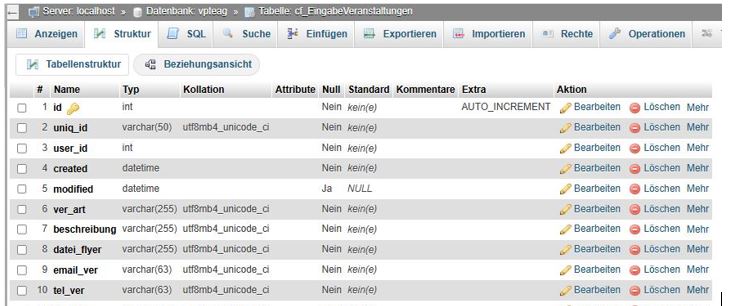
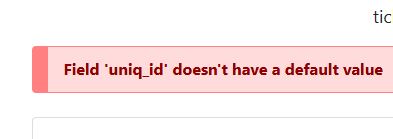
what happen is thet the following erroe message appeares and nothing is stored in the dB.
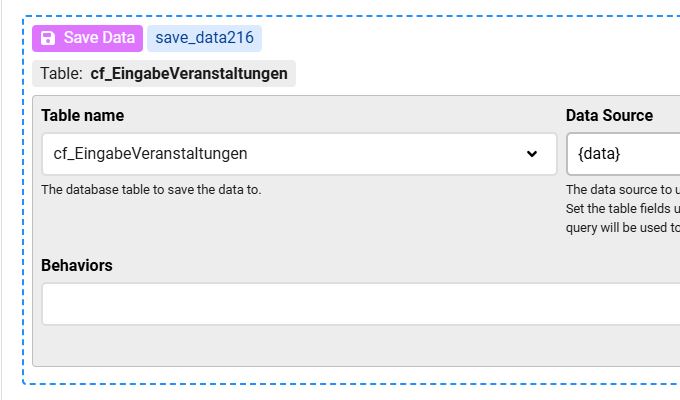
The save data setup looks like that:
What is here wrong?
BTW same database structure in CF5 worked perfectly.

the uniq_id column in the table can NOT be null and so you must pass a value, maybe v5 had a default value for this, but v8 no
so you need to use the "Modify Data source" and supply a value:
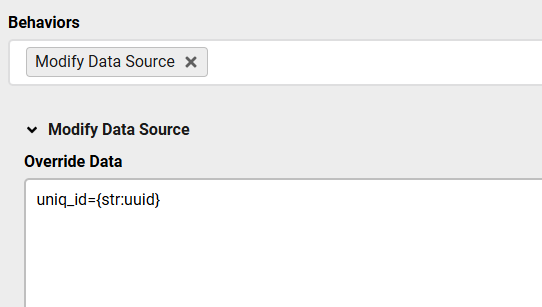
Also the Data Source {data} is incorrect, you may use {data:} but that will also cause issues, so you better define the columns values under the "Modify Data Source"
This topic is locked and no more replies can be posted.

