I have following new problem:
multiple choice dropdown field and several fields selection that need to be hidden or shown.
The following matrix shows the dropdown options and in green the field that I want to be shown or in white hidden
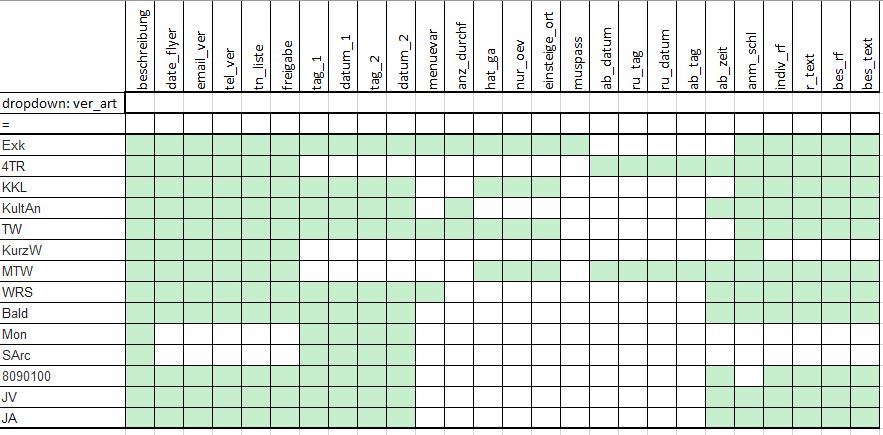
for instance, if i setup the trigger event such as if "value in Mon to show field tag_1 " and "if value not in Mon hide tag_1"
then it will hide tag_1 also when the selected dropdown option is i.e. MTW. If I do not set up the trigger "value not in..." then it does not work correctly
Is there as way to avoid this behaviour?

The Value In should have all the possible values you want to match:
Exk, KKL, KultAn, TW,...etcAnd you should repeat them for Value NOT IN
This topic is locked and no more replies can be posted.

