Hello everyone,
I have a problem when I have to save form data in a database.
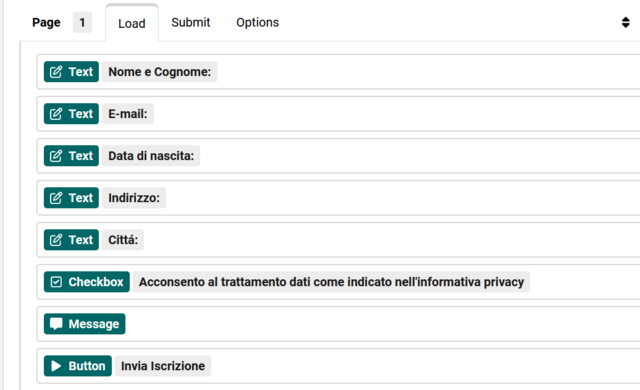
This is my load section in form:
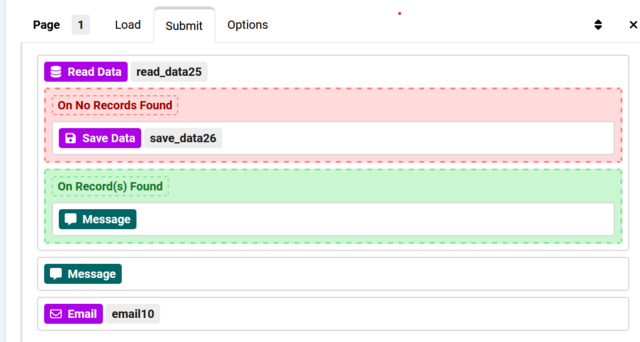
in this submit section I have entered this structure:
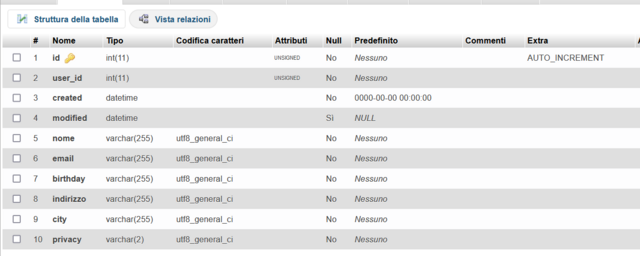
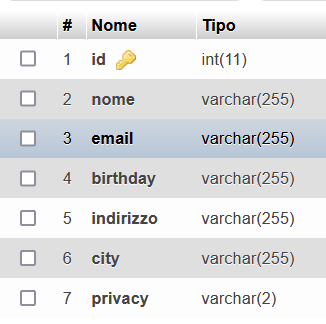
This is my db:
Email sending works perfectly.
Instead for saving on database I think I'm wrong to set the settings; i insert "read data" to control if the email is already present in the database.
if it is present, a warning message appears that the registration for that email is already present, otherwise "save data".
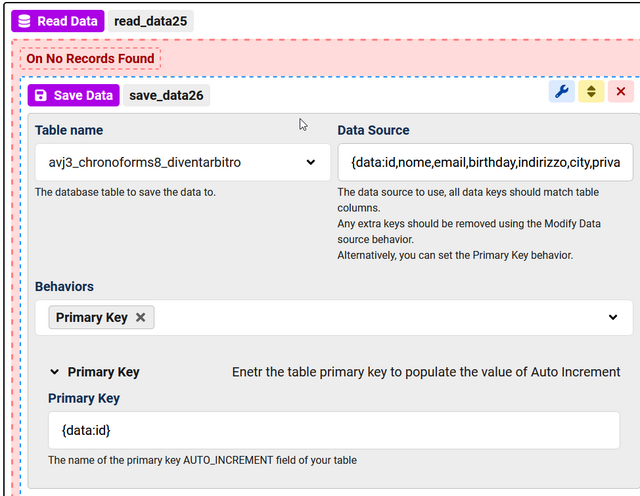
These are the settings:
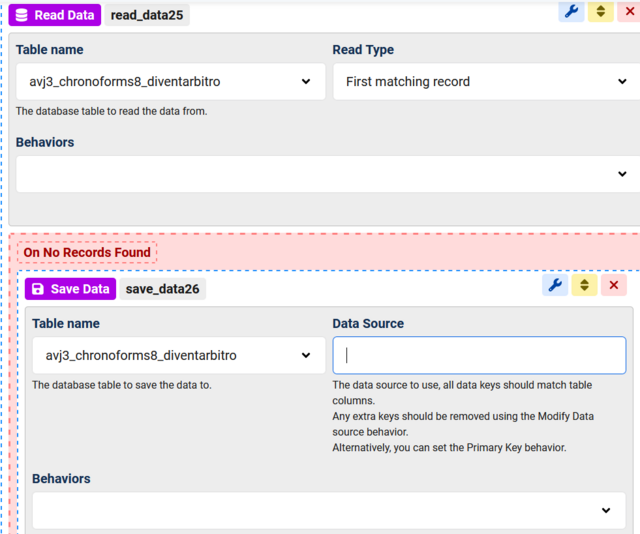
what settings should I enter to save the data on the database?
I haven't found a tutorial for saving data in chronoforms v8.
Thanks to everyone who will try to help me
I have a problem when I have to save form data in a database.
This is my load section in form:
in this submit section I have entered this structure:
This is my db:
Email sending works perfectly.
Instead for saving on database I think I'm wrong to set the settings; i insert "read data" to control if the email is already present in the database.
if it is present, a warning message appears that the registration for that email is already present, otherwise "save data".
These are the settings:
what settings should I enter to save the data on the database?
I haven't found a tutorial for saving data in chronoforms v8.
Thanks to everyone who will try to help me

Hi,
you need to enter {data:} in the "Data Source", you may also need to set the "Primary key" behavior, both in the "Save Data" settings
you need to enter {data:} in the "Data Source", you may also need to set the "Primary key" behavior, both in the "Save Data" settings
Thanks Max but I still have problems.
this is the db:
so i have changed the settings:
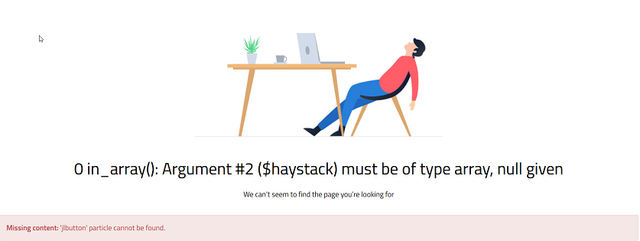
this is the error:
is it possible to create a tutorial like that of sending mail?
this is the db:
so i have changed the settings:
this is the error:
is it possible to create a tutorial like that of sending mail?
the "Data source" should be:
The Primary key should be:
it's possible to create a tutorial, but for now it should work for you with the settings here
{data:}The Primary key should be:
idit's possible to create a tutorial, but for now it should work for you with the settings here
I put the mail module before the read module:
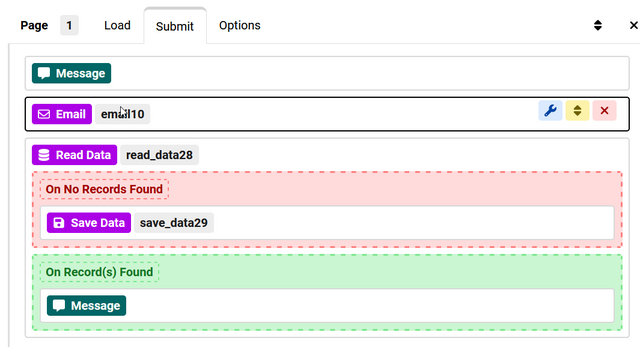
these are settings in "save data":
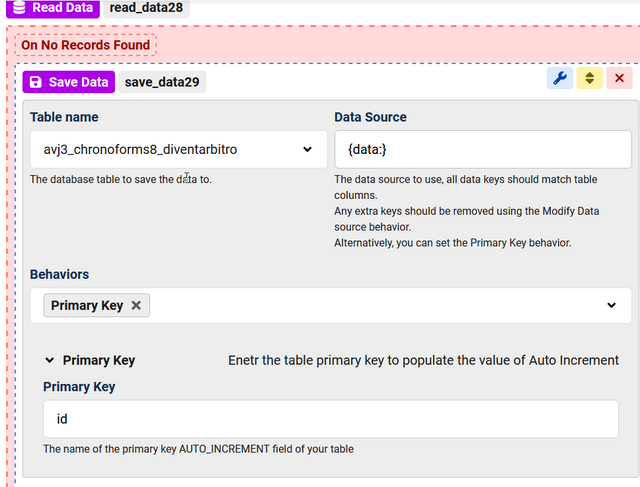
Now no error appears and the mail was sent but the saving to the db does not occur
these are settings in "save data":
Now no error appears and the mail was sent but the saving to the db does not occur
are you saving a new record or updating ? do you have the form "Debug" enabled ? what does it show ?
I solved it like this:
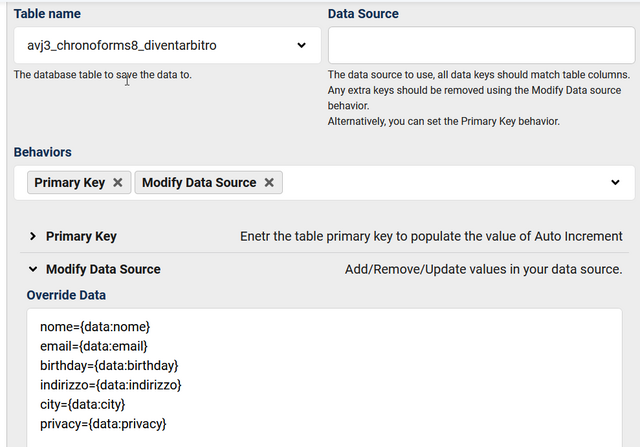
if this form is only for registered user, how can i insert NAME and email directly reading data from table user of db?
use {user:name} and {user:email}
THANK YOU!
This topic is locked and no more replies can be posted.

