class and id for table list

Assign custom classes and IDs to a ChronoForms table list.

Overview

The issue was that CF 8 removed the separate "Custom Attributes" option available in CF 7, preventing users from adding their own HTML attributes to tables.
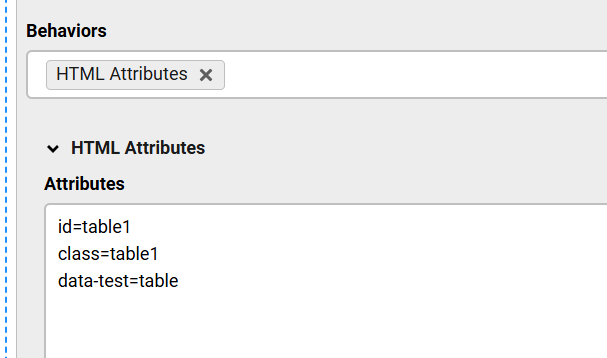
Use the new HTML attributes behavior added in an update, accessible in the Table view settings to assign custom classes and IDs.

Answered
ChronoForms v8
Fr Fredolino 24 Oct, 2025

How can I assign classes and IDs to the table?

In CF 7 there was a separate "Custom Attributes" option for this. Was that removed in CF 8?

The tables automatically always have these classes: class="nui table white celled selectable bordered rounded full width block".

But I want to assign my own classes.

F.

si simelas 24 Oct, 2025

Hi Fredolino,

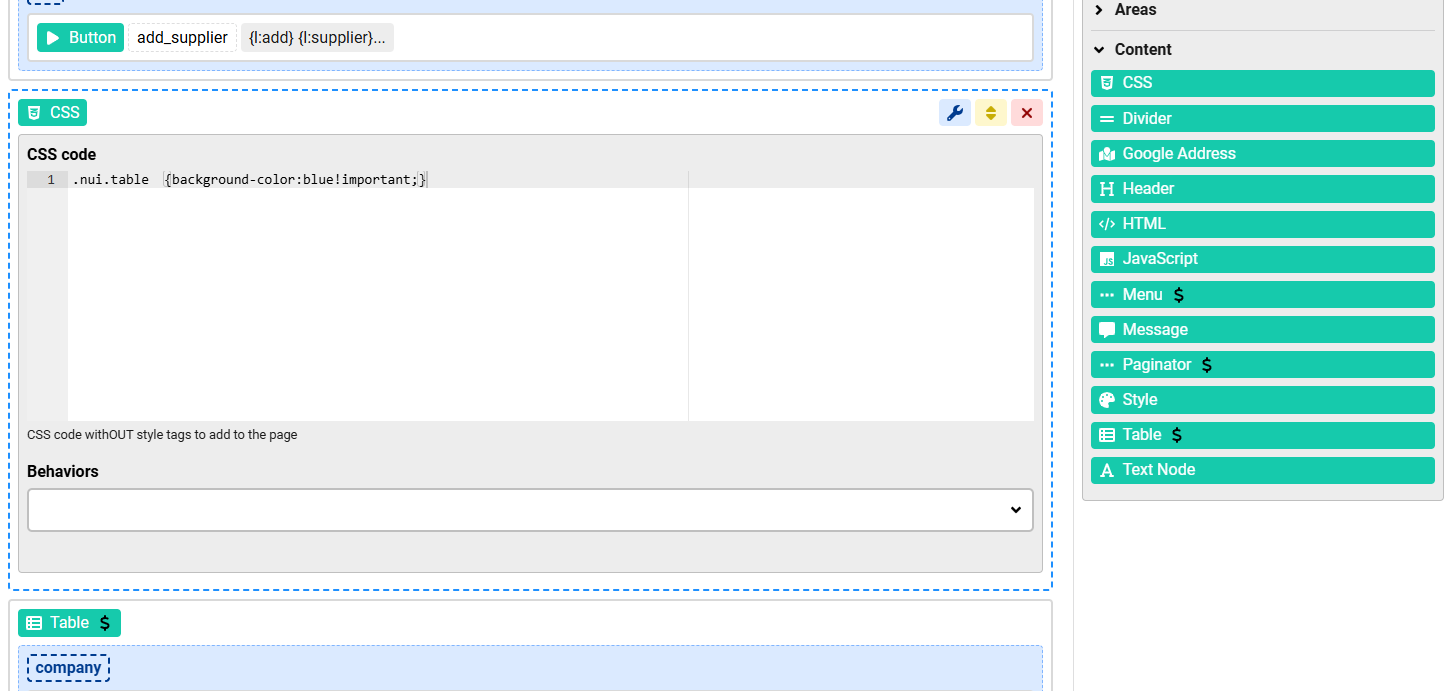
you may want to add Content => CSS before the table .
class and id for table list image 1

Cheers,

S

Fr Fredolino 24 Oct, 2025

Yes, I know how to do that.

But I still need to be able to assign my own classes and at least one ID.

It absolutely has to be possible to assign a separate ID for the table!

Max_admin Max_admin 29 Oct, 2025
Answer

added new HTML attributes behavior for Table view in the next update:
class and id for table list image 2

Max, ChronoForms developer
ChronoMyAdmin: Database administration within Joomla, no phpMyAdmin needed.
ChronoMails simplifies Joomla email: newsletters, logging, and custom templates.
Fr Fredolino 29 Oct, 2025

That would be a great advantage! And that was also available in CF 7.

I also have several tables on one page at the same time, and it's very cumbersome to assign different styles to the tables using only classes.

:-)

Max_admin Max_admin 29 Oct, 2025

Great! :)

Max, ChronoForms developer
ChronoMyAdmin: Database administration within Joomla, no phpMyAdmin needed.
ChronoMails simplifies Joomla email: newsletters, logging, and custom templates.
Post a Reply

