Hi Support Team,
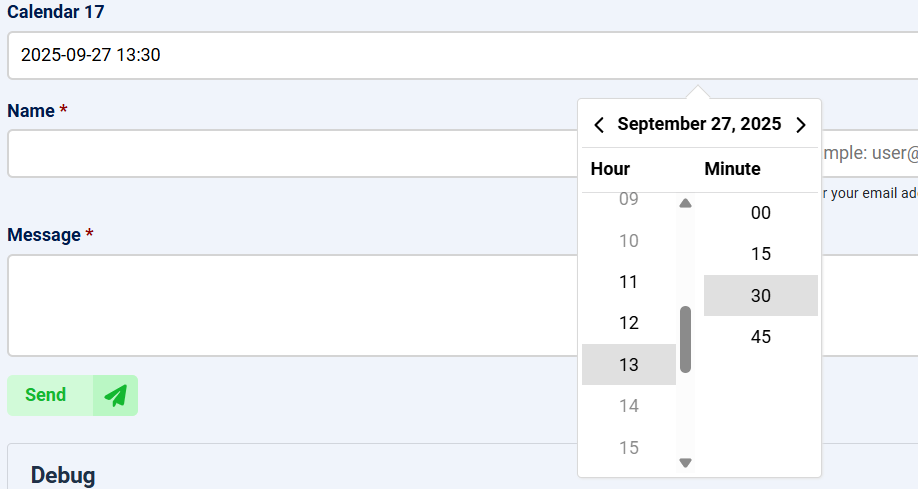
A user should be able to select - using two separate calendar fields in our form - the day and the exact time at which they want to reserve a table. The time options should run from 11:30 to 13:30 in 15-minute increments. However, even though the “Date/Time Limits” behavior has a start time of 11:30 and an end time of 13:30, all full hours are shown. The “Minutes Step” is set to 15, but the minutes dropdown only offers 00 and 15 - 30 and 45 are missing.
What settings need to be adjusted so the user can book at 11:30, 11:45, 12:00, 12:15, and so on, up to 13:30?
Thank you in advance.
Regards, PlatformElements
Hi Support Team,I’d like to follow up and ask which settings I need to change in a form so that the user can select times like 11:30, 11:45, 12:00, 12:15, and so on, up to 13:30. Is there a solution for this?Best regards, PlatformElements

Hi PE2016
Thank you for letting us know about this issue, it was actually a bug.
I have fixed both issues and you can now download the latest installer from the Downloads page and install it OVER yours to fix both issues
Here is how the calendar will look like: